
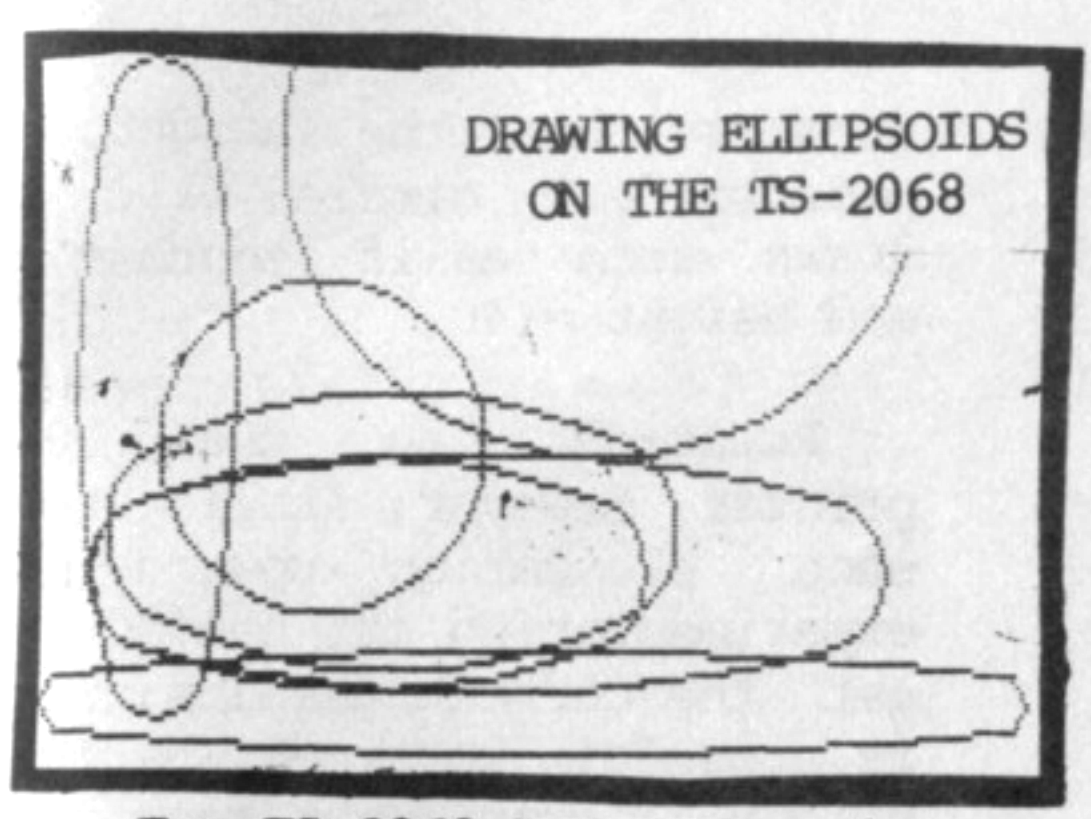
The TS-2068 has some unique graphics capabilities as most users already know. PLOT allows Hi-Res plotting of any screen pixel. DRAW allows straight lines (as nearly as the computer can make them) between the last plotted pixel to the new co-ordinates. CIRCLE makes a circle with a slight eliptical shape.
There is no command to draw elipsoids directly or for that matter, a more perfect circle. The DRAW command, however, can also draw circles or parts of circles. A pixel has to be plotted on the screen first that would be far enough away from the borders so that the DRAW routine does not run out of room.
DRAW followed by 2 numbers, separated by a comma, normally plots a straight line to the co-ordinates of the 2 numbers. If a comma and third number follow, a curved line will result. The straight line distance between the two points is still the same as if only 2 numbers were used but the curve will occur between the points. Enter the following program:
100 INPUT A,B
110 CLS
120 PLOT 50,50
130 DRAW A,B
140 PAUSE 40000
150 CLS
160 PLOT 50,50
170 DRAW A,B,PI
180 PAUSE 40000
190 CLS
200 PLOT 50,50
210 DRAW A,B,PI/2
220 GOTO 100
Experiment with inputs such as 50,50 and 30,60 etc. You will notice the slope of the curve changes each time in proportion to the value of the third number. Edit line 170 to read:
170 DRAW A,B,PI * xwhere “x” equals a number in between .1 and 1.65. You now have an indication of how this third number affects the curve.
The CIRCLE command cannot draw a perfect circle but a routine can be written that can draw a circle as perfect as the computer is capable. It can also draw elipsoids.
The following program will draw a pretty good ellipse with only 9 program lines.
10 INPUT "Length? ";l: LET
c=l
20 INPUT "Height? ";h: IF H<C
   THEN LET c=h
30 CLS : LET b=l/(l+h): LET a
  = h/(l+h)
40 PLOT c,c
50 DRAW l,0,PI*a
60 DRAW 0,h,PI*b
70 DRAW -l,0,PI*a
80 DRAW 0,-h,PI*b
90 GOTO 10
The length input will be an approximation of the length from left to right and the height from up to down.
The program actually plots the elipsoids as 4 parts, each the part of a circle determined as a fraction of its circumfrence by lines 50 to 80.
The variable “c” in lines 10 and 20 determines the starting PLOT positions in line 40 so that the greatest amount of elipsoids can be tested.
The Variables “a” and “b” determined by line 30 and used in lines 50 determine the portion of the circle to be used in each of the 4 elipsoid segments which line up perfectly to give as true an elipse as can be expected. Remove the CLS command in line 30 to get an overlay on your screen.
If the length is 25% greater than the height, a near perfect circle will be drawn such as if length = 50 and height = 40.
Print-out to the 2040 printer, however, still shows some elongation upwards so experimentation is needed to get the correct results. This is a useful routine wherever screen graphics requiring circles or elipsoids are needed such as drawings, games or business charts – Ed.
Note: Type-in program listings on this website use ZMAKEBAS notation for graphics characters.