
To use the EPROM programmer discussed last month with the TS 1000/1500, you need to use the program listed here. Because the 1000/1500 does not have IN or OUT, a couple of short machine code routines appear in the REM statement of line 1.
Memory location 16514 holds data to be outputted, and 16515 holds incomming data. 16521 is POKEd with the correct port to output from. The OUTput routine starts at 16516 and the INput routine starts at 16524.
Here is the machine code listing using decimal addresses:
16514                         ;data
16515                         ;data
16516 F5      push af         ;save registers
16517 3A8240  ld a,(16514)    ;ld data in reg.
16520 D3N?    out (N),a       a, out to port n
16522 F1      pop af          ;restore reg's.
16523 C9      ret             ;return to prog.
16524 F5      push af         ;
16525 DB00    in a,0          ;in data from 0
16527 328340  ld (16515),a    port, ld data to
16530 F1      pop af          16515
16531 C9      ret             ;return to prog.
The first time you LOAD the program, use GOTO 270 to place the machine code in the REM statement in line 1. Then delete lines 270 onward and save this version.
   1 REM DD PRINT U[illegible]RNDPEEK \''LET TAN PRINT <= M\..RND LET TAN
   5 REM  EPROM PROGRAMMER
  10 REM  READ EPROM
  15 PRINT "ENTER 0 TO READ EPROM           ENTER 1 TO WRITE TO EPROM: "
  16 INPUT TYPE
  18 IF TYPE THEN GO TO 100
  20 PRINT "ENTER START ADDRESS(DEC)"
  25 INPUT S
  30 GO SUB 270
  40 PRINT "ENTER LENGTH OF CODE[illegible: 2 cells]DEC)"
  45 INPUT LEN
  50 FOR N=0 TO LEN-1
  55 RANDOMIZE USR 16524
  60 PRINT S+N,PEEK 16515
  70 POKE 16521,5
  75 RANDOMIZE USR 16516
  80 NEXT N
  90 GO TO 15
 100 REM PROGRAMMING THE EPROM
 115 PRINT "ENTER MEMORY START LOCATION(DEC)"
 116 INPUT M
 118 LET MV=M
 120 PRINT "ENTER START ADDRESS(DEC)"
 125 INPUT S
 130 GO SUB 270
 140 PRINT "ENTER LENGTH OF CODE(DEC)"
 145 INPUT LEN
 150 FOR N=0 TO LEN-1
 155 POKE 16514,PEEK M
 160 LET M=M+1
 170 POKE 16521,4
 172 RANDOMIZE USR 16516
 175 PAUSE 4
 180 POKE 16521,5
 185 RANDOMIZE USR 16516
 190 NEXT N
 195 PRINT ,,"PROGRAMMED"[illegible]
 200 REM [illegible]VERIFY[illegible]
 205 GO TO 270
 210 FOR N=0 TO LEN-1
 230 LET D=PEEK MV
 232 LET MV=MV+1
 237 RANDOMIZE USR 16524
 240 IF PEEK 16515<>D THEN PRINT S+N
 245 POKE 16521,5
 247 RANDOMIZE USR 16516
 250 NEXT N
 260 PRINT ,,"VERIFIED"
 269 STOP
 270 POKE 16521,2
 272 POKE 16514,INT (S-256*INT (S/256))
 274 RANDOMIZE USR 16516
 280 POKE 16521,3
 285 POKE 16514,INT (S/256)
 290 RANDOMIZE USR 16516
 295 RETURN
 300 LET A$="000000245058130064211003241201245219000050131064241201"
 301 LET M=16514
 302 FOR N=1 TO 54 STEP 3
 303 POKE M,VAL A$(N TO N+2)
 304 LET M=M+1
 305 NEXT N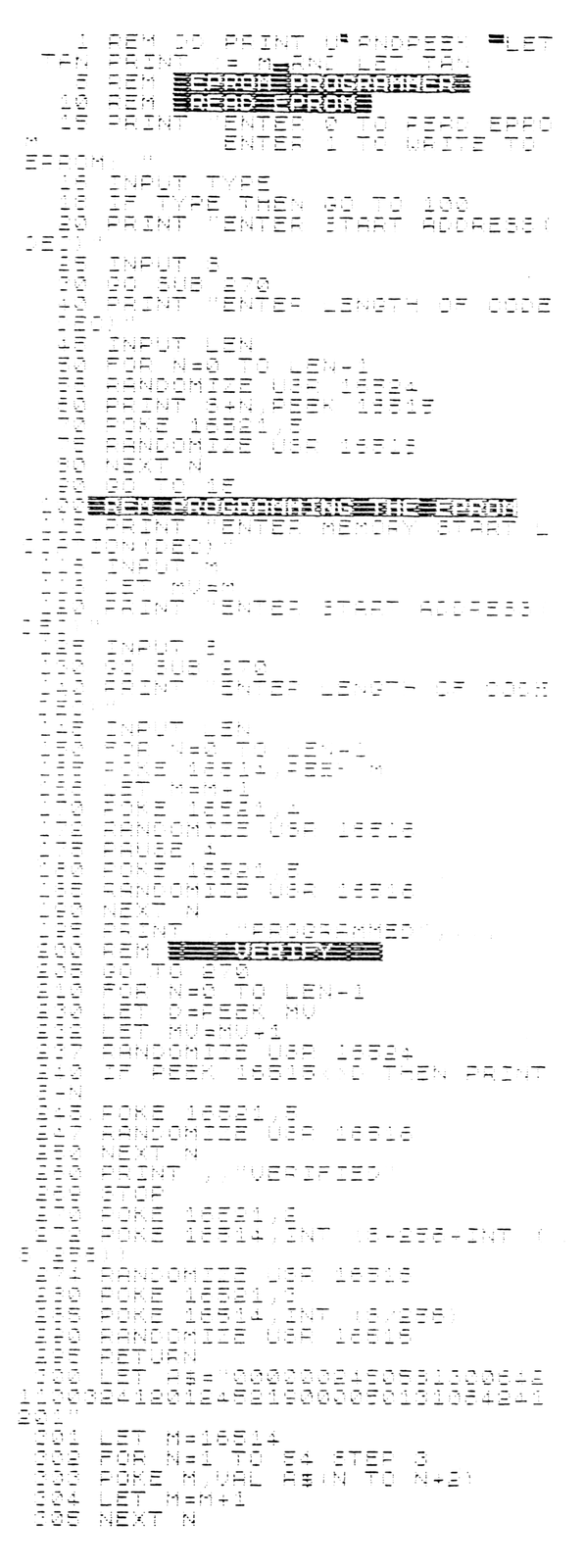
The best use of this EPROM programmer is to have some type of memory board such as Hunter’s Non-volatile memory board for the 1000/1500 which occupies the 8-16K area. You could even make some cartridges for the few TS 1510 cartridge players that exist.
The 1500 can auto-RUN programs stored on cartridge provided that memory location 8192d is set (=1) and starts executing at 8193. The 2068 has a much more involved way of setting up for cartridge use. The first eight bytes of the cartridge or EPROM contain information as to the type of program and where it is banked to and where the program starts. On power up, the computer checks these eight bytes and acts accordingly.
The first byte tells the computer whether the program is in BASIC (01) or machine code (02). The second byte tells whether it is AROS (01) or LROS (02). The third and fourth tell where the starting address is. The fifth tells what “chunk” of memory the program resides in, the sixth tells whether it is auto start (01) or not. The seventh and eighth tells the number of variables being used plus 21.
The “chunk” byte can be in 8 or 16K blocks and set using the following codes:
Chunk  Addresses     Decimal code
                      8K    16K
  0        0-8191      1      3
  1     8192-16383     2
  2    16384-24575     4     12
  3    24576-32767     8
  4    32768-40959    16     48
  5    40960-49151    32
  6    49152-57343    64    192
  7    57344-65535   128
To see how this works, lets look at the first ten bytes in three of the most popular cartridge software: The Spectrum Emulator, OS-64, and Hot-Z.
   Spectrum Emulator   OS-64   Hot-Z
0        243             0       2
1          1             1       2
2        110             5       8
3         56             0     128
4        252           252     207
5        195           195       1
6        203           158      21
7         17            13       0
8         42            42     251
9         93            93     205
The Spectrum Emulator and OS-64 are both LROS type as designated by the 1 in the second byte and Hot-Z is an AROS type as designated by the 2. For LROS type, it does not matter what the first byte is, so for the emulator and OS-64, the numbers there are insignificant. The 2 in Hot-Z means that it is machine code.
The Spectrum emulator starts executing at 256*56+110=14446 due to the numbers in the third and fourth byte. OS-64 starts at 256*0+5=5, and Hot-Z starts at 256*128+8=32776. From the fifth byte and the table above, we can see that Hot-Z is banked into the 32768-49151 region, and both OS-64 and the Spectrum emulator are in the 0-16383 region.
The rest of the bytes are not used at startup and can be used for part of the program for LROS, but for Hot-Z, which is AROS, we can see that it is set for auto-run by the 1 in the sixth byte.
For a BASIC program, the first byte should be 01, the second byte should be a two, and bytes 3 & 4 should be the start address of where the BASIC program begins. The sixth byte should be 01 for auto-RUN. It would be best to start an AROS program at 32768 as Hot-Z does to avoid any unwanted confrontations of the system variables which usually end around 26700.
Variables must be initialized in the BASIC program and DEF FN and FN do not work from cartridge. For more information on making and using cartridges, contact: Bob Orrfelt of GESSO Products, 3436 Bay Road, Redwood City, CA 94063.
The Technical Manual for the 2068 (sold by Time Designs Magazine) has some of the code for the 2068 home ROM to correct that obnoxious stop-before-delete bug, the INT-65535 bug and others. To make corrections to the home ROM, you need to copy the code up into memory so that you can make the changes. To stick with even numbers, start the code at 40,000 by first entering CLEAR 39999:NEW and then the following:
2000 FOR N=0 TO 16383: POKE N+40000,PEEK N: NEXT NNow the code is up where you can manipulate it. Make the following POKEs to correct the listed bugs:
DELETE delay          INT-65536 etc. cont.
40849,1               43794,24
40850,1               43795,26
40851,0               43796,241
40852,11              43797,119
40853,121             43798,35
40854,176             43799,114
40855,32              43800,35
40856,251             43801,113
40857,241             43802,43
40858,24              43803,43
40859,210             43804,43
                      43805,209
Optional turn on      43806,201
message: (Use code    43807,241
for each char.)       43808,43
44376 Good Day!       43809,54
44386 Revision 2.1    43810,145
44400 July 1986...    43811,35
add 128 to last       43812,54
character             43813,128
                      43814,60
INT-65536 etc.        43815,24
53297,245             43816,237
53298,60              43817,255
53299,179             43818,255
53300,178             43819,255
53301,194             43820,255
53302,228             43821,255
53303,53
53304,195
53305,239
53306,53
After you have made all the corrections you wish to make, use the program shown last time to program your EPROM. When the program asks for memory start loacation, enter 40000. Answer 0 to “Enter start address of ROM and 16384 for length of code question. The EPROM will take about 12 minutes to program and will verify afterwards. If all goes well, you will have your own personalized 2068 operating system when done.
For those with QL’s that have started to tinker around with your own hardware, you should find it fairly easy to convert this programmer to make your own EPROM based software cartridges for it as well.
The possibilities are endless with what you can do with the cartridge ports and this EPROM programmer. Enhanced operating systems, utilities, quick load programs with memory saving techniques are just a few of ideas. How about both an enhanced 2068 operating system and a Spectrum operating system all on one 32K EPROM?
One final note, after you program a few of these EPROMs, you may find that you will want to erase some. They require ultra-violet light for erasure, i.e., a special lamp is needed to erase them. The commercial erasers run on up into the hundreds of dollars. One eraser that I have found to be very cheap and effective is the DATARASE by Walling Co. available from R&D Electronic Supply, 100 E. Orangethorpe Ave., Anaheim, CA 92801 (714) 773-0240. They take plastic and phone orders. Price was $34.95 when I got mine and it will erase two EPROMs in about 8-10 mins.
Joe williamson
Note: Type-in program listings on this website use ZMAKEBAS notation for graphics characters.