
Musings and Meanderings
After you have hard-wired the shaky connections of its 16K RAMpak and have added on a full-size keyboard, a remaining drawback of using the ZX81-TS1000 for lengthy programs or data files is the slowness of its tape SAVE/LOAD baud rate. One of the best of the FSL (Fast Save/Load) software routines that were written to remedy this problem when the ZX81 appeared in the U.S. was Brad Bennett‘s ZXLR8, still available on cassette and also on EPROM from Russell Electronics. It is 2K bytes in length and is relocatable in RAM to allow its use with other machine code programs. It will do fast SAVEs and LOADs of Basic programs, data, binary, graphics, and hi-res graphics, as well as providing an index printout of all the programs on tape.
Many other such FSL routines were written in the U.K. and elsewhere during the hey-day of the ZX-81. Some abbreviated ones using 1/2K bytes or less were incorporated as fast-loading headers for game and utility programs. Since such routines must themselves first be loaded at regular speed and occupy RAM space (unless they are on EPROM) which cannot be used for other program data in the limited memory of the ZX81/TS1000, for most purposes the shorter the FSL the better. The following version, some of which has been adapted from such abbreviated routines, occupies only 512 bytes at the top of RAM after loading. It lacks some of the bells and whistles of the ZXLR8 but does provide a VERIFY mode as well as fast SAVE/LOAD at adjustable baud rates from 1200 to 4800, or about 5 to 20 times faster than normal. If you understand machine code programming, blocks of code may also be saved and loaded by poking various addresses in the FSL routine.
It should be noted that several factors become critical in using any FSL routine. Because the design of the ZX81/TS1000 system utilizes what is essentially an analog or sine-wave signal for its LOAD/SAVE modes rather than a square-wave or true digital form, it is imperative to use a low noise tape with crisp high frequency response, good dynamic range, and no drop-outs. Recorder heads must be kept clean, demagnetized, and properly aligned. The higher the baud rate, the more critical these things and the record/playback level become. If you have been getting dependable loading at normal rate then an increase up to about 10 times normal SAVE/LOAD speed should be attainable with your equipment. With additional noise-eliminating and wave-shaping circuitry, baud rates of 4800 and higher can be achieved with a hi-fi recorder not using auto-level control. The use of the Russell Winky board may also be of help in obtaining good results.
In order to hold the FSL code in a form which will SAVE and LOAD in the normal ZX mode, we need a first-line REM statement 512 bytes in length. The REM-expanding routine which appeared in the May CTM (pg. 62) can easily be adapted to do this, but in FAST mode it is no big deal to key in manually the half-screen of REM characters we need. First, fill 16 lines of a line 1 REM in the editing area of the screen with characters such as “X” and “O”, alternating with every fourth line to make it easier to count the lines. Key ENTER, then EDIT to bring this line down into the editing window again. With the shifting of the line number position plus one space occupied by the cursor there should now be 4 characters appearing in the 17th line. Move the cursor past “REM” and insert “123456” and key ENTER again. There should now be 16 filled lines (including 1 REM) plus 9 characters in the 17th line.
POKE 16510,0 to prevent this line being edited again and ENTER an empty 1 REM statement (containing no characters) following what is now the 0 REM statement. Note that this line 1 REM statement cannot be removed once the codes have been POKEd into the line 0REM or the system will crash.
Collapse the display file with POKE 16389,0 then CLS, and make a couple of back-up SAVEs to tape before going on. POKE 16389,126 then enter NEW to set RAMTOP at 32256. Load the 0 REM and the 1 REM back into the computer and enter the code loader listing (1). Key RUN to start the loader, which will then display a “CONT IF OK” prompt and stop. Key CONT to commence block 1. CAREFULLY enter the codes from listing (3), reading left to right. The screen display should match the printed listing.
After checking a completed block, if no errors are found key CONT to go on to the next block. If you catch an error as soon as it is printed to the screen, enter “E” to make a correction of that last entry only. Otherwise, if you find an error in the displayed listing after the loader stops at the end of a block, you can repeat all the entries for that block by entering LET N=N-64 then GOTO 180. The exception is the final block 8, which will require making line 20 FOR N=16962 TO 17025 and using RUN to correct any errors found after the block is completed. Again make a couple of backup SAVEs to tape before overwriting the loader listing by entering the FSL header in listing (2).
Listing (2) is set up as a fast-loading header to be put on tape in normal mode so it will fast-load the FSL program immediately following it. Note that RAMTOP must be set at 32256 with POKE 16389,126 and NEW before this header listing is entered or loaded. Otherwise it will crash when it is run or an auto starting SAVE of it is made. Enter it below the 0 REM and the 1 REM, then use RUN 150 to SAVE it to tape in auto-starting mode. Key BREAK at the prompt if you want to make more than one SAVE of it or if you want to load one of your normal speed programs then re-SAVE it in FSL mode.
Once the FSL header has been run and the prompt is displayed, it has moved its machine code routine above RAMTOP where it will no longer be affected by NEW, CLEAR, or the loading of other listings. From this working location it may be called up for fast SAVE, LOAD and VERIFY until a power-down occurs or it is overwritten by other machine code. Try loading in a short program that has been saved at normal speed. If it loads in an auto-starting mode, stop it, then be sure the computer is in the FAST mode which is required always for using FSL. POKE 16417,20 to set at 10X normal speed. It is good practice to note this value for each FSL as programs must be loaded back at the same speed in which they were saved. POKE 16389,0 and CLS to temporarily collapse the display file for the shortest possible FSL SAVE/LOAD time.
Now position a tape on which you have previously saved the FSL header so the program you have normally loaded or keyed into the computer may be fast-saved immediately following it. The program nam may be up to 20 characters in length. As soon as you have entered PRINT “SNAME”;USR 32256 start the tape in record mode, during the 5-second silent lead-in. A recorder which has a PAUSE mode makes this much easier to do. During the SAVE mode, the screen will be filled with thin horizontal bars.
To verify a program still in the computer as saved in FSL mode, key FAST, then POKE 16417,20. Enter PRINT “VNAME”;USR 32256 as a direct command during the 5-second lead-in as the saved program is played back. Note that the verify “VNAME” must be identical to the save “SNAME” except for the command-code letter. A successful verify will show a report code of V/O at the bottom of the screen.
To make a test from scratch, power-down and power-up the computer. POKE 16389,126 and NEW. Enter LOAD “” and start playing the tape at the FSL header. When the prompt is displayed, continue the play back of the fast-saved program until the 5-second silent leader commences before pressing “L” (or any key except BREAK). An ear-plug type earphone in a “Y” adaptor for the EAR socket, or an LED shunted across the two EAR cable leads makes this much easier to monitor. If FSL loading is taking place, the screen display should be filled with short, thin horizontal lines and dashes.
The program name will be displayed if a successful loading takes place. If not, or if a “T” error-code is displayed, repeat the process with a slightly lower playback volume setting than that normally used. It may be necessary to delay keying “L” for a couple seconds during the 5-second lead-in to prevent any spurious noise from triggering an error. The glitch of starting the recorder will usually cause a loading error so it must be skipped over during playback. To load a fast-saved program while the FSL routine is in residence above RAMTOP but without using the FSL header, key FAST and POKE 16417,20 before entering PRINT “LNAME”;USR 32256 during the 5-second lead-in of the program playback. PRINT “L”;USR 32256 will also work.
To experiment with an auto-loading FSL header, delete the line 110 prompt and change line 120 to PAUSE 30. Start the FSL save of your main program as close as possible to the end of the FSL header. Adjust the PAUSE interval if necessary so any recorded buzz or glitch is skipped over before the FSL routine goes into LOAD mode. To try other FSL speeds, POKE 16417 with values from 1 (fastest or about 20X normal) to 40 (slowest or about 5X normal). LOADs must be set for exactly the same values as the baud rates with which the respective FSL programs are SAVEd.
FSL saving and loading of blocks of machine code or data requires poking the starting and ending addresses of the block into four memory locations in the FSL routine residing in its working location above address 32256. One restriction which must be observed is that the code block which is to be fast-saved and loaded cannot overwrite or occupy the same location as the FSL routine. If it is necessary to reserve a space for code to be loaded into, after the FSL routine is in-residence above RAMTOP 32256 the RAMTOP may be lowered further and NEW used without affecting the FSL code.
The code block may include all of RAM from the start of the display file upward, if desired. The low byte of the block’s starting address is poked to 32258 and the high byte to 32259. The low byte of the ending address is poked to 32260 and the high byte to 32261. The FSL SAVE is made with PRINT “MNAME”;USR 32256. After RAMTOP has been set to make room for it, PRINT “L”;USR 32256 will load the code into the same memory location from which it was originally saved.
Listing 1
  0 REM   (512 BYTES)
  1 REM
  5 LET B=0
 10 LET T=0
 20 FOR N=16514 TO 17025
 30 IF T=32 THEN LET T=0
 40 IF (N-2)/64-INT ((N-2)/64)=0 THEN GOSUB 150
 50 INPUT P$
 60 IF CODE P$>37 THEN LET N=N-1
 70 IF CODE P$>37 THEN LET T=T-4*(T>0)+28*(T=0)
 80 IF CODE P$>37 THEN GOTO 50
 90 POKE N,VAL P$
100 PRINT TAB T;P$;
110 LET T=T+4
120 NEXT N
130 PRINT "  TO CORRECT BLOCK 8, CHANGE TO:20 FOR N=16962 TO 17025 THEN RUN "
140 STOP
150 PRINT " LET N=N-64 THEN GOTO 180 FOR [illegible]BLOCK REPEAT",,,"KEY CONT IF OK"
160 STOP
170 LET B=B+1
180 PRINT "BLOCK ";B;"  KEY E FOR ERROR",,
190 RETURN
Listing 2
        LISTING (2)

   0 REM  (512 BYTES)
   1 REM
  20 LET L=PEEK 16388
  30 LET H=PEEK 16389
  40 POKE 16557,L
  50 POKE 16558,H
  60 POKE 16523,L
  70 POKE 16524,H
  80 FAST
  90 RAND USR 16522
 100 POKE 16417,20
 110 PRINT "KEY L DURING 5-SEC LEADER"
 120 PAUSE 4E4
 130 CLS
 140 PRINT "L";USR 32256
 150 POKE 16389,0
 160 CLS
 170 SAVE "FL[illegible]"
 180 POKE 16389,126
 190 GOTO 10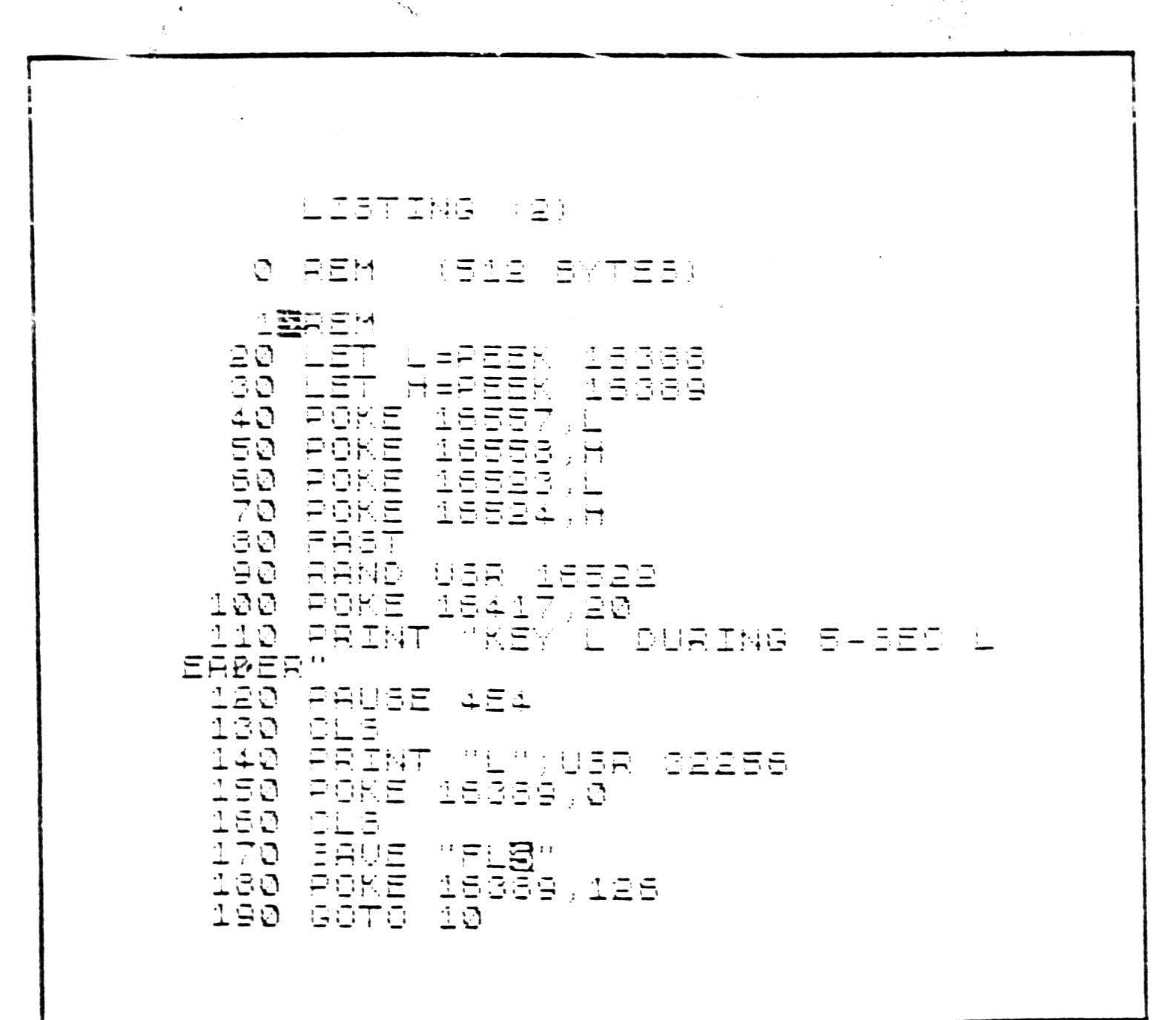
Listing 3
BLOCK 1
205  32   15   42   4    64   0    0
33   0    126  54   24   35   54   39
35   0    235  33   127  64   1    253
1    237  176  201  195  3    33   0
62   24   232  0    0    0    0    1
31   0    33   0    126  17   3    0
25   25   34   123  64   25   35   235
42   12   64   35   126  112  35   237
BLOCK 2
176  254  59   40   6    254  49   40
6    24   46   62   64   24   1    175
42   123  64   229  1    35   0    197
229  111  24   91   53   217  203  19
211  255  48   54   203  205  24   105
203  157  203  165  24   42   241  203
93   32   245  22   16   14   3    24
90   24   115  21   32   99   203  221
BLOCK 3
24   95   203  93   32   51   121  217
79   139  31   95   167  31   71   167
31   136  60   4    79   128  87   217
30   1    14   3    203  141  24   51
125  230  18   32   221  121  217  184
56   179  185  56   175  217  29   40
124  207  14   254  10   56   4    38
12   203  157  203  229  62   57   245
BLOCK 4
95   71   219  254  23   56   167  16
249  29   32   245  37   32   241  207
2[illegible] 14   [illegible] 12   219  254  23   56
250  203  77   32   19   203  101  32
154  6    100  12   219  254  23   56
183  16   248  124  24   197  24   51
217  225  193  120  177  123  32   10
225  0    78   35   70   35   94   35
BLOCK 5
86   235  95   126  217  203  117  40
3    187  32   10   123  217  119  35
11   197  229  217  24   204  217  124
254  64   32   5    125  254  64   56
238  207  30   254  56   40   25   254
50   40   6    207  32   207  13   209
201  42   123  64   43   70   43   78
43   86   43   94   96   105  24   7
BLOCK 6
33   4    64   235  42   20   64   1
0    0    197  167  237  82   229  213
68   77   42   123  64   113  35   112
35   115  35   114  1    34   0    197
42   123  64   229  22   6    1    0
255  11   120  177  32   251  21   32
245  46   6    14   17   13   32   115
203  93   32   180  203  35   40   8
BLOCK 7
1    113  2    11   120  177  32   251
225  94   193  120  177  40   98   35
11   197  229  55   46   0    24   18
217  24   148  6    14   16   254  122
23   23   71   16   254  55   24   205
0    63   203  19   32   2    44   77
203  21   211  255  56   33   64   87
66   16   254  6    6    16   254  219
BLOCK 8
254  175  203  77   32   213  203  69
40   10   111  6    4    16   254  66
16   254  24   214  111  6    8    16
254  122  23   71   16   254  62   127
219  254  31   56   196  207  12   46
10   24   136  6    12   16   254  24
193  225  124  167  40   241  229  24
154  207  12   0    0    0    0    0
Robert D. Hartung
[address omitted]
Huntertown, IN 46748
Note: Type-in program listings on this website use ZMAKEBAS notation for graphics characters.