There is a large number of Spectrum programs on the Internet. One site is address ftp://ftp.nvg.unit.no/pub/sinclair I have cataloged over 4000 programs on that site so far. They are in a format that can be read with the Z80 Spectrum Emulator(for the PC) after being decompressed. They are mostly games. I find the adventure games interesting so I have downloaded just over 200 from the adventure category. My all time favorite game is Kings Keep, a graphic adventure. There are over 50 in the graphic category, but so far I have found most to be mislabeled arcade style games. I am about half way through and have only found half a dozen that I would call graphic adventures. The 150 or so text adventures appear to be labeled properly.
Now that I have found a few good ones the next step is to try to move them over to my 2068. At first I thought it might not be possible. Persistence has finally paid off. There may be an easier way, but at least I can now do the job.
First, the file is downloaded from the Internet to PC in compressed format (zipped). Then the file is unzipped as an emulator file with either a .Z80 or .sna extension (both are similar to the LarKen NMI snapshot.
The .sna files must be loaded into the emulator and then SAVEd in the .Z80 format.
The emulator came with a set of conversion files that will convert .Z80 in to a simulated tape file with a .tap extension. If you have the emulator the file is Z802TAP and is used like a DOS command such as Z802TAP KNIGHTYM.Z80 A:KNIGHTYM.TAP. Also I discovered that the emulator utilities also contained a conversion file that would save a .tap file straight to tape. This file is TAP2TAPE and the syntax for this example is TAP2TAPE A:KNIGHTYM.TAP The utility TAP2TAPE needs to be in the same directory as Z80.exe in order to work.
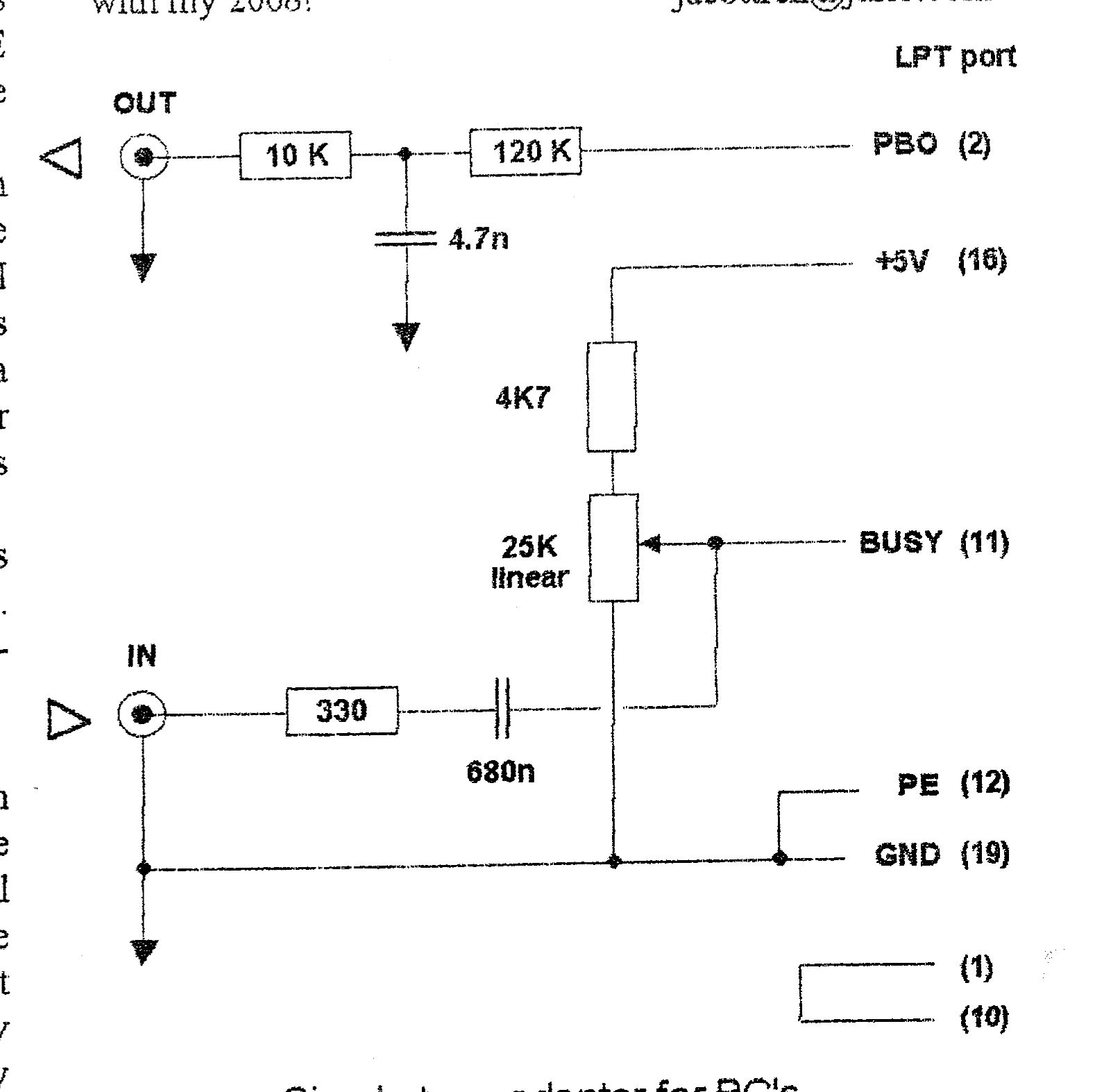
The next step was a hardware project to allow for an old fashioned tape save from the PC. I spent a good while trying to adjust the adapter to save files TO the PC before I realized that it didn’t need any adjustment to save files FROM the PC. At this point the PC emulator would save a basic program to tape just like the 2068. The adapter connects to the parallel printer output on the PC with jacks for tape in and out.
After bumbling around with the tape level controls (remember that?) I was able to get a program into the 2068. And of course all that was left was to do a LarKen NMI-save and I had a program I could run on the 2068.
“STRANGE NETWORK!”
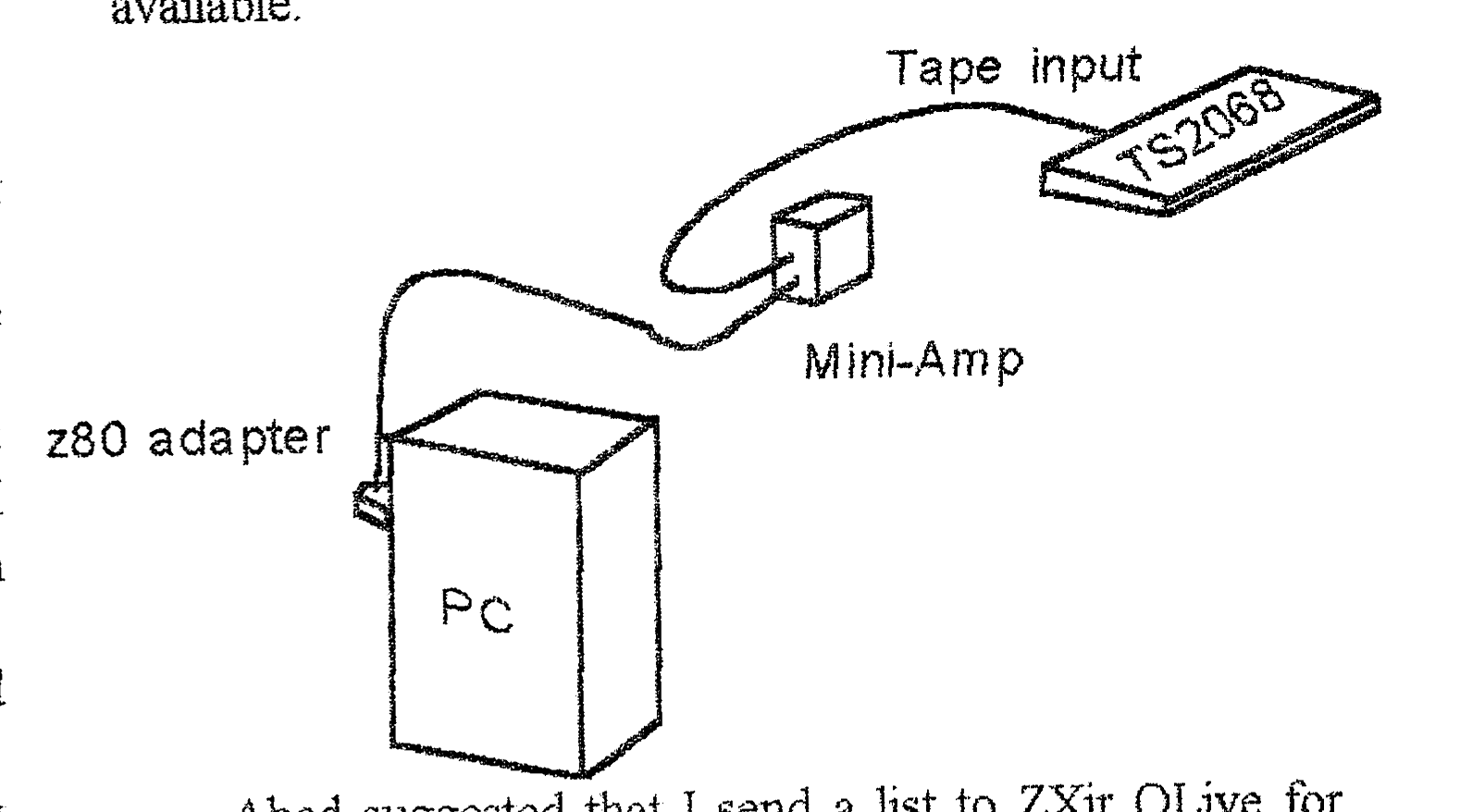
A trick for moving files between two 2068s with different disk systems is to do a tape LOAD ” ” on one computer and a SAVE ” ” on the other going thru a signal booster. This same trick works going from the PC to the 2068 using the TAP2TAPE utility. So I only have to wait for the tape load routine once as it loads into the 2068. My sons laugh at my strange “network”. The biggest difficulty with this process is one of logistics. The PC being used is made from spare parts and is mounted on the side of my 2068 computer desk. The monitors are side by side on top. The PC keyboard is on a slide out tray just under the 2068 keyboard, and there’s the rub. It seems impossible for me to remember which keyboard to use next. ☺
Now that I have accomplished this, how do I make it available to the 2068 community?
I talked to David Lassov about the SOL bulletin board. The number of programs available is larger than the available disk space. He suggested that I send him disks that can be made available on request. I will send disks as they are filled and he can advise users when they are available.
Abed suggested that I send a list to ZXir QLive for publication and offer to send LarKen users programs on request. As soon as a couple of disks are filled, the list will be forwarded to Abed and if anyone is interested they can contact me.
And even if no one else cares I am still having fun with my 2068! [e-mail address omitted]