
Since this is income tax time my mind is on money. And that means thoughts about handling money. Of course it is a little late for someone of my age (more about that later) but this applies to anyone. Some of these are common sense and oft repeated topics.
If it sounds too good to be true it probably is not true. I guess the Publishers’ Clearing House sweepstakes is in that Category. And that would go for the Reader Digests sweeps and the Family Publishers’ sweeps too. I used to send in to them religiously and this January I suddenly stopped. I will say I did get a check from Publishers’ Clearing House and when I cashed it I asked the teller if they had enough money to cash a Publishers’ Clearing House check. There was a lot of excitement till they saw that it was only for five dollars.
No one can watch your money as religiously as you can. If someone else is watching your money they are interested in what they can do with it or get out of it. Of course they will probably let others know about what money you have.
Saving is not laying aside what is left over the next payday. There won’t be any left over. No matter how careful you are, the expenditures will equal the least what you have in the billfold. Set up payroll deductions to a savings account and don’t overlook savings bonds. One very big advantage of savings bonds is that until you cash them there is no interest to report on your income tax and if you are in a state that has state taxes, the interest is exempt from state taxes. Savings bonds are long lived so that you don’t have to do anything to them for a very long time. They are one way to avoid the $32,000 cap on not paying income tax on Social Security for married couples.
Way back when (1966) I had mortgage insurance on the second house we bought. The premium was $8.46 a month and it was one of those deals where if I decease for any reason then the original house mortgage would be paid off. If I kept it till I paid off the mortgage at the regular pay-off time then I would get a paid up policy of $1500. Whoopee do! But at the time I took it out I had the feeling of security for my family. A few years into it, my company expanded the insurance coverage we had and for something like $3 a month I had three to almost four times the insurance that the mortgage insurance would pay off. So I canceled the mortgage insurance and got the cash out and paid that $8.46 into my mortgage and every month paid off much more of the mortgage.
I did get into stocks once. I cashed in a bunch of savings bonds and went into the start up of a corporation. Learned while things look great on paper in actuality they are not great. The important things are location! location! location and competition! competition! competition!. We started and all was great and then three big chain outfits opened up less than six months after we did. Down we went. We could have put more money into it after that but! we could see bankruptcy coming, so why should we hurt others when we could get out before we lost more money. Since then we have just increased our net worth the hard way by saving our money and investing in CDs and Savings Bonds. Enough about money.
Pre Christmas
Friday, the traditional first shopping day of the Christmas season WalMart had a special on a VCR. But since the store opened at 6 AM for the sale I decided not to get up early for that. I went later and still got a good buy, less money for a unit that did not have all the bells and whistles of the leader VCR but less money too. I have it hooked up in my computer room using one of the two AMDEK Color-I monitor that I bought after my second Magnavox died. It works just fine except that I had to improvise a cord to fit between the VCR and the monitor. The monitor jack is a 1/8. So rummaging, I found a 1/8 plug and a cord with an RCA jack one end to fit the VCR and I cut the odd ball connector on the other end off and soldered the 1/8 plug on, bingo it worked. So I have viewed a few of the videos made of the seminars at the T/S Computerfests. When and if time permits and I am in the mood I will watch some more of the videos.
ZZZzzTALKERS
I have two ZTALKERs, one for the T/S 2068 and one for the ZX81. The only difference that I can see is that the 2068 has a wider connector, a resistor and lead that goes from the +15 on the plug in connector to the jack that can be used for external power to the ZTALKER. I tried the 2068 version and the computer refuses to actuate the DOS of either the Oliger or the LarKen disk system. I have a cassette of the ZTALKER programs – well two programs. One is ZPE and the other is ztalker. ZPE seems to work but ztalker refuses to do anything. I get a screen but it is frozen right there. I had to SAVE it to disk by NMI button but the cassette version is frozen too. Any ideas on either problem?
CASSETTE USERS
For those of you that use a Radio Shack Mini Amplifier – Speaker to enhance the LOADing of the program, there is a 110 VAC power supply that puts out (on the box and specs) 9 VDC. It is Radio Shack 273-1445 and is $7.99. In the project mentioned next I was using my amplifier powered by a 9 volt battery. But that required remembering to turn off the unit. Once turned off I would have to again find the proper level to set it at to LOAD the next program. But with the power adapter you don’t need to remember to turn it off and in fact the way I have the computer power inputs rigged I have a separate power strip that supplies power to the cassette recorder/play and for the amplifier. Turn it on and get a nice clean LOAD. It wouldn’t take it wouldn’t take long in battery savings to pay for the unit.
72 Years Old, Don Celebrates
Reverse the digits 72 (of my age} and you get 27th of January which is my birthdate. Further for you mathematics folks there is the rule of 72 that bankers use. It is not exact down to the last penny but it is close. Take the interest rate and divide that into 72 and that gives the number of years that it will take to double your money. 6% would take 12 years. 5% would take 14.4 years. Enough of that now, what did I do on my birthday?
I started to convert my big box of cassette programs for the 2068 to disk. I am doing it for two reasons: one is to get the box of disks out of the garage and two to learn something. Like Hugh Howie wrote when he got involved in doing the QL software library for TTSUCs “it is a learning experience to find out how to do it and to run the programs to see what they were.”
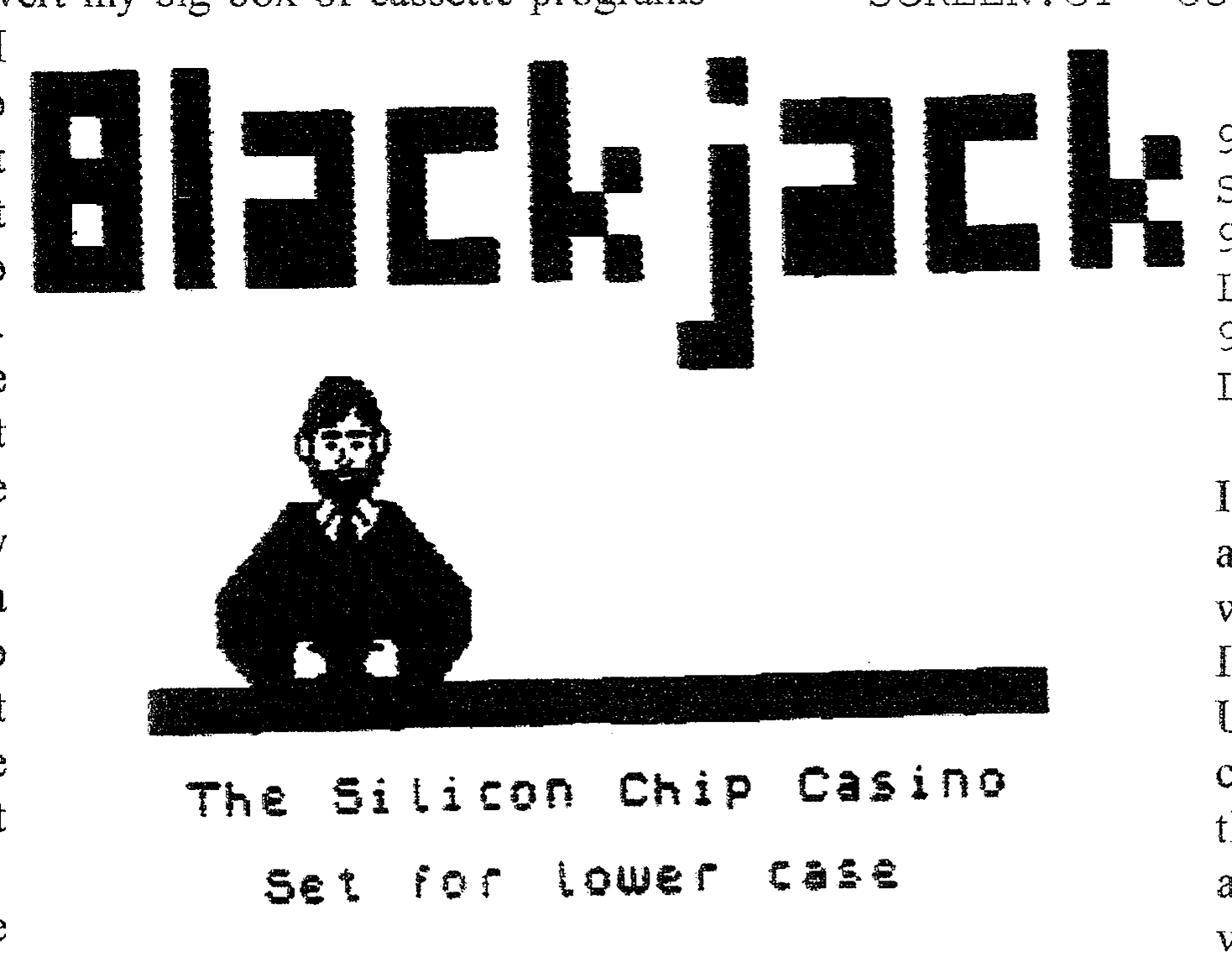
The first tape that I started with was one that Joan Kealy sent me way back when before she acquired a LarKen disk interface. I finally got all the programs to disk although all might not run. That I will have to test later as time permits. One that I thought was the CODE for a program ended up being a TASWORD II file explaining it. Amongst the programs was BJ which is Black Jack and there was this image that on first glance I said “there’s Frank”. If Abed can scan it in it will be here someplace.
Headddddders
There are several header reader programs that I have found some just one header and quit with the display. Some actually output to a printer and they are so slow that by the time the tape is to the next header the printer is still chattering. I have one that stackes the information on the screen till the screen is full. I can break and COPY that to the 2040 printer. That program does not give all the information that
I might need but so far it is useful. Later I may try to combine what I feel are the best features of all the header programs and probably end up a mess.
And that brings up the program $C2TAS.B1″
10 REM SCREEN$ TO TASWORD TWO 1996 by Bob Swoger V1.3
20 CLS : PRINT '''"This program creates a screen.CT TASWORD 2 file from a SCREEN.CM file provided it contains only printable characters.": PAUSE 1e3
30 RANDOMIZE USR 100: LOAD "SCREEEN.CM"SCREEN$
40 INPUT ;: PRINT #0! FLASH 1;"Converting SCREENS to TASWORD 2"
50 LET T=33280
60 FOR R=0 TO 21
70 FOR C=0 TO 31
80 POKE T, CODE SCREEN$ (R,C)
90 LET T=T+1
100 NEXT C
110 FOR T=T TO T+31 STEP 2
120 RANDOMIZE USR 100: POKE T,8224
130 NEXT T
140 NEXT R
150 RANDOMIZE USR 100: SAVE "SCREEN.CT" CODE 33280,1408
160 RANDOMIZE USR 100: LOAD "TASWORD.BA"
9992 RANDOMIZE USR 100: SAVE "$C2TAS.B1" LINE 20
9998 RANDOMIZE USR 100: LOAD "L.B1"
9999 SAVE "$C2TAS.B1" LINE 20
Since a lot of the programs that I want to LLIST on the big printer are on Oliger disks I thought that I would convert the program to Oliger. I converted all the RANDOMIZE USR 100: statements to the Oliger commands which is to put the / after the command like SAVE / “name” and when I came to line 120 I saw no way to do that. I tried RESTORE/S which is the way to soft start the Oliger DOS or even to leave off the reference to DOS and just have POKE t,8224 but I got ‘B Integer out of ranges 120:2 error message’. I tried eliminating the line and it seemed to work. Except that when I LOADed the file into TASWORD II, to the right side of the listing was a patterned set of garbage. The file was 1408 bytes long and when I tried to move the TASWORD file to MSCRIPT, I only got 33 bytes to move. I have successfully up to now transferred a TASWORD file to MSCRIPT but of course the end of line and such was always off and had to be corrected. So that option is out.
The only way that I see to do it is to just LLIST the program on the 2040 printer and tape the strips to a cut-to-size file folder backing material and copy them on a copy machine. That might even be less time consuming if I have a very long program. I thought I had a converter to convert a TASWORD file to an MSCRIPT file but I can’t locate it if I do have it.
Static Electricity And El Niño
This has been the first winter here that we had to turn off the humidifier to keep the moisture down inside the house. Of course with the higher humidity there is no static electricity to speak of. In a normal winter I have to touch the ground strip which is a copper foil connected to a 1 Meg. resistor to the electric outlet box ground. In extreme cold weather and low humidity I would get a mild shock when I did that. So who can say that El Niño blows no good! We have had a lot of rain and little snow this winter since we have had much warmer than normal temperatures here in Auburn.
Shades of Murphy’s Law
Spent part of yesterday and today getting my disk drives back into operation. I had been powering them with two IBM style switching power supplies, each is rated 67 Watts. I have four full height drives that I use and I have the first two (a 40 track and an 80 track) powered by one power supply and the other two are powered by another power supply. In my logic I had figured that if I was copying a disk then I could copy it to a drive powered by a different power supply and have less problems. Drive 0 is a forty track and it had been making a start up noise, I thought that was normal for the drive. Well, when the drive started to give error messages I tried the other 40 track drive and it operated O. K. So I assumed that perhaps the drive was quitting. About that same time I learned that my LarKen RAMDISK had failed. I check the batteries and found the voltage to be about 2.65 V which should be enough or so I thought since it seems that the chips require 2.00 volts or more to retain memory. I will on my next trip to Radio Shack buy a set of AAA batteries for the RAMDISK. I have a disk SAVEd April 1997 labeled RAMDISK back up so I am ready to copy it to RAMDISK. So I guess if a drive starts to make chattering noise that it could be a bad power supply.
Header Reader
Head.B1 program has been successfully converted to automatically print out the header data to the T/S 2040 printer. So now I can put a cassette in the player and go do something else while the header reader is doing its duty. What I did was remove the PRINT statements that created extra blank lines and duplicated that line with the PRINT that printed to the screen with an LPRINT line and I incremented the line number by one. I added a single PRINT after the Line # and the Block length printouts to space them so it was easier to read. It does make life easier for me in my cassette to disk project.
Letter from Dane Stegman
In the letter he states; “Also do you (know) anybody who would want about 24 boxes of 5 1/4 HD disks. I know that you cannot use them on a Timex-1000 or a 2068. All I asks is that someone pay the portages and they can have them. I have no use for them. All of my other orphans (TI & Atari) cannot use them. If you know of someone who would like them let me know.”
DANE STEGMAN
[address omitted]
My Wife Hath Spoken
I had left stuff here and there in my computer room in the process of getting the drives to operate and Masako my wife! pointed out to me this morning that my computer room was a mess. After I got it all going I stored the pieces and parts back where I had gotten them out of. It is too bad that she has not seen GATOR’s computer room. Walk in and squeeze to the computer and hope nothing falls on you. Well if I had to re-setup a computer room I would have done it more like Bill Jones had his setup. A desk top of either a flush door or else two thickness’ of 3/4 plywood laid on top of a 2 drawer filing cabinet at each end with a long hutch on the top. The desk top would be about 84 to 86 inches long with the hutch about the same length. Would have one shelf of the hutch that would be for notebooks and one shelf for disk cases. If we ever move that will be the next setup.
RAMDisk Revisited
Yesterday, I made a trip to Radio Shack and bought 4 AAA batteries for my RAMDISKs. I have two, one with 4 RAMchips and one with 8 RAMchips. But on testing after I replaced the batteries the 8 chip one was blank and had to be reFORMATed. So I found the particulars in Bob Swoger’s updated LarKen manual (Thanks Bob!) and proceeded to FORMAT the RAMDISK, I tried to copy the backup disk to RAMDISK using TTSUC’s Utility disk’s Copy12.B1 which I had moved to RAMDISK but it hung up so I LOADed the program from the TTSUC library disk and it wouldn’t work. I finally checked the RAMDISK directory and got nothing. I reFORMATTed it and checked and it had FORMATTed. So I shut of and LOADed the copy program by way of the turn-on with the ENTER key held down. Still wouldn’t copy to RAMDISK.
I got the 4 chip RAMDISK from the box in the garage and replaced the batteries and checked, bingo the programs were still there. I tried to copy using copy12.B1 and it would not work. It would LOAD the file and then stop. So I LOADed the program from the TTSUC disk and it worked. Well why wouldn’t it work? So I copied the copy12.B1 to a freshly FORMATTed disk and then copied the bytes Hcode.Cl to the disk and I tried it and it would not work. So I went over the printed out directory and discovered only one other bytes file that could possibly work and that was Move.C1. So I ERASEd Hcode.Cl and copied Move.C1 to the disk and bingo it worked. So I erased Hcode.Cl from the RAMDISK and copied Move.C1 to it and then it worked. Using copy12.B1 that was on RAMDISK, I made a backup disk and it worked. I had two programs that I liked to use and wanted them on RAMDISK, they are on the DUS disk but neither of them that I had on RAMDISK would work. Studying the printed out directory I discovered that both had plenty of byte or code files (4 each), I had only copied one each to RAMDISK. So I had to trim and prune what I wanted on the RAMDISK since a four chip version only has 24 tracks and one is the directory. So the 4 chip model has no spare space now.
That was yesterday and today I once again tried the 8 chip RAMDISK. I got to thinking that maybe I had put a battery in backwards since when I checked the batteries after it wouldn’t work, I couldn’t get a reading. So I removed the batteries and put then in the 4 chip RAMDISK. Today I checked and got 3.15 volts where the battery holder leads entered the circuit board. I got a good FORMAT, after I turned it off a few minutes it was still responsive to commands. So copied the 4 chip contents by way of the disk backup to the 8 chip RAMDISK and had no problems. I must have inserted one battery backwards. All’s well that ends well. But it did have me scratching my head for who to send it to for repair. Now I have 24 blocks to LOAD with programs.
That’s all for this issue. What will I be doing next? Stick around and find out. 0/0