
Rubik’s Cube has presented puzzle solvers a most challenging puzzle, and it raised for me the further question: Was it possible to simulate on the ZX80 at least some of the features of the cube? In the first place we have only two dimensions to work with. We have the limitation of a 4K ROM, a 1K RAM, and a TV screen for display.
The program below is my attempt, after many hours of work, to translate the three dimensional Rubik’s Cube to the two dimensional TV screen via the ZX80. The result, at the editor’s suggestion, is “Hampson’s Plane.”
After entering the program, which is rather short, you must take care of a bug in this way: Press RUN and NEWLINE. The prompt will call for a skill level entry; enter 1 and NEWLINE. Wait for the screen display to appear. Press NEWLINE. The prompt will ask for a numerical input; however, enter END and NEWLINE. An error code will appear. Press NEWLINE again to get back to program and you are now ready to start playing. The first thing to do is save the program. From now on you must always start with GOTO 1. Never use RUN or CLEAR.
The gaming board will appear on the screen. It consists of a board 21 x 15 with video and inverse video crosses. These are identified by the use of the coordinates: letters across the top and numbers down the left side. Type in the coordinates of any cross on the board: enter the letter, NEWLINE, the number, NEWLINE. The video display changes, i.e., from normal to inverse or inverse to normal. That may sound easy, but there is more. Not only does that particular cross change, but so do the surrounding 8 crosses. See Figure 1. The object of the game is to clear the board completely to normal video crosses. While that may sound hard, it is possible. You have your choice of 100 skill levels.
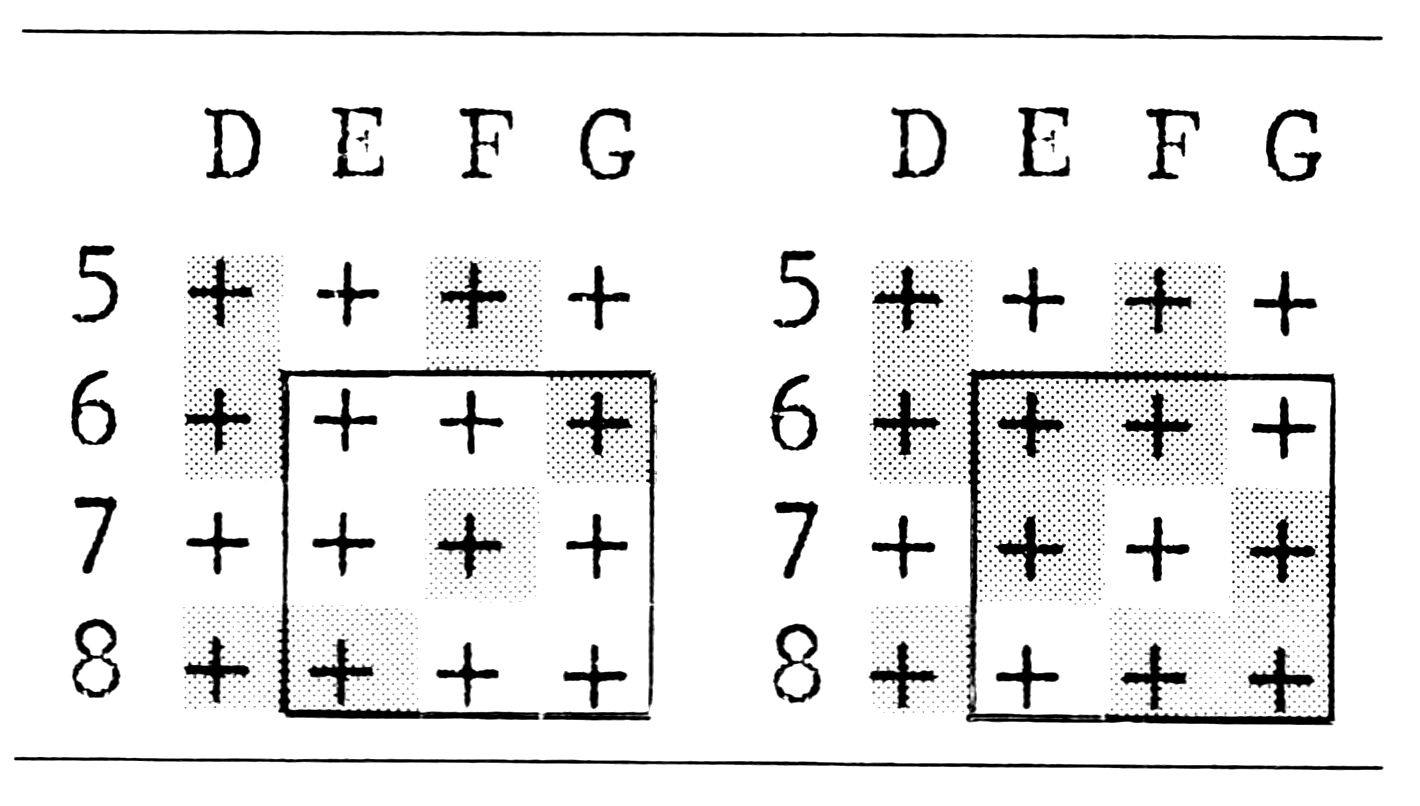
The computer sets out the gaming board and then sets up the problem by choosing some random coordinates according to your skill level. This ensures two things: first, it is always possible to complete the puzzle, and, second, it is only as hard as you want it to be. While skill level 100 is very, very hard and can take the best part of an hour to work out, you always know that it is possible because the computer and you got into that mess simply by typing coordinates. But be warned! It takes the computer a long time to set up the board on a high skill level, e.g., allow 1 min. and 45 sec. on level 100.
   2 RANDOMISE
   3 PRINT "HAMPSON'S PLANE"
   4 PRINT "ENTER SKILL LEVEL"
   5 INPUT SK
   6 CLS
  10 PRINT "##ABCDEFGHIJKLMNO"
  15 FOR Z=1 TO 22
  20 IF Z<10 THEN PRINT "0";
  21 PRINT Z;"+++++++++++++++";
  22 IF Z<22 THEN PRINT
  30 NEXT Z
  40 FOR L=1 TO SK
  50 LET X=RND(13)+3
  60 LET Y=RND(20)+1
  70 GO SUB 1000
  80 NEXT L
 100 INPUT K$
 110 LET X=CODE(K$)-35
 120 INPUT Y
 170 GO SUB 1000
 180 GO TO 100
1010 FOR T=1 TO 9
1020 IF T=1 THEN LET P=0
1021 IF T=2 THEN LET P=1
1022 IF T=3 THEN LET P=-1
1023 IF T=4 THEN LET P=-18
1024 IF T=5 THEN LET P=-17
1025 IF T=6 THEN LET P=-19
1026 IF T=7 THEN LET P=18
1027 IF T=8 THEN LET P=19
1028 IF T=9 THEN LET P=17
1033 LET V=PEEK(16396)+256*PEEK(
16397)
1035 LET N=V+Y*18+X+P
1040 POKE N, PEEK(N)+128
1045 NEXT T
1050 RETURN
If you have expansion memory, you can do the de-bugging in this way: Set up a flag F thus:
1 LET F=1Then insert the program alteration which is only required once before the display file has adjusted its position:
1036 IF F THEN LET N=N+6And finally reset the flag F:
1037 LET F=0You can now use RUN instead of GOTO 1.
Sample Run
Type GOTO 1
HAMPSON’S PLANE
ENTER SKILL LEVEL
Enter 7 and wait for the display.
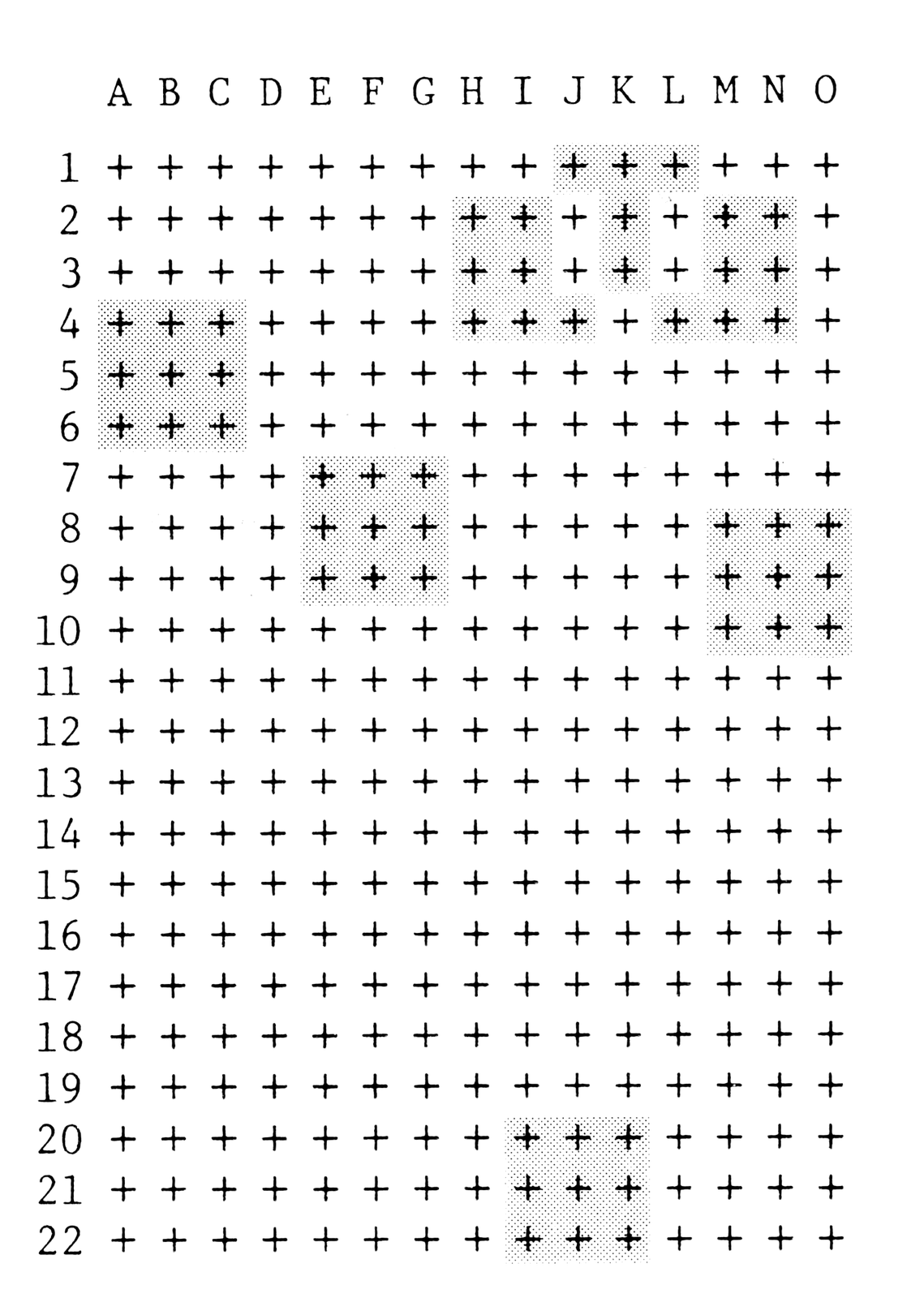
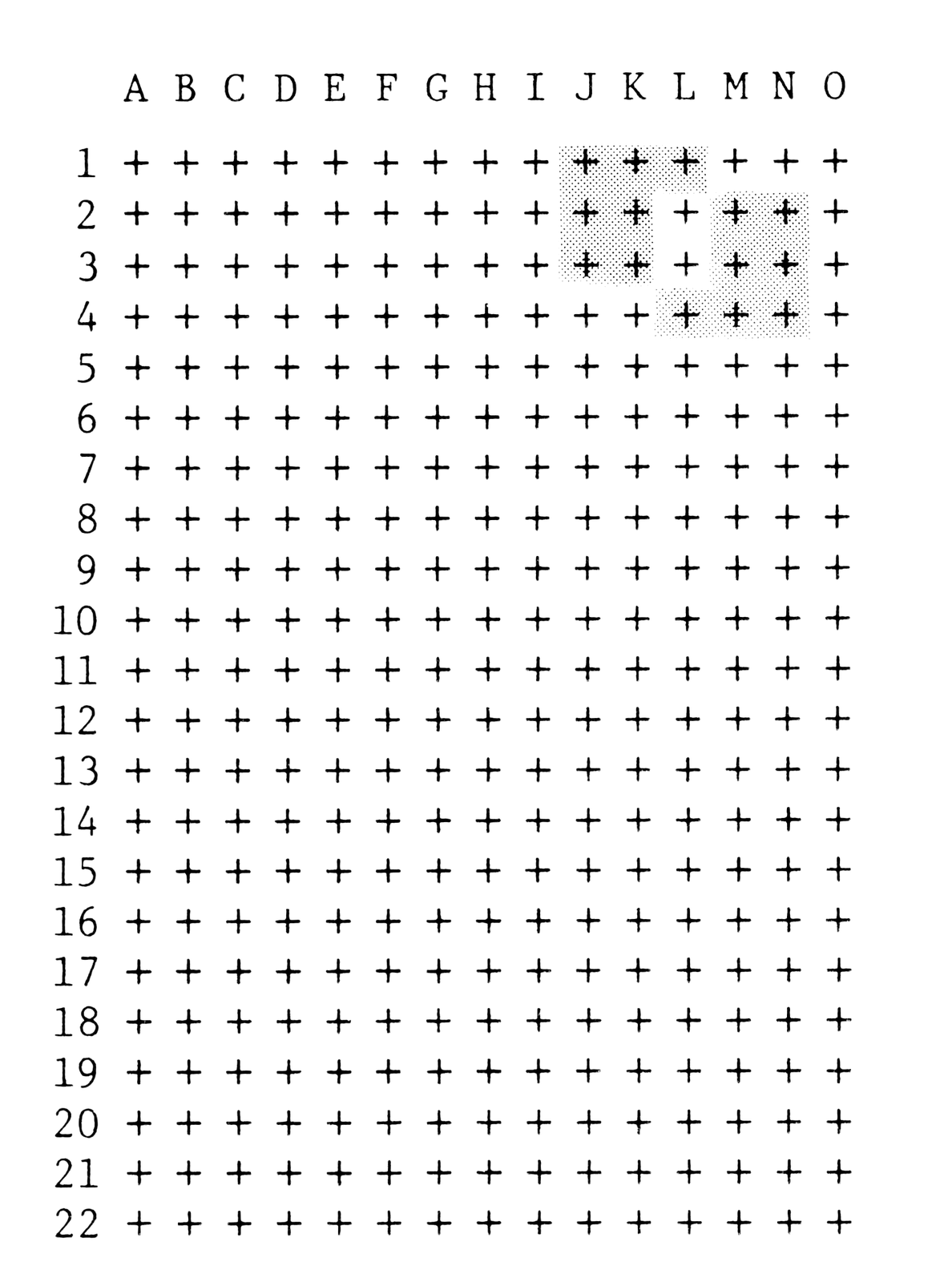
The obvious moves are B,5; F,8; N,9 and J,21. But we are left with a muddle at the top. The solution is I,3, K,2, M,3. Now to return to command mode, type NEWLINE, END, NEWLINE. Now try a high skill level. This may keep you going as long as the original cube! So I suggest building up slowly, learning the tricks as you go along. A good plan is to raise your skill level by fives each time you run the program.
The best of British luck!
Media
Note: Type-in program listings on this website use ZMAKEBAS notation for graphics characters.