
The following is an alteration to the GAZER’S GUIDE program in the Nov/Dec 85 issue of TIME DESIGNS, it will eliminate those less accurate results of overhead objects and so on spoken of. Many thanks to I. Auersbacher of Belleville, New Jersey, for his repair.
Paul Bingham
Mesa, AZ
  5 REM OMIT LET c=.99999 (this is in line 25 in ver 1.1)
 80 LET A=(SIN q*SIN f)+(g*i*j)
 85 REM OMIT
100 LET Z=(SIN q-SIN f*SIN (A/n*PI))/(i*COS (A*PI/n))
105 REM OMIT
115 IF SIN (H*PI/n)>0 THEN LET z=360-z
180 REM OMIT
“In the Jan/Feb issue of TIME DESIGNS, Paul Bingham asked whether he won the prize for answering a question I posed in another publication more than a year ago. The answer is no. The date Paul displayed in his output from the Spectrum program “ASTRONOMER” is not the date I mentioned. He also didn’t explain the astronomical significance of the date to which I referred.
Paul’s review of “Astronomer” was, however, right on target when he said it was accurate. I have compared the output of this little $15.00 program with the output of astronomy software that costs up to $130.00 and found it to be in excellent agreement.
The speed of “Astronomer” is comparable to similar IBM and Apple astronomy software. TELLSTAR, an IBM program with similar features, takes 2 1/2 minutes to calculate the positions of 250 stars. STAR TRACK, an Apple astronomy program, takes 9 minutes to plot 863 stars. The 11 minutes taken by astronomer to plot its 1090 stars is just as quick with its 1 minute per 100 stars calculation rate.
“Astronomer” is the best astronomy software value available for any computer. I feel qualified to make such an assertion. In the last 2 1/2 years I have reviewed over 40 different astronomy software programs for Apple, Commodore, IBM, T/S 1000-2068, and Spectrum computers for the Southeastern Planetarium Association and the International Planetarium Society. It’s the best I have seen in all respects except speed.”
Duncan R. Teague
Past President,
Southeastern Planetarium Assn.
EDITOR: Duncan, the following letter arrived in the mail shortly after yours did. I believe it contains the anwer you are looking for.
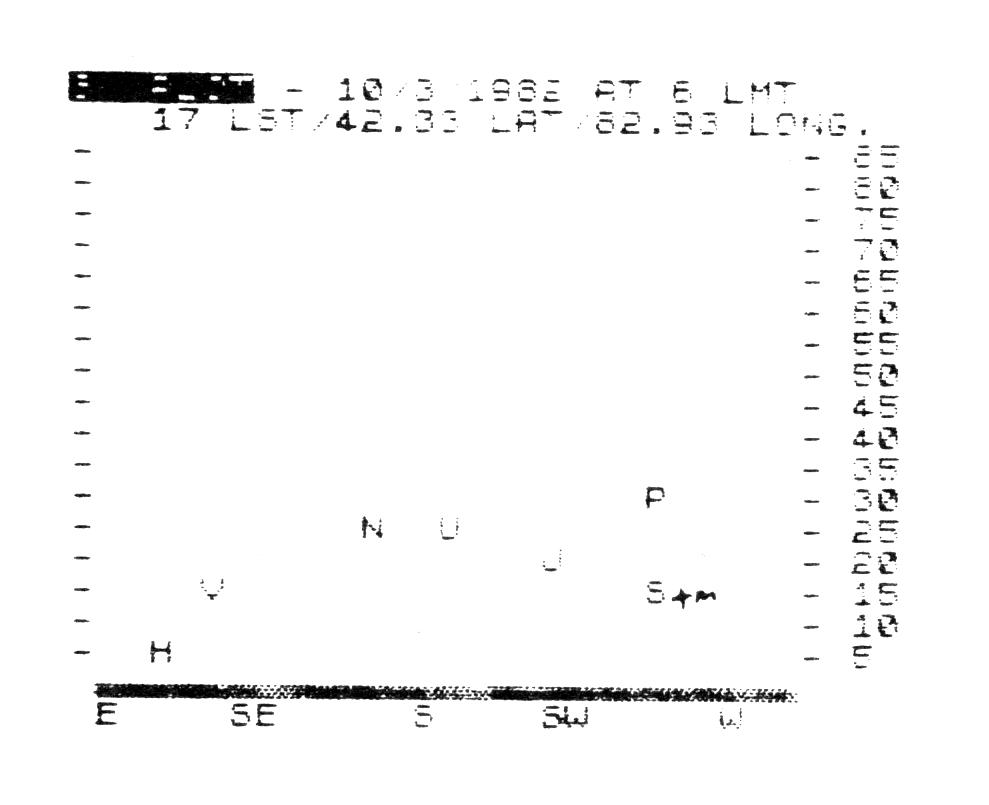
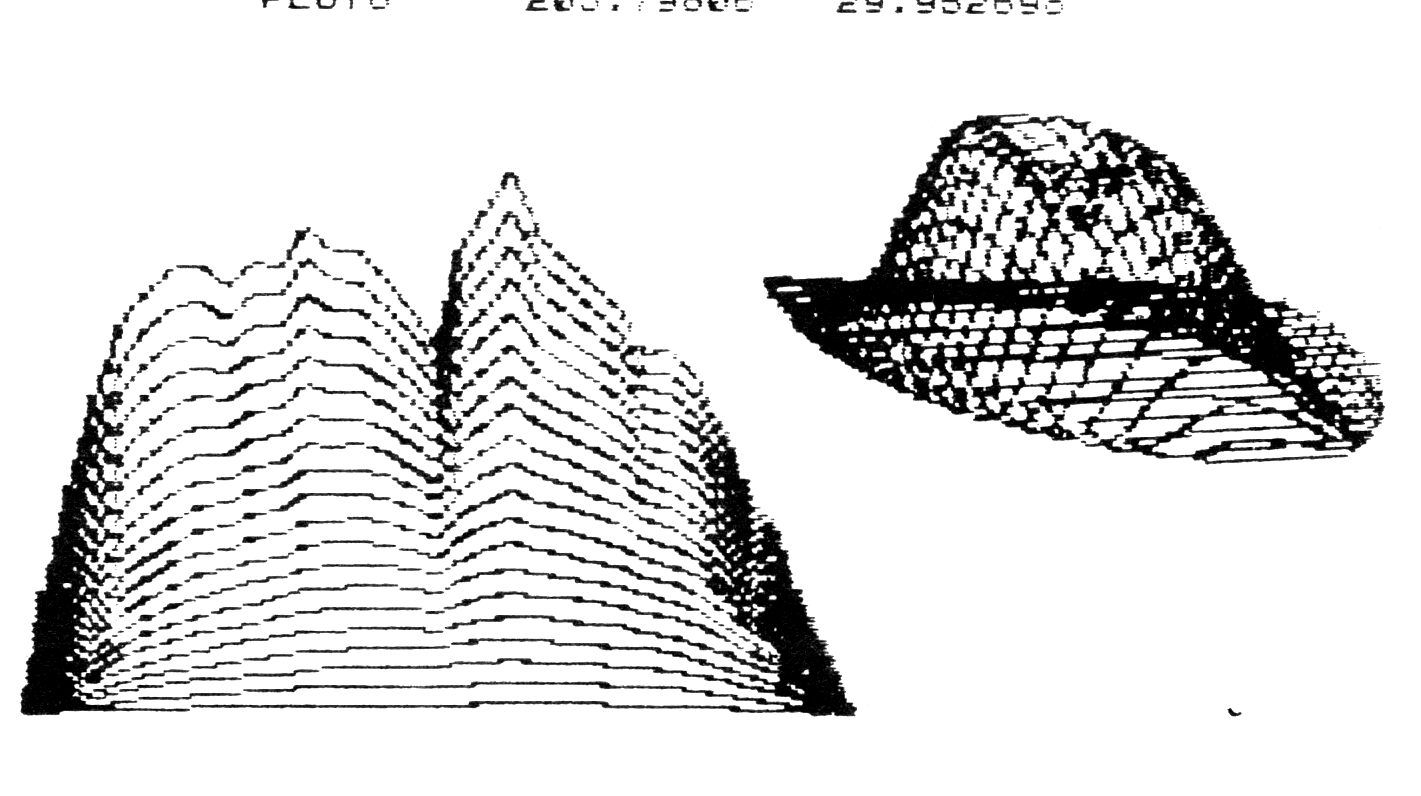
“I have sent along some things of interest related to Paul Bingham’s piece on ASTRONOMY in Jan/Feb 86. He shows that on March 10, 1882 a close grouping of planets occurred. Co-incidentally, on March 10, 1982 the world survived (whew), the so-called “Jupiter Effect” when all nine planets were inside a 95 degree heliocentric sector. Other close groupings were and will be on May 28, 987 at 66 degrees and May 19, 2161 with the planets in a 69 degree sector between Saturn and Neptune.
The print-outs are done with the well-known SKYPLOT by Eric Burgess and the rest by Bob Moler of Traverse City, Michigan, who has written a number of fine astro-programs for the T/S 1000. The Hi-Res print-outs are done using CALLISTO‘S “GRAPHICA” and are direct screen copies. Not bad for ZX/TS eh?
M. R. Richardson
Windsor, Ontario
Canada
EDITOR: Not bad at all! Let us know what your small prize is when you collect from Mr. Teague for supplying the correct info about March 10, 1982.
ENTER DATE (MMDDYYYY)
MAR 10, 1982

PLANET      LONGITUDE   DIST. (AU)

MERCURY     262.76354   0.46612297
VENUS       198.18036   0.72139524
EARTH       169.0946    0.99311066
MARS        180.801     1.6500062
JUPITER     211.88659   5.4416607
SATURN      197.94695   9.6589069
URANUS      241.70618   18.866255
NEPTUNE     265.06603   30.27261
PLUTO       205.79806   29.952698
“The use of RADIO SHACK Thermal Paper, Cat. No. 26-1332 (2 rolls for $3.95), is recommended for programs submitted for publication. Used in the TS2040 or Alphacom 32 Col. printers, it has much better reproduction capabilities, and the printing will not rub off like it does with the Timex thermal paper.
The following are changes to improve the Text Entry program Figures No.3 and 4 of my article ADVENTURES IN THE RAM JUNGLE AND OTHER MYSTERIES (CONCLUSION) on pages 11 and 12 of the Jan/Feb 86 issue:
Due to the type of keyboards used on the T/S 1000 and 1500, to avoid undesired spaces in the text using the program in Fig. No.3, page 11, add the following line:
75 IF D=0 THEN GOTO 60As this adds 16 bytes to the program, change line 33, right column, page 12 to read:
POKE 16388, 226and change line 10 of figures 3 and 4 to read:
10 LET A=17635Earl V Dunnington
Boynton Beach, FL
“Douglas Jeffery‘s statement of not getting past the first set of rooms in the MOUNTAINS OF KET reminded me of the experience I had with the HAUNTED MANOR program which I got out of “Family Computing” magazine. I could never get to the final solution of the game. I looked over their listing and my listing, and found no differences. From going over the listing I figured out the correct sequence of rooms, but, in entering them I didn’t get the solution. The solution depended on the INT(SQ) of numbers held in a DATA statement. The room number for the correct solution was 26. The DATA statement held the number 676 which is the square of 26. My 2068 would give the correct square root of 676, but, when I called for the INT(SQ) it gave me 25. I had to change the number to 687 to get the solution I found that flaw just after my 2068 returned from Timex and my extended warranty ran out the next week.
I feel that I must make further comment on Duncan Teague’s review of the MACHINE CODE TUTOR. There are a number of things he didn’t say about it. Explanations of what the computer does are nothing more than the mnemonics in longhand. You are limited to only specified addresses in setting up a program. These are the character generator, the display and attribute file, and less than 200 bytes in higher memory. You are limited to only 15 lines for your program. And, if you write a program on it, there is no way to save it. The program cannot be broken out of. You must turn off the computer.”
James F. Brezina
Elmhurst, IL
EDITOR: Don’t send your 2068 in for repair. I tried out your example, and the computer gave the same results as yours did. The “flaw” is a permanent resident of ROM.
“First, I wish to extend my thanks for continuing the publication of TIME DESIGNS, and for the improvements offered to the reader each issue. It is products like yours that have helped us stay enthused with our computers.
Second, I would like to suggest a subject that needs coverage for us computer buffs, PRINTERS. Not a review of a product to tell how well it works, but articles on how they work, how interfaces work, and how programs need to be organized to make it all work together.
Consider the fact that now there are many used (mostly dot matrix) printers on the market with perhaps little or no documentation available. These may be all some of us can afford to advance from the 2040 printer. Or those of us who have full sized printers, but poor documentation as far as actual program examples are concerned. Yes, we have word processor programs that only need to be told what we desire in the way of type size, or margins, or many other variables, and the printer does it. But consider we wish to put all of those operations in our own programs. What are the steps required to get beyond simple LPRINT and LLIST?
A specific example will show my quandary. An A&J interface, an Olivetti 2300 printer, and the OS64 cartridge program. The OS64’s short manual explains how to put a margin control into a program “if you know the printer code”, which I don’t because the printer manual doesn’t give it. The A&J print driver software provides margin control, but the two programs don’t merge. How do I determine that mysterious group of printer codes to give margin control? It is there somewhere, because word-processor programs do it.
Hopefully, you have a group of writers somewhere who can and will provide the information for various popular printers and interfaces. I am sure that there are many readers who would like to know how these things are done. I would like to be able to work my printer to its maximum capability…not only words, but graphics and column printing. I suspect that some printers can do more than what is described in the manuals.”
Dick F. Wagner
Canby, Oregon
EDITOR: Dick, your letter typifies many letters that we have received concerning printers, interfaces, and their associated software. Ah, the “good ol’ days”, when the Sinclair computer was synonomous with the ZX or TS2040 printer. Now with several full-size printer interfaces on the market, in addition to many brands and types of printers available to the TS user, it has opened the proverbial “can of worms”. Starting in this issue, TIME DESIGNS will begin to address the many different problems and solutions to printer/interface/software combinations. If any readers have properly trained their printer beast, I would urge them to come forward, and share their secret to success.
“I have just received my second issue of TDM. Three cheers!…(or should it be at least 2068 cheers?). You can be proud of your publication. It has the basic elements that the other Sinclair orientated publications should have. You have a nice variety of material, interesting articles written by literate writers, the print is readable and the bonus plus…you do keep a schedule of publication.
I either have or do subscribe to most of the TS Computer magazines. Usually, I am suprised when the publication arrives and often disappointed by mini-print and a rehash of old news. Keep up the good work!
I am planning to spend a month in Scotland this Summer. I would like to take my 2068 with me. I tell my wife that I need it to store travel information, but the truth is that I just don’t want to spend a month without my computer. Can I run the 2068 in Britain if I purchase a power supply there?
Byron DeFries
Bonduel, WI
EDITOR: Thanks for the encouragement. Your 2068 will operate “over-seas” with a proper AC adapter, which you should find in one of the electronic shops in Scotland. The basic difference will be the step-down transformer (50 Hz, as opposed to our 60 Hz AC). The adapter must have the same 15 volt 1 amp (unregulated DC) rating as the stock 2068 power supply, and the same power plug configuration.
Note: Type-in program listings on this website use ZMAKEBAS notation for graphics characters.