
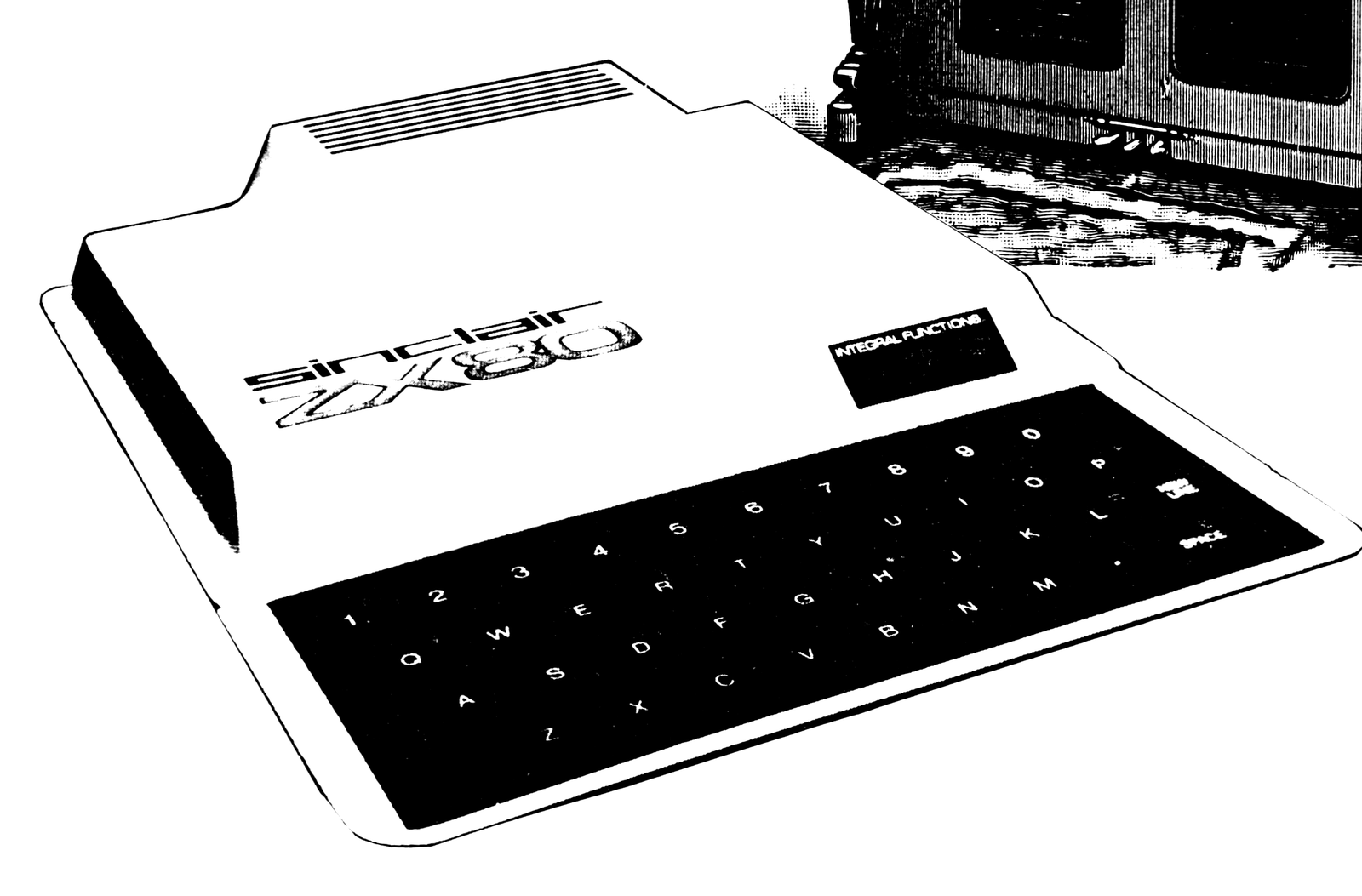
The Sinclair ZX80 comes with no built-in sound device, although someday someone will undoubtedly devise a gadget for this purpose. Until then we can use programs to control sounds using the weak AM signal coming from the microprocessor. This signal was strongest at the high end of the dial.
The basic theory behind the program is the operating system “keeps tabs” on the position of every FOR…NEXT loop in the program. For example, if you write a program similar to the one below, which repeats two identical loops indefinitely (or until you hit BREAK), you will hear a trill-like sound.
10 LET X = 50
20 FOR I = 1 TO X
30 NEXT I
40 FOR I = 1 TO X
50 NEXT I
60 GO TO 20
The first loop generates the higher pitch. It is interesting that a loop-within-a-loop structure will not produce the same result. The variable X represents the length of the note. Line 10 can be changed without affecting anything else but the duration of the tone. The value of 50 makes the tone last about one fifth of a second. A larger number will increase the length of time the note is played. Try changing line 10 to “10 INPUT X” and line 60 to ’60 GOTO 20,’ RUN the program, and input thes values: 1, 2, 5, 8, 15, 25, and 64, BREAKing after each entry. Then Add:
1   RANDOMISE
5   INPUT N
10  LET X = RND (N)
31  FOR I = 1 TO X
32  NEXT I
33  FOR I = 1 TO X
34  NEXT I
35  FOR I = 1 TO X
36  NEXT I
37  FOR I = 1 TO X
38  NEXT I
trying the same values.
The program can be typed in quickly due to the excellent line editor built into the ZX80. Enter the first nineteen lines, then type 1000 FOR I 1 TO X and hit NEWLINE. Then press SHIFT and NEWLINE simultaneously. Line 1000 will appear below the listing. Next press SHIFT 5, RUBOUT, 3 and NEWLINE. You have now duplicated line 1000. Do this for everything, and you will save time.
After you’ve typed the program, RUN it. First it will ask “HOW MANY NOTES?”. Here you must enter a number from 1 to 12. More than 12 notes will overload the memory, causing the program to terminate.
The computer will then ask the pitch and duration of each tone. When asked for the duration, type in the reciprocal of the actual duration. For example: to enter a quarter note, enter 4. One problem arises with dotted notes. A dotted eight note counts 3/16, and the reciprocal is 16/3. Since you can’t enter this as a numerical value, you must divide it yourself. Instead of entering 16/3, enter 5.
To enter the pitch, type a number between 1 and 17. 1 represents the highest pitch, and 17 the lowest.
After you have entered the tune, the computer will play the notes in sequence and then repeat the score continuously. You can hear the composition by putting an AM radio on top of the computer, or vice versa. I found the best signal by putting the computer on top of my stereo.
The changes for two variations are listed below the main program. The first program, “Sound Effector,” lets you create various arcade type sounds. This is the same as the original program, except for being able to adjust the speed of the oscillations, thereby creating interesting sound effects.
0001 DIM D (12)   (Duration for each note)
0002 DIM P (12)   (Pitch for each note)
0005 PRINT "HOW MANY NOTES?"   (Up to 12)
0006 INPUT N                   (Number of notes = N)
0010 CLS                       (Self-explanatory)
0020 FOR I = 1 TO N
0025 PRINT "DURATION OF NOTE"  (1 for whole note, 2 for 1/2 note, 4 for
     ;I;"?";                   quarter note, 8 for eighth note, etc...)
0030 INPUT M
0035 PRINT "(1/";M;")"
0040 LET D (I) = 576/M
0045 PRINT "PITCH?";           (1 is the highest pitch, 17 is the lowest pitch.)
0050 INPUT P(I)
0059 CLS
0060 NEXT I                    (Ends loop for inputtting data)
0500 FOR F = 1 TO N            (Loop for playing tones)
0510 LET X = D (F)             (Sets duration)
0520 GO SUB 970 + P (F) * 30   (Plays actual note)
0530 NEXT F                    (Ends loop)
0999 GO TO 500                 (Repeats series of tones indefinitely)
1000 FOR I = 1 TO X   (First of a series of 17 FOR...NEXT sub-
1010 NEXT I           routines that produce 17 different tones.
1020 RETURN           They go from highest in pitch to lowest.
1030 FOR I = 1 TO X   No STOP statement is needed.)
1040 NEXT I
1050 RETURN
1060 FOR I = 1 TO X
1070 NEXT I
1080 RETURN
1090 FOR I = 1 TO X
1100 NEXT I
1110 RETURN
1120 FOR I = 1 TO X
1130 NEXT I
1140 RETURN
1150 FOR I = TO X
1160 NEXT I
1170 RETURN
1180 FOR I = 1 TO X
1190 NEXT I
1200 RETURN
1210 FOR I = 1 TO X
1220 NEXT I
1230 RETURN
1240 FOR I = 1 TO X
1250 NEXT I
1260 RETURN
1270 FOR I = 1 TO X
1280 NEXT I
1290 RETURN
1300 FOR I = 1 TO X
1310 NEXT I
1320 RETURN
1330 FOR I = 1 TO X
1340 NEXT I
1350 RETURN
1360 FOR I = 1 TO X
1370 NEXT I
1380 RETURN
1390 FOR I = 1 TO X
1400 NEXT I
1410 RETURN
1420 FOR I = 1 TO X
1430 NEXT I
1440 RETURN
1450 FOR I = 1 TO X
1460 NEXT I
1470 RETURN
1480 FOR I = 1 TO X
1490 NEXT I
1500 RETURN
Changes For Sound Effector
3 PRINT "SPEED";
4 INPUT SPEED
40 LET D (I) = SPEED/M
If you want, you can change line 510 to LET X=RND(D(F)) to make it sound more interesting.
The second program variation, “Compusition,” has the computer do the composing. It makes up the pitch, a number between 1 and 17, and the duration is a random exponent of two.
Changes For Composition
30 LET M = 2 * * (RND (6) -1)
35 PRINT I;".) (1/";M;")";
50 LET P = RND (17)
55 PRINT P (I)
DELETE 25, 45 & 59
Line 30 picks a power of 2 between 0 (1) and 5 (32)
The six can be replaced by any number up to 10.
35 prints duration and which subroutine was used is printed in line 55.
Line 50 picks a pitch for P(I) from 1 to 17.
Note: Type-in program listings on this website use ZMAKEBAS notation for graphics characters.