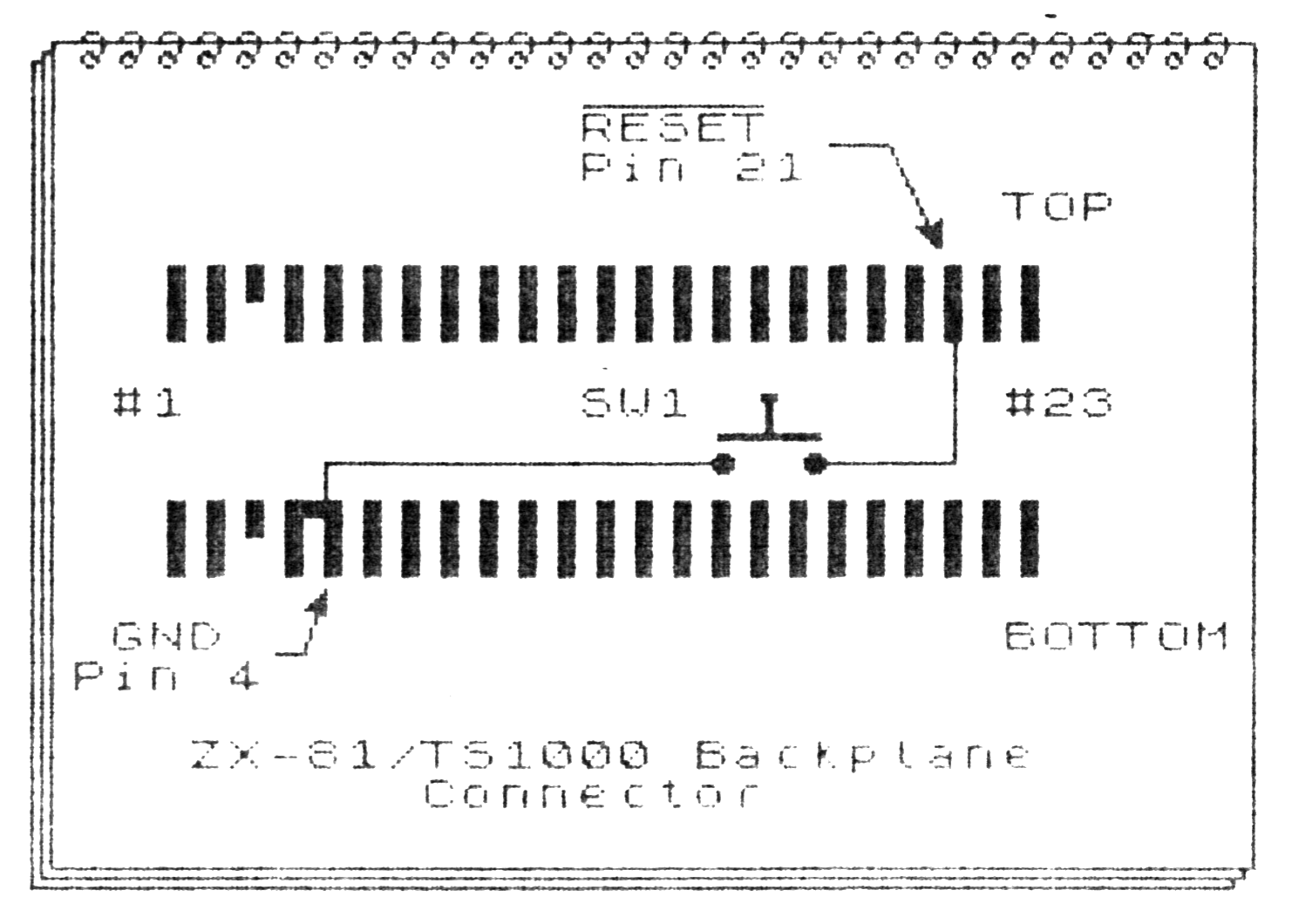
From Les Solomon‘s article in the August 1983 issue of Computers & Electronics Magazine. Recreation and Additions by Mike Felerski
In my last article called “Quick and Easy Video Output for the ZX-81 and TS1000” I discussed Les Solomon’s easy modification project to add a composite video output jack to your ZX-81/TS1000. To continue this treasure hunt of the lost Timex-Sinclair articles, I have come accross another column by Mr. Solomon called “A Truly Portable Sinclair/Timex”. In it he looks at adding a Polaroid Polapack battery to his TS1000 to supply power when the power goes out! Below is my re-draw of the Solomon circuit.
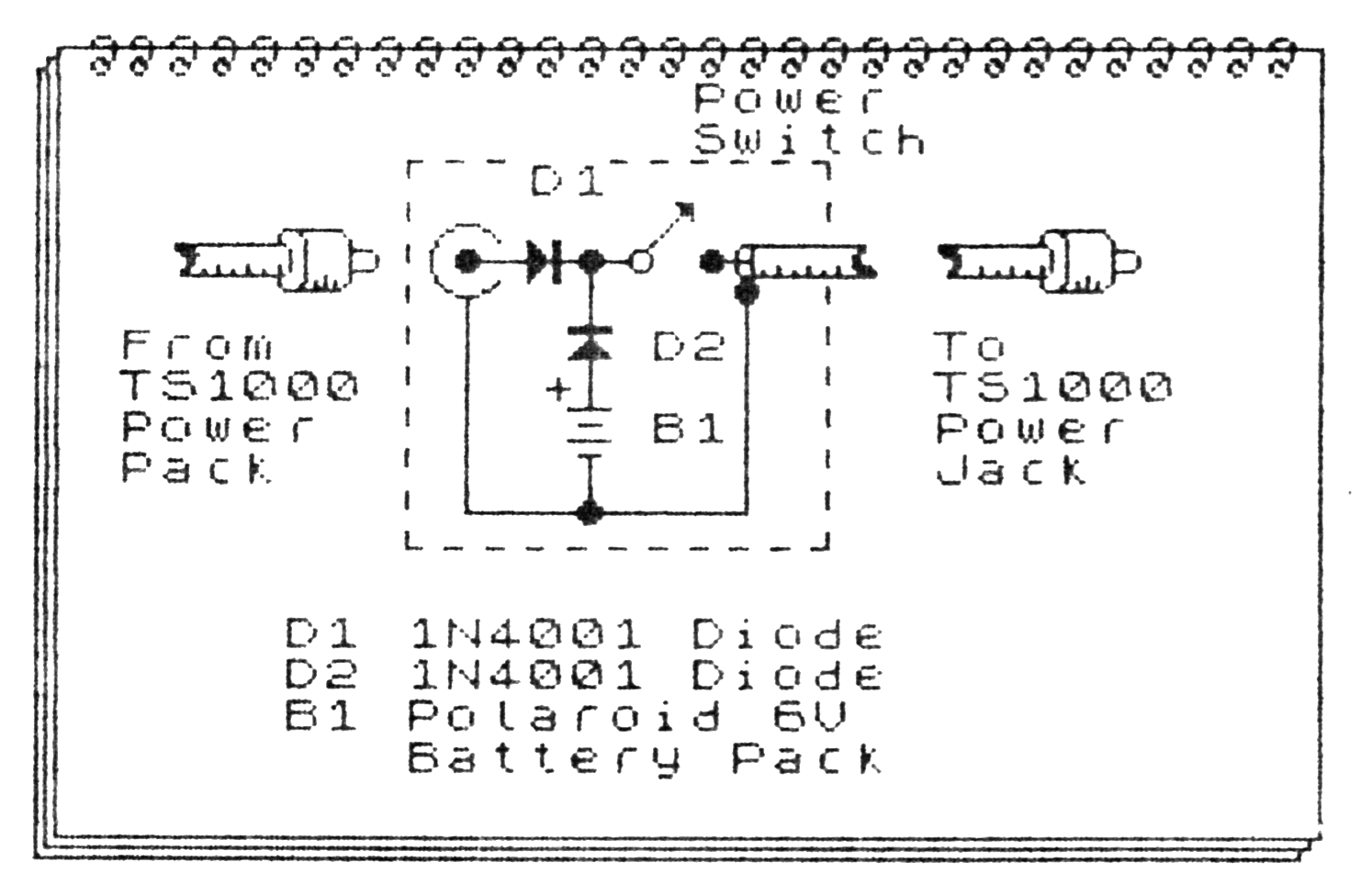
So what good is a TS1000 in the dark you ask? Well let’s just say the power goes out for less than a half of a minute right in the middle of entering a huge database full of information! More on the outrageous side is the thought that a TS1000 could be loaded with data, unplugged and carried to a friends house as a portable!
Within the same article, Mr. Solomon also gives us a schematic for adding a reset button to your ZX-81/TS1000. Les suggests the addition of a small piece of wire to the lead on pin 26 of IC3 (the Z80) or to the junction of R15 and C5 (see figure at top of next column).
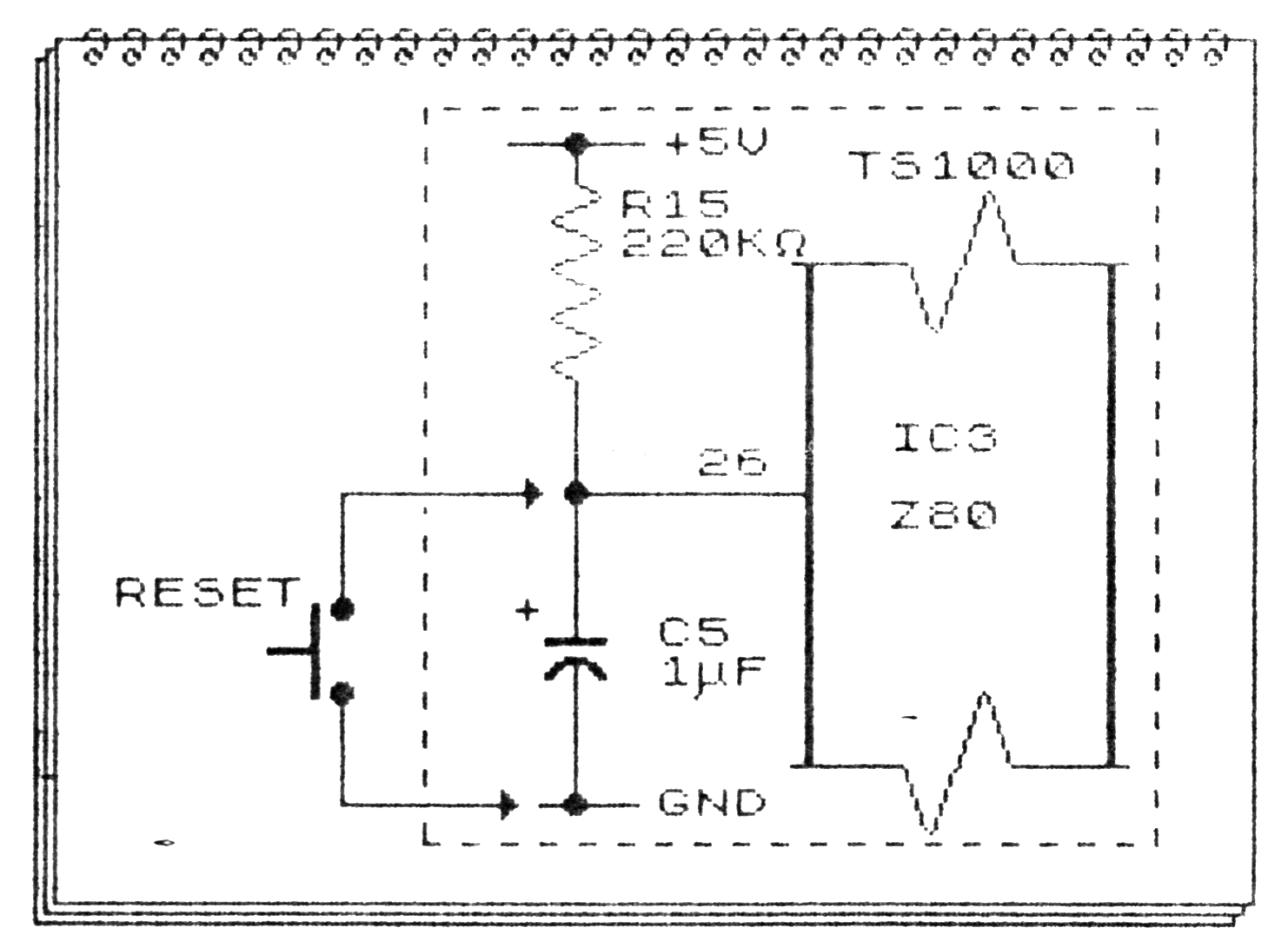
Then connect another thin piece of wire to any ground (GND) on the computer’s circuit board. Finally, connect the two wires to a small “Normally Open” push button switch. This switch could then be located anywhere on the outside of the computer’s case, and there you have it!
Around the time when Les wrote his reset switch article, I had also been investigating the addition of a reset function on my own.
I chose not to disrupt the inner workings of my TS1000 and TS1500 but instead decided to accomplish the task via the backplane edge connector.
My solution involved adding two small wires to the edge card connector fingers #21 on the top, and #4 on the bottom (see figure below). Later revisions resulted in the addition of such a switch to a number of my TS1000/TS1500 peripherals! -MJF