
The following article is a preview of the tutorial that Steve Johnson will bring to the October meeting. A lot has been said about the details of coding in past tutorials, but the very important first step, defining the problem, has been ignored. It’s as though a sculpting class was taught only the final finishing steps, while ignoring the preliminary shaping of the block.
MF
There are two major steps involved in solving a problem. The first is understanding and defining the problem thoroughly. The second is actually solving the problem. These two steps apply directly to computer programming, whether at the beginner or advanced level. Simply stated, you cannot write a program for a useful purpose until you know that purpose. This seems logical enough, but too often we sit down and attempt to program our computers before we have actually thought out the problem and a possible solution.
When I attempt a serious application, I don’t even touch the keyboard until testing the program. Getting your thoughts down on paper allows you to see more clearly the organization of your program. Starting first with an outline of the major parts of the program is very useful for keeping track of what each portion of the program has to accomplish. An outline with indented sublines or a conventional flow-chart can be used. I normally use a block diagram with flow-chart symbols, unless it is for documentation.
Each block or module can now be approached one at a time on separate sheets of paper. Soon you will discover the need to keep variable names straight. The easiest way is to make a table of the variable names, what they represent and what kind of data they contain (ie, numerical, string or dimensioned forms of either).
If you have followed all of the above steps, your program will be well organized and much easier to visualize and document. Complex programs just cannot be maintained in our heads, so pencil and paper (along with a large eraser) become indispensible programming tools.
Computers reduce the amount of paper-work for the end-user, not the programmer. These techniques are carried into top-down, modular and structured programming.
GENERALIZED FLOW-CHART AND ASSOCIATED PSEUDOCODE
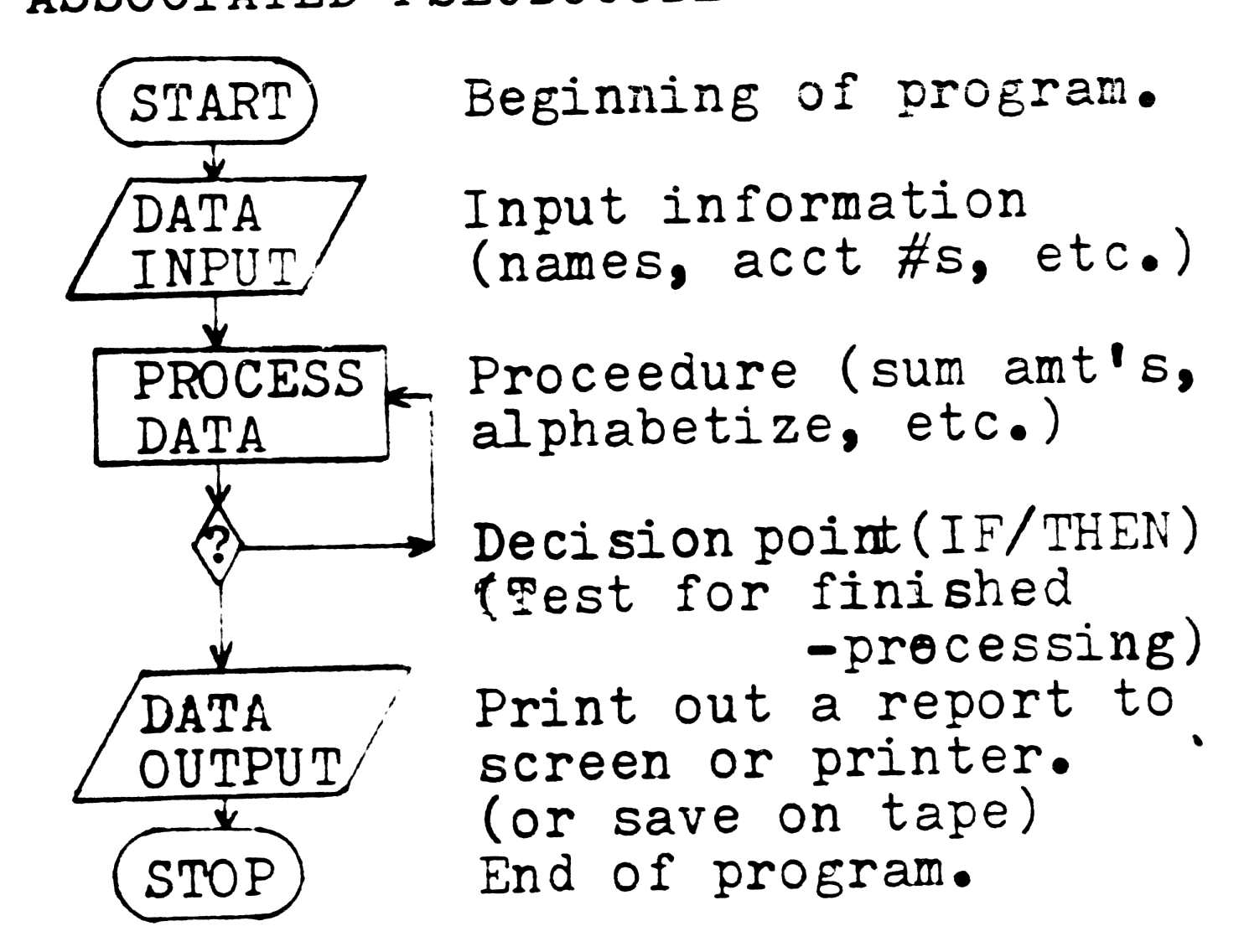
*Use arrows to show direction of flow through the program.
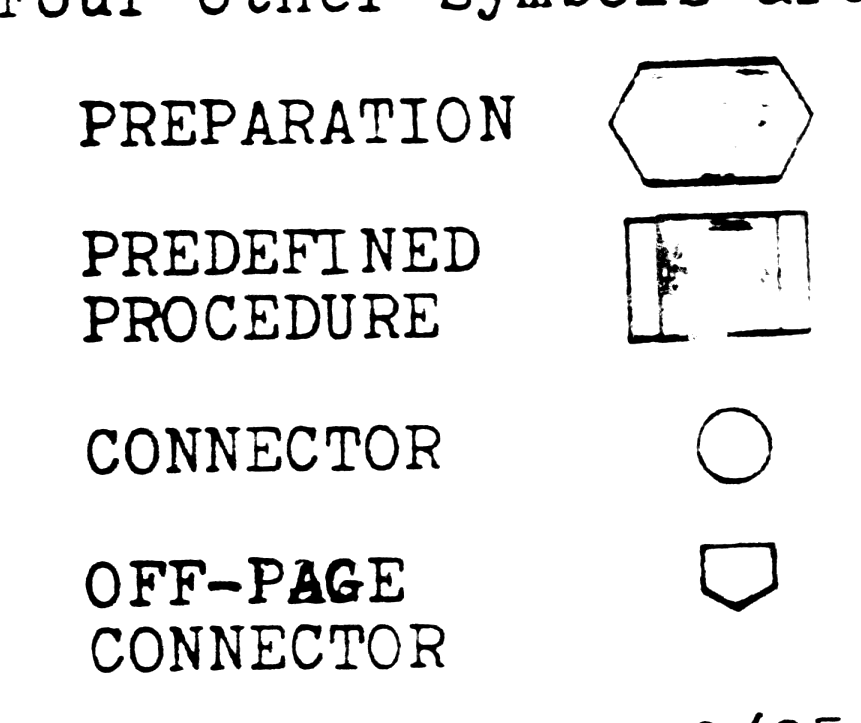
*Four other symbols are standard:
-Steve Johnson 9/25/83