
If something goes wrong during the print-out of a document on a big printer, often the only way to stop the print operation is to switch the printer off. This may be a useful, but certainly not an elegant, method. A reset button, on the other hand, is.
Nearly all printers with a Centronics interface have a reset input at pin 31 of the centronics connector (consult the manual). That input is used in many systems to set the printer to a defined starting state and at the same time to empty the buffer.
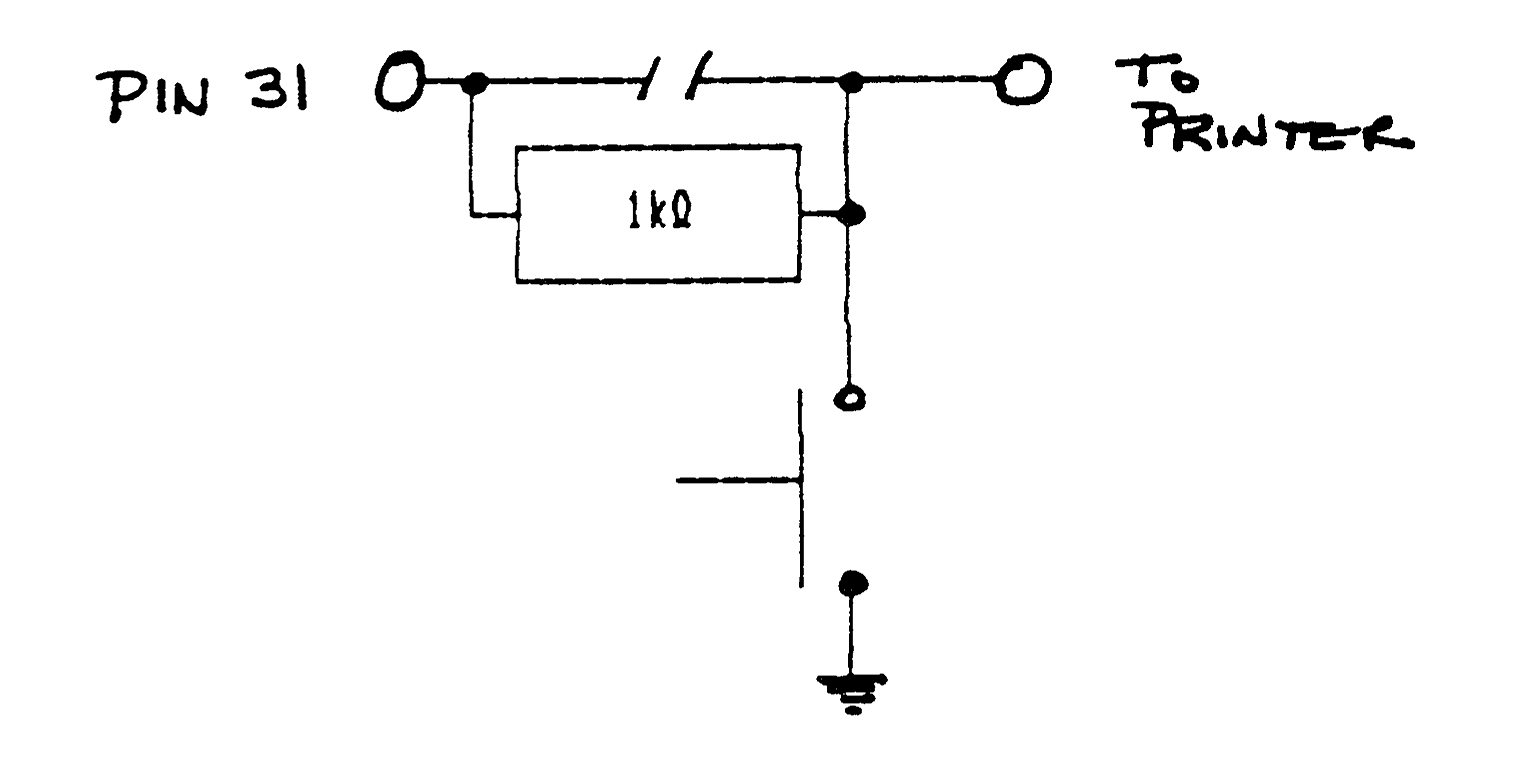
The input may, of course, also be used to connect a reset switch to. The diagram in fig. 1 shows how such a switch may be made quite easily. The 1 kΩ resister prevents a short-circuit at the computer output when the printer is being reset.
Retyped by R. Bruneau from ELEKTOR ELECTRONICS July 1989