
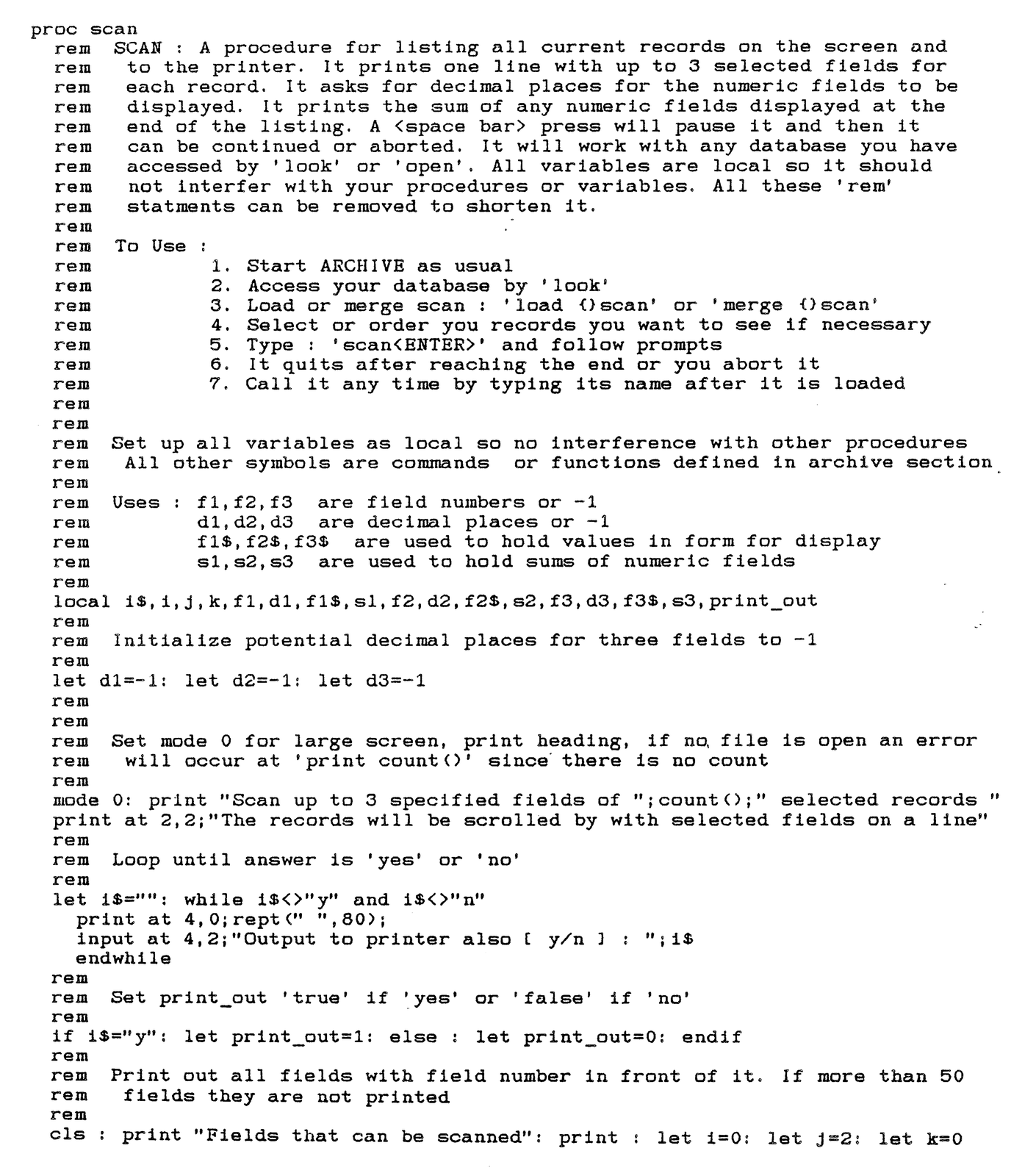
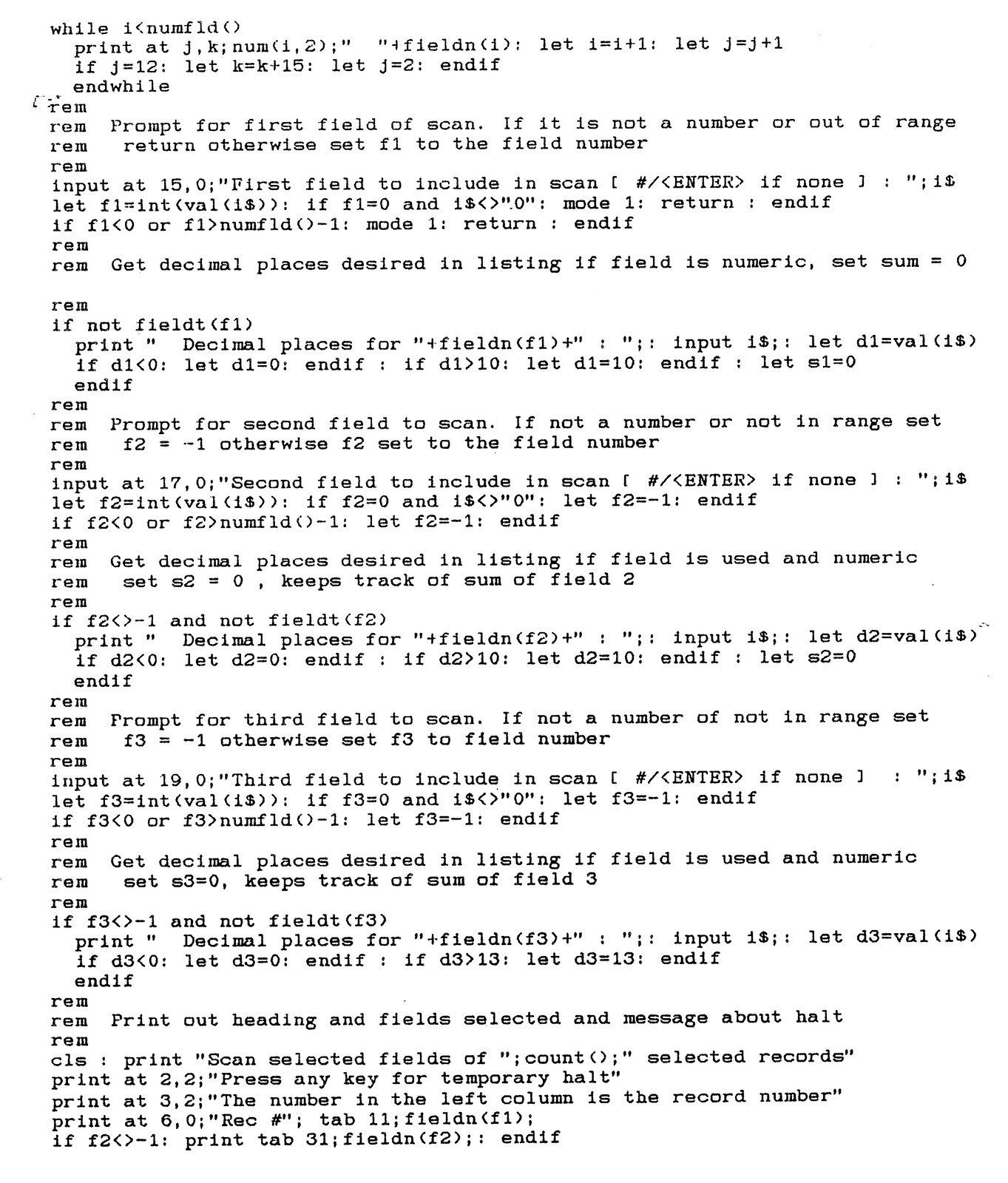
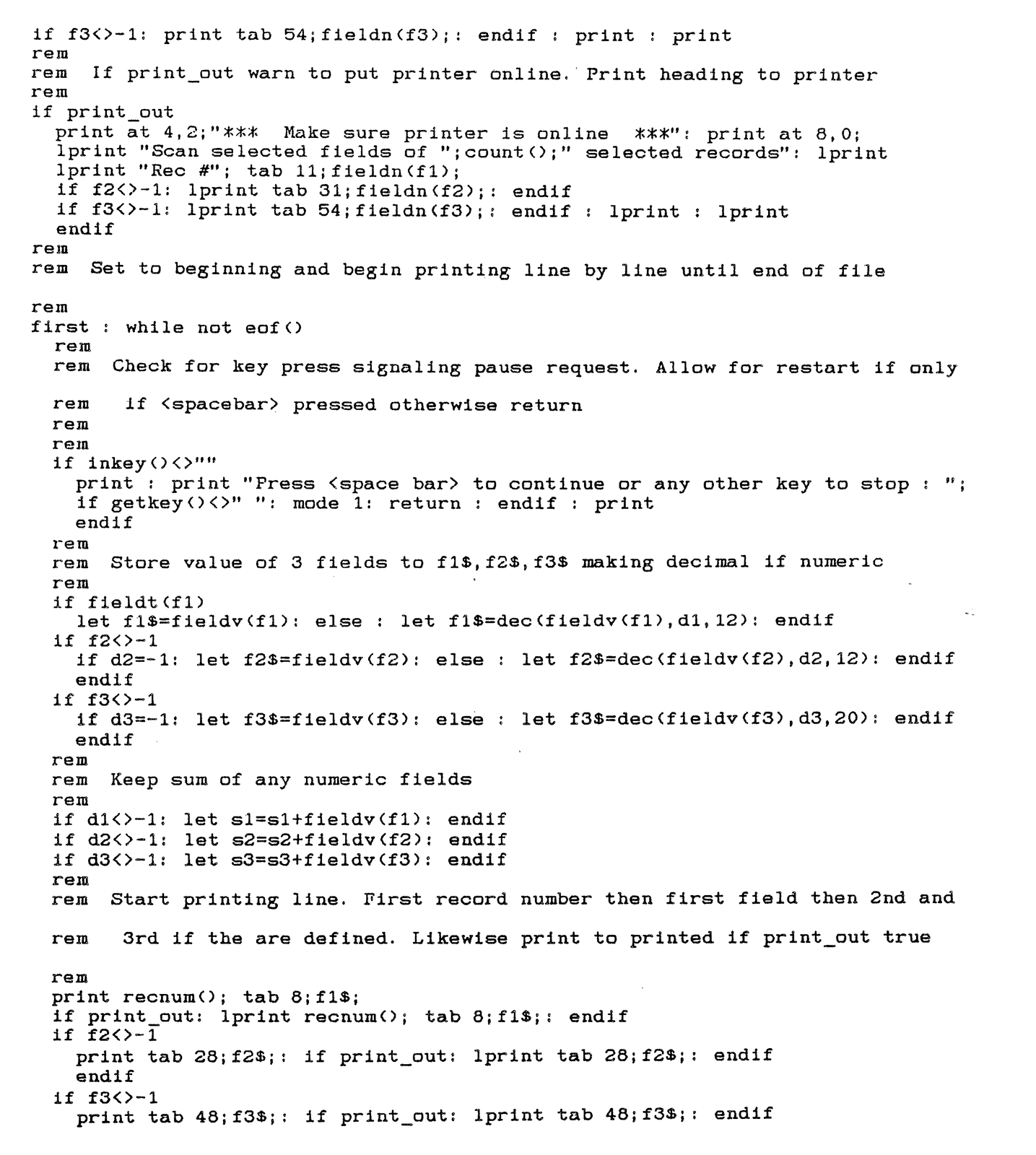
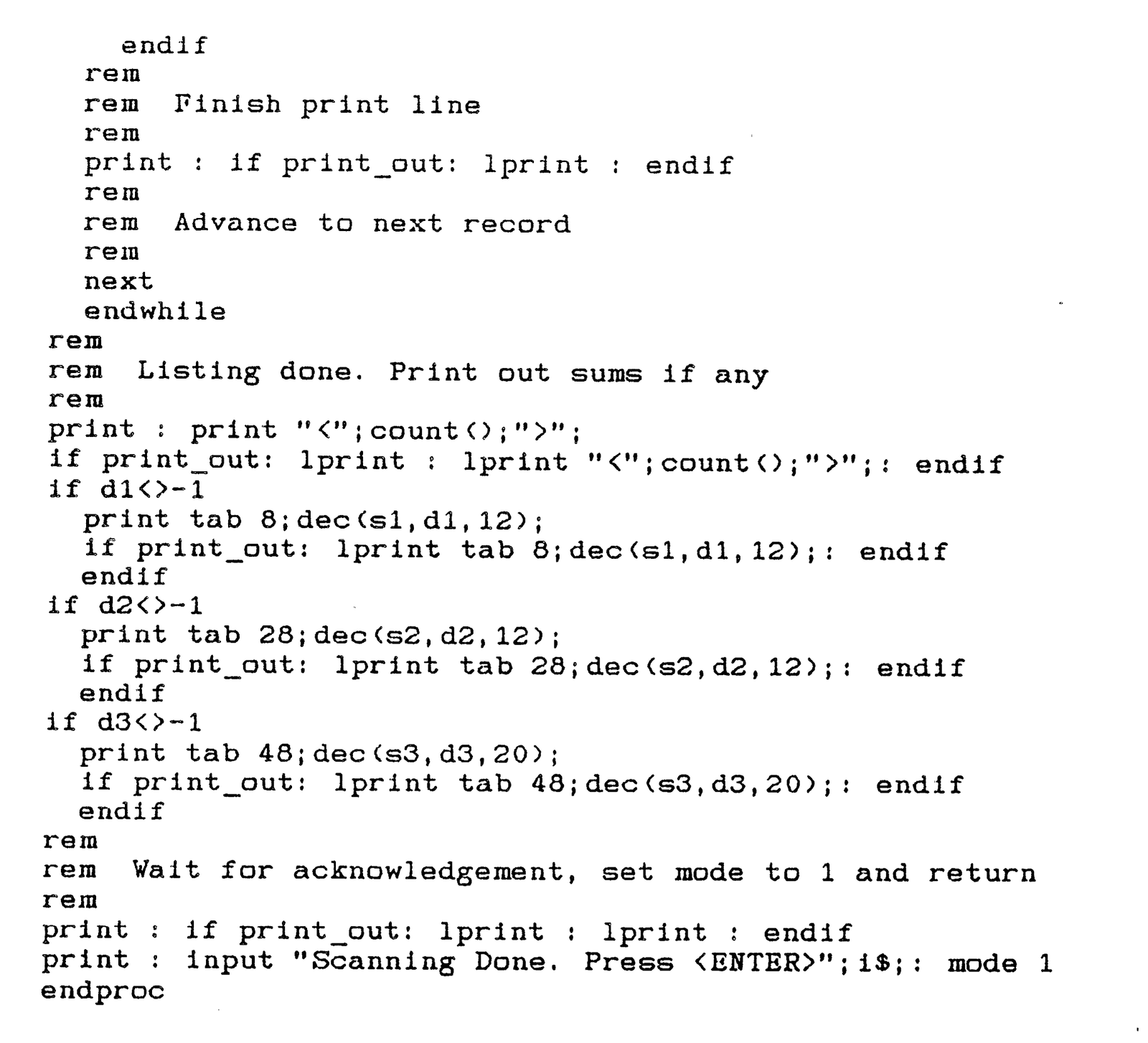
Scan is an ARCHIVE program that will work with any database. It allows one to see up to three selected fields displayed on a line for all currently active records. It is a fast way to scan through the file looking for particular values or trends. If any of the fields are numeric then they are displayed with a specified number of decimal places and their sum is printed at the end. The sum may or may not have meaning depending on what the field is. The sum will appear anyway. The output can also be sent to the printer at the same time. This could be handy for many purposes. You could list names and phone numbers from an address database to keep by your phone. The listing will be of the currently selected/ordered structure of the file. Pressing the <space bar> will pause the output and allow for continuation or abort.
This program is nice because it will work with anyone’s database and will not interfere with any already existing procedures or variables as long as they are not named ‘scan’. It makes use of the ARCHIVE fieldt(),fieldn(),fieldv() functions so it can deal with any database without having any previous information about it. The only way to crash it if my code is good, is to call it without having an active ‘look’ or ‘open’ database file. I documented the code heavily to show my logical process. In a way it makes the listing hard to read. You may want to omit or delete all the ‘rem’ statements to shorten it and see what real ARCHIVE code looks like. To get the ARCHIVE editor, type : ‘edit<ENTER>’ and follow instructions in center box.
To Run :
     Start ARCHIVE as usual

     Access your database  with 'look' or use the Gazet database
      look "mdv1_gazet"

     Load or merge scan as :
      load "()scan"                  where ()=device holding scan
                                     mdv1_,mdv2,flp1_,flp2_

     Select or order if you want

     Type : 'scan<ENTER>'            to start scan

     Direct output to printer if you want
The fields of your database will be displayed. Give the numbers of up to 3 you want on the output line for each record. If the field type is numeric you will be asked for the number of decimal places to show.
The listing will begin. Press <space bar> to pause.
It will print any sums and pause. Stops When you press <ENTER>
Editor’s comments: I learned more about ARCHIVE by reading these articles and a few hours working the programs than I could have in six months of study and experimenting without them. We can keep excellent programmers such a Bill Cable working for us ONLY IF we respect their propriety rights to their works and PAY THEM FOR WHAT WE GET.
Frankly, I see dozens of SHAREWARE (IBM) softwares being given about, in this small city, and VERY FEW bother to send the author payment. The tenancy is for one to think of his friend as the giver, and not the author of the software. I sincerely hope that the Sinclair QL users will not destroy their software support by disregarding INTEGRETY.
All of Bill Cables works in this issue will be in the October 88 “CABLE” ISSUE DISK and MICRO DRIVE ISSUE. You may Order the disk or send a mdv cart in for dubbing. Send orders or mdv cart to UPDATE, $20.00 postpaid, and specify “CABLE DISK”.
Also, you may send your thanks and comments directly to Bill Cable. If you expect a reply, please inclose a SASE.