
The accompanying program is a demonstration of scrolling text in a window. By adjusting the values of a few variables, one can make the window any size and locate it anywhere on the screen. It is usually located near the bottom or along the sides. The procedure is simple and the action relatively fast for BASIC. As a matter of fact, there is a PAUSE 5 in line 7040 to slow things down.
Window scrolls are just another way of producing a flashy, eye-catching effect. But, used with discretion, they do liven up many an otherwise dull program. This demonstration is arranged to make it easy to modify and incorporate into a program of your own.
The window in this illustration has a useable width of 24 characters, and provides for 3 lines of print. Hence the dimensioning in lines 1000 and 1005, and the frame generated in lines 8010 to 8030. You can use other ways to frame and even use paper color alone to set it off.
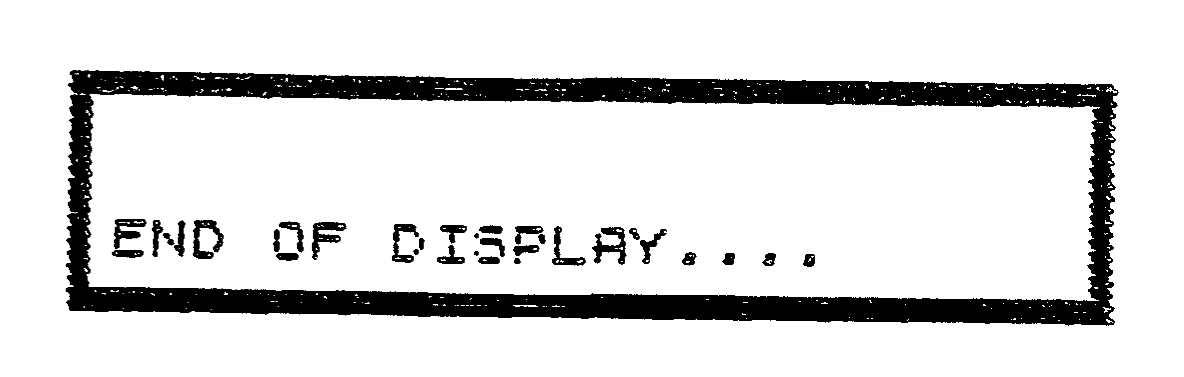
The message to be scrolled is in lines 3010 to3070. Notice that the message is divided up into strings of 24 characters maximum, to conform to the window size. Each string is sent to the subroutine that scrolls the window’s contents and prints the new message segment, on its bottom line. At the end of the message, lines 3080 to 3090 clear out the window and line 3100 prints the sign-off. In a working program, one would go, instead, to the next step at this point.
The action of the printing in the window is such that the message segments move progressively from c$ to b$ to a$ in lines 7010 and 7015 with d$ just providing spaces. As they move in this fashion, they are printed in ascending rows by line 7020. This produces the scroll effect. Line 7040 prints the message segments one character at a time – typewriter style – on the bottom line of the window. We could have printed the line in one fell blow, but then the action might be too fast and require a larger PAUSE value to offset this. One gains but little in so doing, and loses the BEEPing which adds such a nice touch……
   5 REM ** "E-41", 9-24-88, WF
  10 REM ** SCROLL TEXT IN A        WINDOW
  15
1000 DIM a$(24): DIM b$(24)
1005 DIM c$(24): DIM d$(24)
1010 PRINT AT 3,0;"  The screen itself does not    scroll.  Any other action can goon here, alternating with the   display in the window.  It's up to you."
1020 GO SUB 8000
1030
3000 REM ** WINDOW MESSAGE
3010 LET m$="In the window size sel-": GO SUB 7000
3020 LET m$="ected we are limited to": GO SUB 7000
3030 LET m$="a maximum of 24 charact-": GO SUB 7000
3040 LET m$="ers to a line.  Less": GO SUB 7000
3050 LET m$="than this is O.K.  More": GO SUB 7000
3060 LET m$="than this will be lopped": GO SUB 7000
3070 LET m$="off....": GO SUB 7000
3080 FOR m=1 TO 3: LET m$=d$
3090 GO SUB 7000: NEXT m
3100 LET m$="END OF DISPLAY....": GO SUB 7000
3110 STOP
3120
7000 REM ** PRINT IN WINDOW
7010 LET a$=b$: LET b$=c$
7015 LET c$=m$
7020 PRINT AT 16,4;a$;AT 17,4;b$;AT 18,4;d$
7030 FOR n=1 TO LEN c$
7040 PRINT AT 18,3+n;c$(n): IF [clipped]$(n)<>" " THEN BEEP .005,20: PA[U]SE 5
7050 NEXT n: RETURN
7060
8000 REM ** DRAW WINDOW FRAME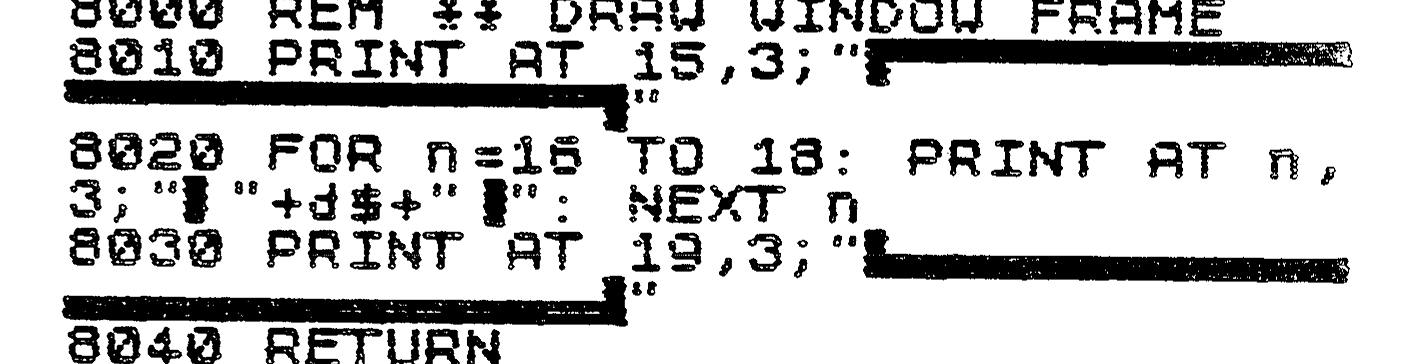
8040 RETURNThe screen itself does not scroll. Any other action can go on here, alternating with the display in the window. It’s up to you.
[Line 7040: the right-hand column of the printout is cut off in the scan; the lost character is marked [clipped].]
Note: Type-in program listings on this website use ZMAKEBAS notation for graphics characters.