
Good afternoon, class! My, there seems to be a smaller attendance today. Must have something to do with the warm weather. Please try to stay awake if you can. Will someone nudge that fellow in the back row? Thank you!
Thank you for your positive response to last month’s tutorial on machine language regarding the reverse scrolling of the screen. This month’s tutorial is not exactly about machine language but it does involve machine code to perform a very important operation.
Today’s lesson will be on mapping the TV screen. If you are not familiar with what this will accomplish, let me explain what it’s all about:
On most other computers, what appears on the CRT is a result of what is located in a certain area of the computer’s RAM memory locations. These locations are outlined in the computer’s reference manual and never change. The user can PEEK any of these locations and identify the character’s code as it appears on the screen. The user can also POKE a character code number into one of these locations and that character will appear on the screen.
The TS/ZX computers allow 704 screen locations. Let us say that our computers had been designed where the first screen location resided in the RAM decimal address of 20000. If we were to enter the command:
POKE 20000,128a square graphic block would appear in the upper left hand corner of the screen.
If the graphic block (consult manual for section on Sinclair character codes) already existed in that location, we could confirm its existence with the command phrase:
PRINT PEEK 20000and “128” would be displayed. Unfortunately, the ZX/TSs do not allow a “dedicated” area of RAM to be allocated to what appears on the screen.
In the May of 1982 tutorial, a method was presented where a “Dummy Screen Memory Map” could be simulated. This was done by simply transferring the codes to a dedicated area of memory, just before they appeared on the screen – a sort of mirror effect. This way, they could be cross-referenced for future use.
We have been taught that the TS/ZX machines, in effect, throw
[The text does not run on from printed page 11 to page 12: page 11 ends “…in effect, throw” and page 12 begins “accidental POKEs into this forbidden area.” The intervening text (including the “original program” referred to below) is missing from the scan and probably from the printed issue.]
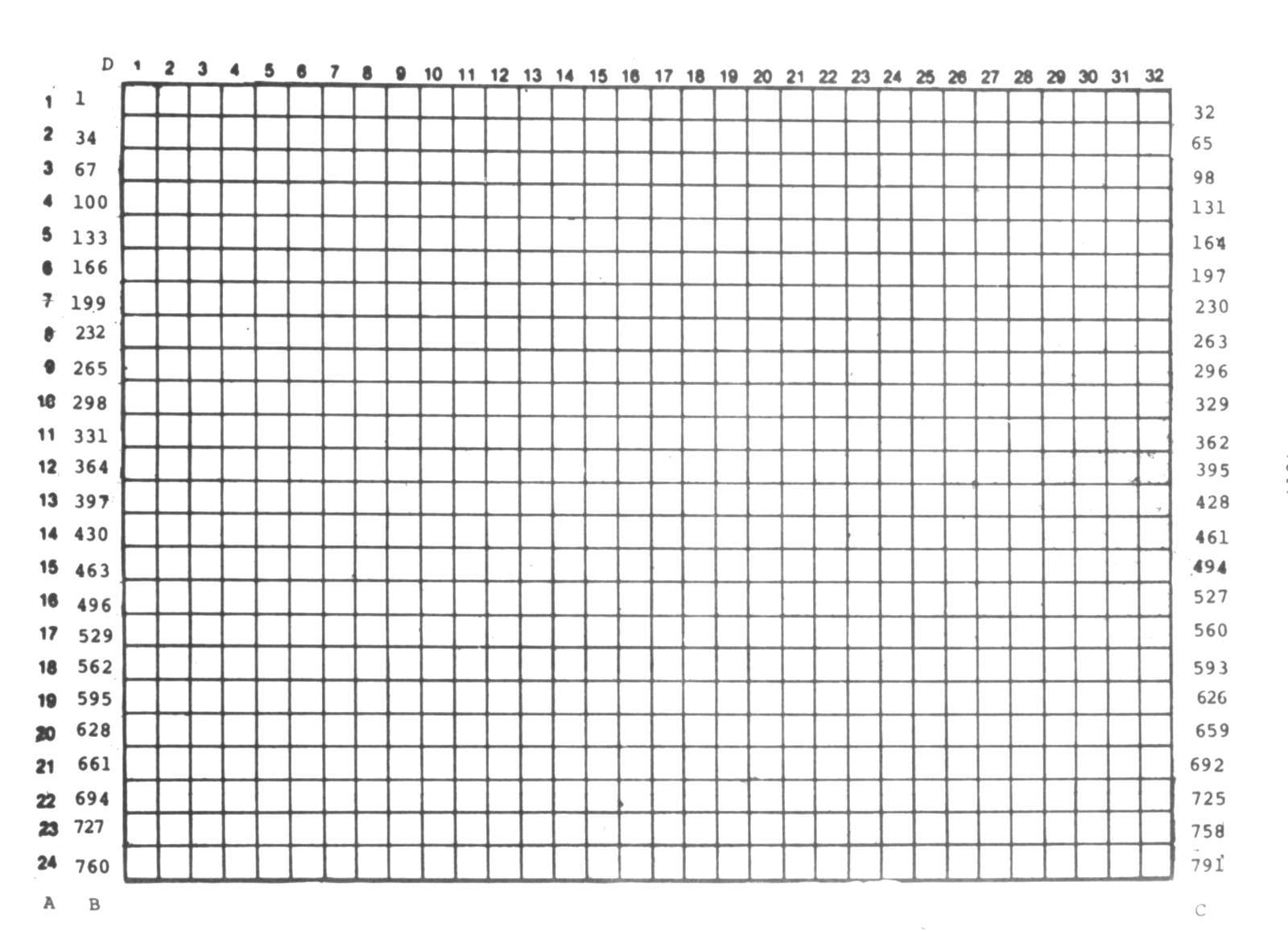
accidental POKEs into this forbidden area. With the original program in the computer, punch in various screen locations and observe the control you have. You will notice that if any of the available locations in the bottom two lines are entered, the block briefly flickers on the screen, disappears and then the “L” cursor reappears. When INPUT is used in a program, any characters that appear in the bottom two lines will disappear. As long an INPUT is not used, the bottom two lines can be utilized.
It is easy to see that this simple 5 line program can be used to paint pictures and if the following 2 lines are added, the second prompt in the program will allow the user to detemine not only the location but the type of character to be displayed by inputting the code for that character:
25 INPUT Z
40 POKE X+Y,Z
But the locations 16404 and 16405 are not the only locations that identify where the screen may be. Actually, if certain commands are used in the program, difficulties can arise. ENTER the following line to the original program:
35 SCROLLNow try entering the co-ordinates of the first column starting with “1” and then “34” and so on. Eventually we reach a number where we notice that nothing additional appears on the screen (or for any numbers higher than that) even though we haven’t exhausted our supply of screen positions. SCROLL seems to screw up the memory map.
Another set of memory positions that seems to work even better is 16396 and 16397. Enter the following program:
  10 LET X=PEEK 16396+256*PEEK 1
6397
  20 PRINT ,,"WHAT IS THE SCREEN
 POSITION?"
  30 INPUT A
  40 IF A/33=INT (A/33) THEN GOT
O 30
  50 PRINT ,,"HOW MANY LINES DO
YOU WANT SCROLLED?"
  60 INPUT B
  70 IF B>INT (A/33) THEN GOTO 6
0
  80 CLS
  90 POKE X+A,128
 100 FOR N=1 TO B
 110 SCROLL
 120 NEXT N
 130 LET Y=X
 140 IF PEEK Y=128 THEN GOTO 100
0
 150 LET Y=Y+1
 160 GOTO 140
1000 PRINT AT 10,0;"X = ";X,"Y =
 ";Y
1010 PRINT ,,X;" + ";A;" - ";Y;"
 = ";X+A-Y
1020 PRINT ,,"THE X POSITION AFT
ER THE SCROLL IS ";PEEK 16396+25
6*PEEK 16397
1030 PRINT ,,"CHECKSUM OF AMOUNT
 OF SCROLLED  LINES IS ";(X+A-Y)
/33
1040 PRINT ,,"AMOUNT OF LINES TO
 BE SCROLLED  THAT YOU ENTERED W
ERE ";B
Enter the screen position for the first prompt and how many lines you want scrolled for the second prompt. Make sure that the amount of scroll lines do not exceed the amount of lines available and that the screen position is not in the bottom two lines. After a few seconds, information will appear on the screen that will verify the new co-ordinates.
If you were to use screen position #710, which is in the middle of the 22nd line and asked the program to scroll the inserted graphic block up 15 lines, you will first see the graphic block appear and then move up 15 lines. A short time later, the scanning routine, located in lines 140 to 160, will locate the block in its new screen position and the following will appear on the screen:
--------------------------------
X = 17140      Y = 17355

17140 + 710 - 17355 = 495

THE X POSITION AFTER THE SCROLL
IS 17140

CHECKSUM OF AMOUNT OF SCROLLED
LINES IS 15

AMOUNT OF LINES TO BE SCROLLED
THAT YOU ENTERED WERE 15
--------------------------------
In line #1, X, which is 17140, represents the space just before the first screen position. Y, which is 17355, represents the screen location where the graphic block was found after it was scrolled.
In line #2, the screen position you entered (710) is added to the X value and the memory locatation (Y which is 17355) where the graphic block was located, after the scroll was performed, is subtracted from that amount to give the remainder of 495. This remainder represents the amount of spaces the graphic block has moved backward in RAM memory and on the screen.
The 3rd line rePEEKs the locations of 16396 and 16397 to see the value. As you can see, the new X is the same as the old X. This isn’t always true when 16404 and 16405 are used. This tells us that 16396/16397 are unaffected by the scrolling process to determine the screen map.
The fourth line divides the remainder number (495) by 33 to provide a checksum number of lines scrolled. This checksum number should be equal to the number you entered which is verified in the fifth line.
Try using this routine to POKE a graphic character in the 23rd or 24th line. What has happened? The gentleman in the rear has his hand up!
It doen’t work, he says. Well, I believe that’s obvious. But why not? No hands this time, I see.
Well, the reason it doesn’t work is because the SCROLL command will start the scroll with the 22nd line. Even though the routine determines a Y position to be somewhere on the screen, it is obvious to see that the graphic block never moved from its original position (other than to oscillate up and down).
So, we can still see that the SCROLL command can create some problems. These routines can be used to create games and other graphic display situations. There is one other extremely useful application and that is for copying the screen to the printer.
Even with my back to the class while I’m writing on the blackboard, I can sense the gentleman in the rear has his hand up. Yes Sir?
He says, “Why not just use the COPY command”?
The answer is simple! The copy command will only copy the first 22 lines of the screen and ignore the bottom two lines. ENTER the following program:
  10 REM FULL SCREEN CHARACTER
     GENERATING ROUTINE
  20 FAST
  30 DIM A$(24,32)
  40 FOR N=1 TO 24
  50 LET A$(N)=STR$ N
  60 LET A$(N,32)="█"
  70 FOR I=3 TO 31
  80 LET A$(N,I)="."
  90 NEXT I
 100 NEXT N
 110 POKE 16418,0
 120 FOR N=1 TO 24
 130 PRINT A$(N)
 140 NEXT N
 150 DIM B$(32)
 160 PAUSE 40000
 170 GOSUB 1000
 200 REM SCREEN PRINTING ROUTINE
 210 FOR N=1 TO 760 STEP 33
 220 FOR I=1 TO 32
 230 LET B$(I)=CHR$ PEEK (X+N+I-
1)
 240 NEXT I
 250 LPRINT B$
 260 NEXT N
 270 STOP
1000 REM MEMORY MAP LOCATING
         ROUTINE
1010 LET X=PEEK 16396+256*PEEK 1
6397
1020 RETURN
The routine from 10 to 170 will generate a co-ordinate pattern that will fill all 24 lines of the screen. The 1000 sub-routinte identifies the screen map and the 200 to 270 routine does the actual printing of the screen, INCLUDING THE BOTTOM TWO LINES.
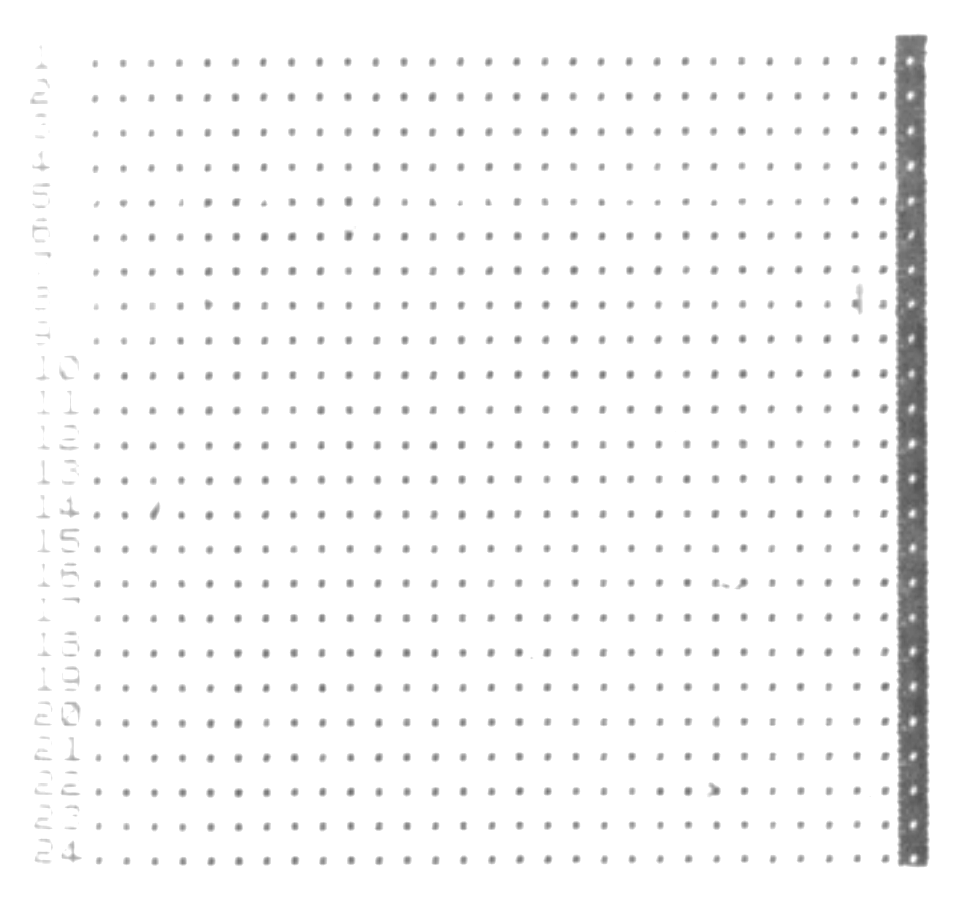
If the 200 and 1000 routines were written into just about any program, any screen frame could be printed from that program by first executing the 1000 sub-routine and then the 200 routine.
Well, there’s the bell. For extra credit in this class, you might want to try this program that creates a visual display with random graphics characters being POKEd onto the screen:
  20 LET X=PEEK 16404+256*PEEK 1
6405-794
  30 FOR N=1 TO 791
  40 IF N/33=INT (N/33) THEN LET
 N=N+1
  50 POKE X+N,128
  60 NEXT N
  65 SLOW
  70 POKE X+1,7
  80 POKE X+32,132
  90 POKE X+760,130
 100 POKE X+791,129
 110 FOR N=34 TO 727 STEP 33
 120 POKE X+N,5
 130 NEXT N
 140 FOR N=65 TO 758 STEP 33
 150 POKE X+N,133
 160 NEXT N
 170 FOR N=2 TO 31
 180 POKE X+N,3
 190 NEXT N
 200 FOR N=761 TO 790
 210 POKE X+N,131
 220 NEXT N
 230 SLOW
 240 POKE X+174,RND*63+128
 250 POKE X+191,RND*63+128
 260 POKE X+603,RND*63+128
 270 POKE X+620,RND*63+128
 280 GOTO 240
I realize this is vacation time for many of you so there will be no homework. CLASS DISMISSED!
Somebody wake up that guy in the back, please?
Note: Type-in program listings on this website use ZMAKEBAS notation for graphics characters.