
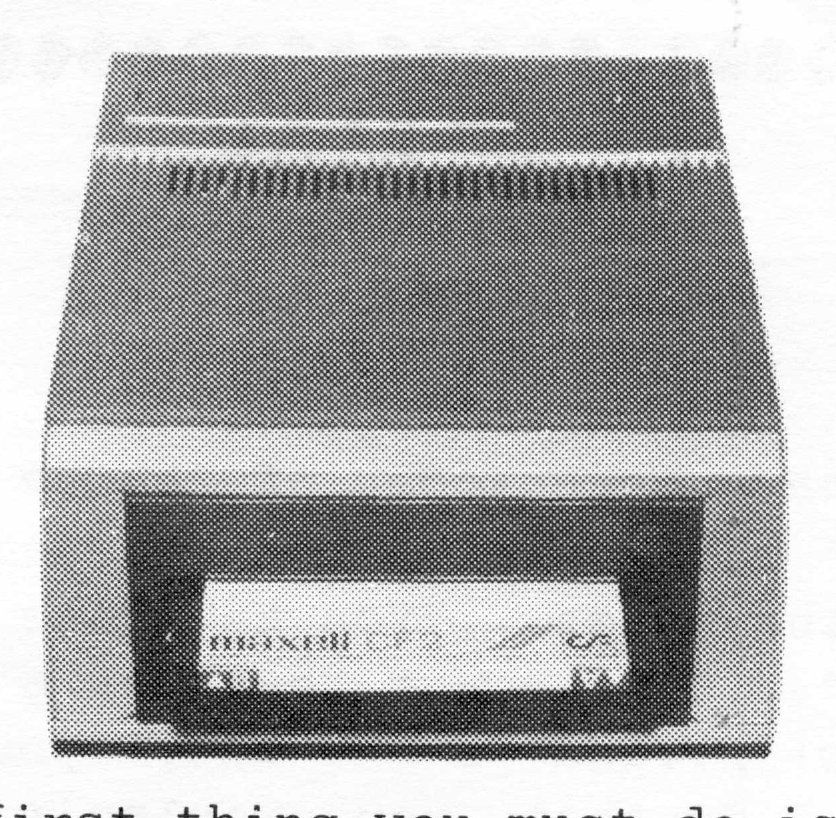
Hi and welcome to the first of what I hope to be many columns in TIME DESIGNS on the 3 inch Floppy Disk Drive System from Portugal, that is being sold by Zebra Systems. I hope that the Holidays were good to you. Maybe some of you received the Zebra Disk Drive System for a Christmas gift, and are looking into tapping the full power of this system. It will be my goal to help you use this system to its full capacity.
As the next few months go by, we will be going over how to use the “Tree Structure” operating system of the drives, to develop many directories and related files on one disk. We will also be going into depth on the two file systems supported by these drives…random access and sequential files.
Its the first of these file systems, or Random Access files, that is the most exciting. By using random access files, we are now in the position of using our drive system as a “disk RAM”. That means that because of the speed that the drives work at, we can use the disks to store information and send specific information to our programs randomly. Large data files, such as a phone book program, will just access the information you need, and not the entire data file.
File storage is what sets this system apart from the cassette recorder. Now I know what you are saying. Its the speed that sets this system apart from cassettes. Well, that is only half true. It breaks my heart to see people spend the $350 bucks for a state of the art disk drive system, and use it for just saving and loading programs. No, it is the way that we can manipulate our data files, and not have their size be limited by the computer’s memory, that sets this system apart from the cassette recorder.
Whew, sorry about that soap box stuff. I just get that way when I think about how powerful this system is.
Other articles will include using the RS232C ports with a Hayes 1200 modem (I do it now), as well as hooking up a serial printer to them. We will also look at existing programs for the T/S 2068, and how we can convert them for use on the D.D. system.
On that vein, there was one program that I used more than any other, and that was TASWORD TWO. One of the first things I did was to convert it for use with the D.D. system. Lets see how this is done.
The first thing you must do is to exit the program and get into BASIC. Go to line 15, and change the part about LOAD “tascode.cod” to LOAD* “tascode.cod”. Next, go to line 700 and 710 and put an * in front of the SAVE commands. After that is done, go to line 1030 and do the same for that SAVE command. Just one more line to go…line 2030. There you put an * in front of the LOAD command. Type in GOTO 700, and there you have it, TASWORD TWO on the Zebra Floppy Drive System.
Now while that is a bare bones change, in the October issue of L.I.S.T.ing (the user groups newsletter from Long Island, New York) my best friend Andy Gippetti did an in-depth conversion of Tasword, that makes it even more powerful. Andy’s conversion allows for files from both cassette and disk to be used, and gives you a CATALOG option in the main menu. For a copy of this article or any other statements you may have, feel free to write me at: [address omitted]. You can also join L.I.S.T., or a more local users group that gets the LIST newsletter. Well, bye for now!