
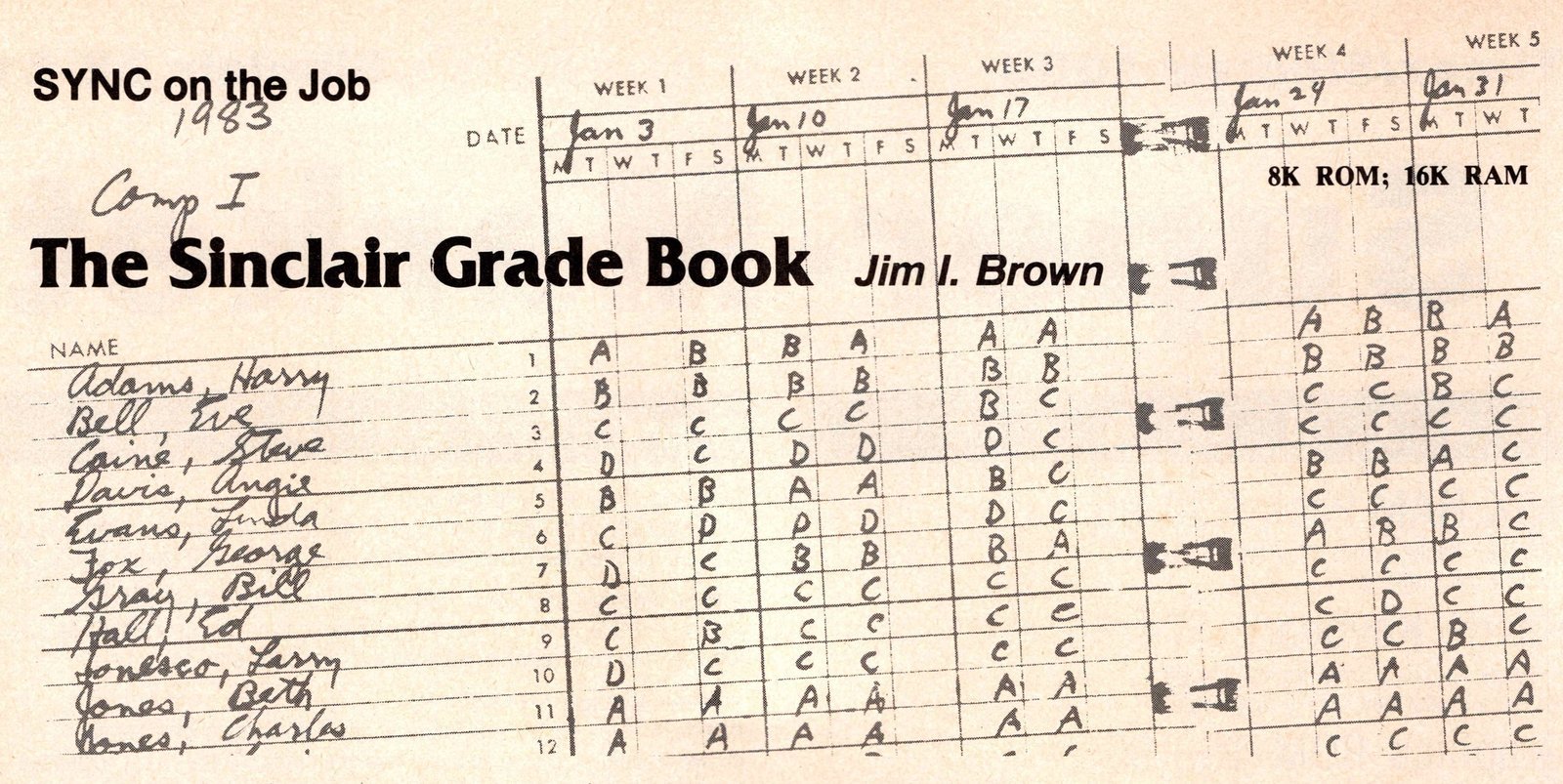
Two of the dullest and most time consuming routines in teaching are record keeping and grade calculation. Normally, these are done with a paper grade book in which names and scores are recorded. Whenever grades are needed, the grade book, plus a hand calculator, and a generous amount of time are usually required to provide them. Because of the time factor alone, most teachers do not figure grades except at mid-term and at the end of the semester.
The modern computer, however, can be used to change this situation by providing the teacher with an electronic grade book that can give a read out of the student’s record at any time during the course by merely pushing a few keys. Thus, it becomes possible to easily and quickly supply a student with a print out of his standing after each exam or assignment. I know from 28 years of experience as a science teacher that the effect of this upon positive motivation can be tremendous.
In preparing a grade book program for the Sinclair, it was first necessary to decide upon the form the recorded data should be returned in. One of the advantages of a good program is that it may be returned in any number of forms, at the operator’s discretion. After all, a computer does more than just keep records—it also computes (totals, percentages, etc.). In the following program, I have included provisions for the three basic types of returns which the majority of teachers will find of the greatest value.
(1) A read out of all the students in the class with each student’s name accompanied by his TOTAL points, along with his percentage of the TOTAL POSSIBLE. This is mainly for the teacher’s benefit in determining and submitting grades for transcripts or report cards.
(2) A print out for only one particular student, along with all of his scores, his total points, and his percentage of the possible. This may be used to provide the student with a record of his current standing for motivational reasons or to verify his score for any particular event.
(3) A sort routine for arranging the totaled grades of all students in the class from high to low. This is useful in analyzing grade distributions or in allowing a student to see where he stands in relation to the rest of the class. However, the program in this part is very slow and may take several minutes for a large class. This time could be shortened greatly by using a SHELL sort routine modified for the Sinclair. However, as I seldom use this option, I have never taken the trouble to revise it. The idea should provide an interesting challenge for SYNC readers.
In preparing the program, it was necessary to include a few lines which might appear confusing to the reader at first glance. One of these is the method used to keep track of the points POSSIBLE on each exam. This was easily solved by making student number one the “possible” (line 220). Thus, the first real student becomes N minus one in the program (line 230). Adding a new student during the course, is done by letting N become one more than the present number in class (lines 600-610). Then, since the “possible” is N equals one, and the first student is N minus one, the new student becomes N minus two (line 630). No provision was made to delete a student since a teacher is sometimes asked about a student’s performance even after the student has dropped. Line 546 may also appear confusing as the .5 and the integer function had to be used to correctly ROUND OFF the percentage in line 546.
Program Structure
The general areas of the program are:
Lines 1-64: provide credits, menu, and selection of choice.
Lines 65-95: prevent accidental erasure of present roster.
Lines 102-274: establish roster of class names.
Lines 275-430: Permit entering grades for each name.
Lines 500-510: Print the names of all students.
Lines 515-543: Add grades and print total after each student’s name.
Lines 545-574: Calculate and print percentage after each student’s name.
Lines 600-710: Enter new students if necessary.
Lines 1500-1530: Save program and variables. It is recommended that a separate tape, along with a back-up tape be kept for each class.
Lines 1600-1645: Locate a particular student by name search.
Lines 1700-1731: Print a particular student’s name, along with his scores, his total, and the percentage.
Lines 1735-1895: Allow a score to be changed, if necessary.
Lines 4000-6020: Tally and sort grades from high to low.
There are essentially only two types of variables in the program: names and scores. In line 200 N$ symbolizes the name, the number 41 represents the number of names for which space is allotted in the memory of the computer, and the number 15 is the maximum number of letters that may be used in any student’s name. Remember, “possible” is N equals one, so the number 41 allows only 40 students to be entered per class. In line 210, G represents Grade, the 41 is again the number of students, while the 20 is used to reserve space in memory for 20 grades per student. These variables may, of course, be changed to allow for exceptionally sized classes or to increase the number of grades that may be taken. However, remember that increasing these values will require more memory and will also increase the LOAD/SAVE times.
Other parts of the program may also be changed to enable the computer to keep track of almost anything one wishes to maintain regular records on, while, at the same time, enabling one to obtain an instant total.
Using the Program
In using the grade book program when it is first LOADed, a menu automatically appears on the screen. (See Figure 1).
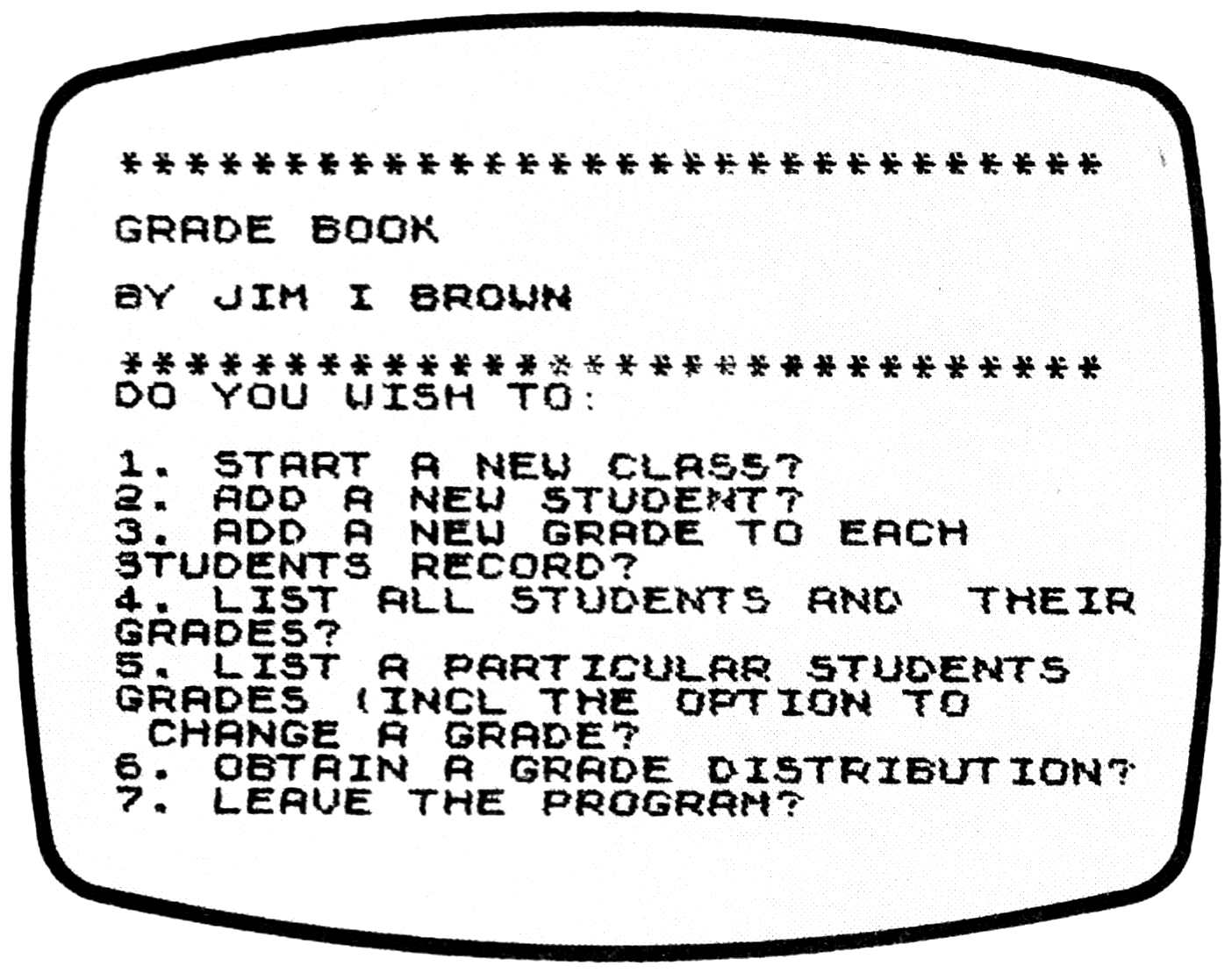
1). Selecting Choice 1 directs that a new roster be started. However, the program immediately requests the operator to first verify the choice so that any present roster will not be accidentally erased.
2). A new student may be added to the roster at any time by selecting Choice 2.
3). Choice 3 activates the computer to ask first how many points are possible on a particular test; the program then lists each student’s name and requests his score for that assignment. Zero scores should be given to students who have dropped or transferred.
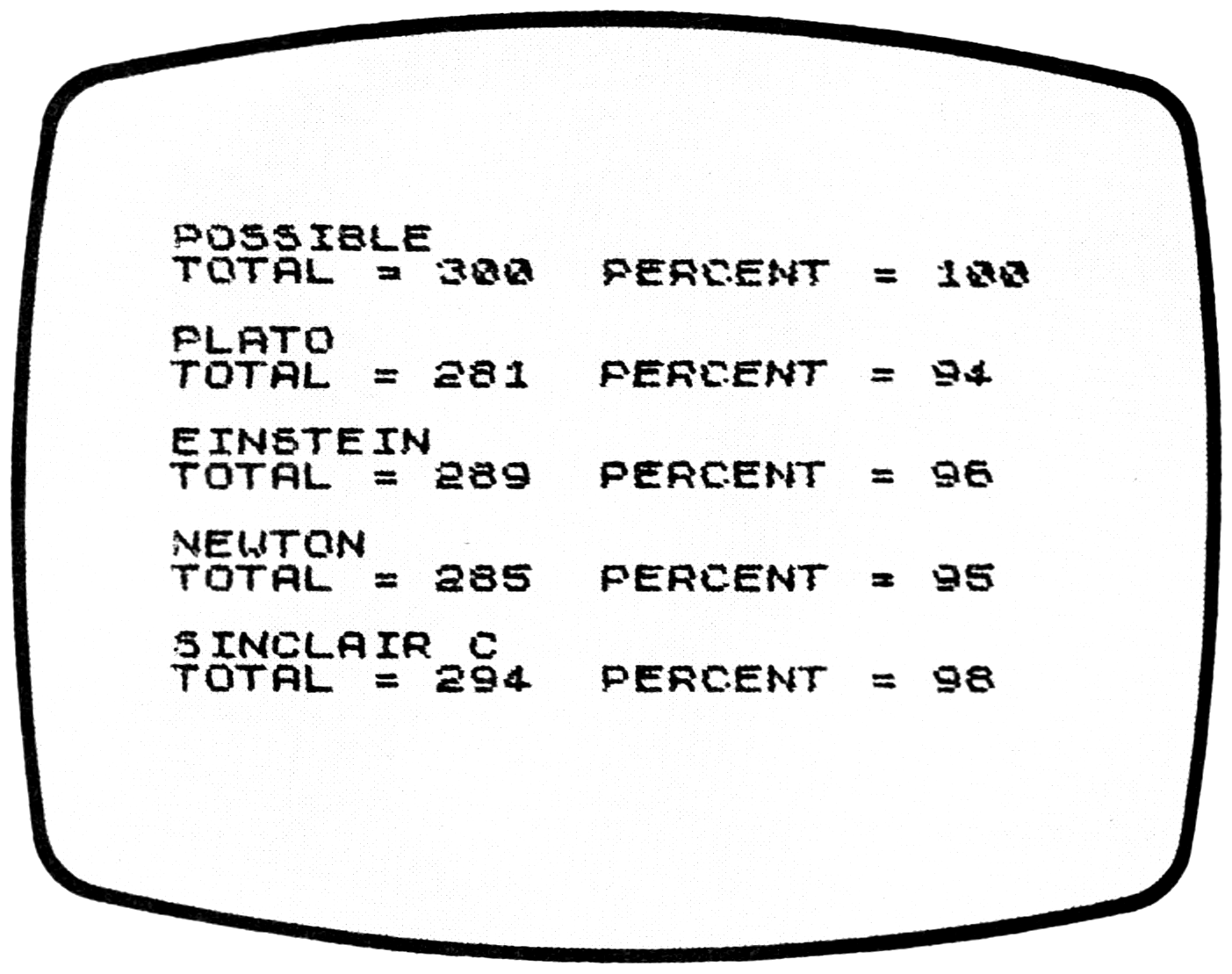
4). Choice 4 causes the computer to print out the total points for each student, along with his percentage of the POSSIBLE (See Figure 2).
Note: since the program directs the computer to first ADD the student’s scores, this choice may cause the program to bomb if there is only one grade entered for the class.
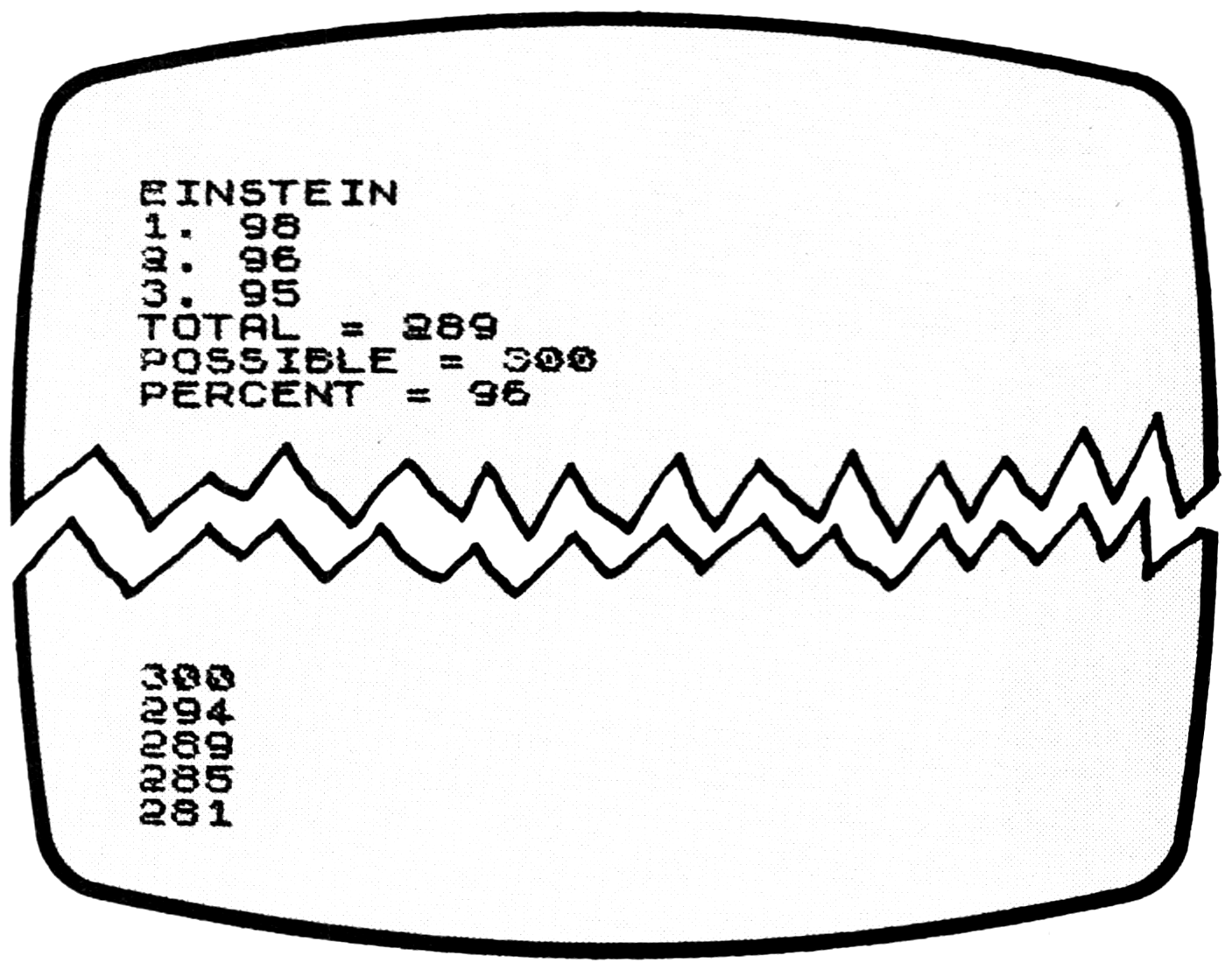
5). Choice 5 instructs the computer to request a student’s name, then to list that particular student’s scores along with his total points and his percentage rating. (See Figure 3).
Before returning to the main menu, the program also inquires if any grade is to be corrected and allows the operator to make the necessary change if one is needed. New students who were added under Choice 2 will have zeros automatically recorded for any grades that were entered before they joined the class. Choice 5 allows the instructor to change these zeros to whatever transfer grades students may have entered with.
6). Choice 6 first tallies the grades of every student; then it sorts and displays the scores, arranging them from highest to lowest. (See Figure 4.)
7). Choice 7 allows the program, including all changes or additions in grades or names, to be saved and provides the directions for accomplishing this.
If, during any choice, the print out should fill the monitor and give a report code of 5 at the bottom (meaning no more room on screen), merely push “CONTinue” on the keyboard, followed by NEWLINE.
If for any reason the program should “bomb” at any point, it can usually be safely restarted by the command, GOTO 1, followed by NEWLINE. Never use “RUN” as a command, or all the stored data (names and scores) will be lost.
Ed.—For the convenience of our readers the author will supply tthe program on cassette for $12 including postage ($15 outside the U.S.). Allow four weeks if payment is made by personal check.
   1 FOR I=1 TO 30
   2 PRINT "*";
   3 NEXT I
   4 PRINT
   5 PRINT
  10 PRINT "GRADE BOOK"
  11 PRINT
  12 PRINT "BY JIM I BROWN"
  13 PRINT
  14 FOR I=1 TO 30
  15 PRINT "*";
  16 NEXT I
  17 PRINT
  19 PRINT "DO YOU WISH TO:"
  21 PRINT
  22 PRINT "1. START A NEW CLASS?"
  23 PRINT "2. ADD A NEW STUDENT?"
  24 PRINT "3. ADD A NEW GRADE TO EACH      STUDENTS RECORD?"
  25 PRINT "4. LIST ALL STUDENTS AND  THEIR GRADES?"
  26 PRINT "5. LIST A PARTICULAR STUDENTS   GRADES (INCL THE OPTION TO      CHANGE A GRADE?"
  27 PRINT "6. OBTAIN A GRADE DISTRIBUTION?"
  28 PRINT "7. LEAVE THE PROGRAM?"
  30 PRINT
  32 PRINT "ENTER THE NUMBER OF YOUR CHOICE."
  34 INPUT Q
  36 CLS
  50 IF Q=1 THEN GOTO 65
  52 IF Q=2 THEN GOTO 600
  54 IF Q=3 THEN GOTO 275
  56 IF Q=4 THEN GOTO 500
  58 IF Q=5 THEN GOTO 1600
  60 IF Q=6 THEN GOTO 4000
  61 IF Q=7 THEN GOTO 1500
  62 CLS
  64 GOTO 20
  65 CLS
  70 PRINT "ARE YOU SURE?"
  72 PRINT
  75 PRINT "REMEMBER A NEW ROSTER WILL      DELETE THE CURRENT ONE ALONG      WITH ITS  STORED DATA"
  77 PRINT
  80 PRINT "ENTER ""Y"" IF YOU STILL WISH TO  START A NEW ROSTER"
  81 PRINT
  82 PRINT "ENTER ""C"" TO RETURN TO THE MAIN MENU"
  83 INPUT R$
  84 CLS
  85 IF R$="Y" THEN GOTO 100
  95 GOTO 20
 100 PRINT "HOW MANY STUDENTS ARE IN THE     CLASS?"
 102 INPUT X
 103 LET X=X+1
 114 CLS
 115 LET W=0
 200 DIM N$(41,15)
 210 DIM G(41,20)
 219 FOR N=1 TO X
 220 LET N$(1)="POSSIBLE"
 222 IF N=1 THEN GOTO 270
 230 PRINT "ENTER NAME NO. ";N-1
 240 INPUT N$(N)
 250 CLS
 260 PRINT N$(N)
 270 NEXT N
 271 PRINT "ENTER ""C"" TO RETURN TO MENU"
 272 INPUT R$
 273 CLS
 274 GOTO 20
 275 LET W=W+1
 278 CLS
 290 FOR N=1 TO X
 295 PRINT N$(N)
 296 LET V=W
 298 PRINT "ENTER GRADE NUMBER ";V
 300 INPUT G(N,V)
 310 CLS
 320 PRINT G(N,V)
 340 NEXT N
 400 PRINT
 410 PRINT "ENTER ""C"" TO RETURN TO MAIN MENU"
 420 INPUT R$
 425 CLS
 430 GOTO 20
 490 FOR N=1 TO X
 500 FOR N=1 TO X
 510 PRINT N$(N)
 515 LET T=0
 520 FOR V=1 TO W
 532 LET T=G(N,V)+T
 533 IF N=1 THEN LET Z=T
 535 NEXT V
 543 PRINT "TOTAL = ";T;"  ";
 545 LET PER=(T/Z)*100
 546 LET PER=INT (PER+.5)
 547 PRINT "PERCENT = ";PER
 548 PRINT
 550 NEXT N
 560 PRINT
 570 PRINT "ENTER ""C"" TO RETURN TO THE MAIN MENU"
 572 INPUT R$
 573 CLS
 574 GOTO 20
 600 LET X=X+1
 605 FOR N=1 TO X
 610 NEXT N
 630 PRINT "ENTER THE NAME OF STUDENT NUMBER ";N-2
 640 INPUT N$(N-1)
 650 CLS
 660 PRINT "THE FOLLOWING STUDENT HAS BEEN  ADDED: ";N$(N-1)
 670 PRINT
 680 PRINT "ENTER ""C"" TO RETURN TO MAIN MENU"
 690 INPUT R$
 700 CLS
 710 GOTO 20
1500 PRINT "TO SAVE THIS PROGRAM:"
1501 PRINT
1502 PRINT "A. POSITION THE TAPE."
1503 PRINT
1505 PRINT "B. TYPE ""C"""
1506 PRINT
1507 PRINT "C. START THE RECORDER"
1508 PRINT
1509 PRINT "D. PUSH NEWLINE"
1510 STOP
1520 SAVE "GRADE BOO[inv K]"
1530 GOTO 1
1600 PRINT "ENTER THE NAME OF THE STUDENT"
1605 INPUT C$
1608 CLS
1610 LET J=LEN C$
1615 DIM M$(41,J)
1620 FOR N=1 TO X
1625 LET M$(N)=N$(N)
1630 IF C$=M$(N) THEN GOTO 1700
1635 NEXT N
1640 PRINT
1645 PRINT "NO SUCH NAME ON ROSTER"
1650 PRINT
1655 PRINT "ENTER ""C"" TO RETURN TO MAIN MENU"
1660 INPUT R$
1665 CLS
1670 GOTO 20
1700 PRINT N$(N)
1705 LET T=0
1710 FOR V=1 TO W
1715 PRINT V;". ";G(N,V)
1720 LET T=G(N,V)+T
1722 IF N=1 THEN LET Z=T
1725 NEXT V
1726 PRINT "TOTAL = ";T
1727 LET PER=(T/Z)*100
1728 LET PER=INT (PER +.5)
1729 PRINT "POSSIBLE = ";Z
1731 PRINT "PERCENT = ";PER
1732 PRINT
1735 PRINT "DO YOU WISH TO CHANGE A GRADE (Y OR N)?"
1740 INPUT R$
1745 IF R$="Y" THEN GOTO 1800
1750 CLS
1755 GOTO 20
1800 PRINT
1822 PRINT "SELECT THE NUMBER OF THE GRADE   TO BE CHANGED"
1825 INPUT C
1835 LET V=C
1840 CLS
1845 PRINT "ENTER THE SCORE YOU WISH THE ";G(N,V);"      TO BE CHANGED TO"
1850 INPUT L
1852 CLS
1855 LET G(N,V)=L
1860 PRINT "GRADE ";V;" IS NOW ";G(N,V)
1865 PRINT
1875 PRINT "ENTER ""C"" TO RETURN TO THE MAIN MENU"
1880 INPUT R$
1890 CLS
1895 GOTO 20
4000 PRINT "TOTALING GRADES"
4003 DIM M$(41)
4005 FOR N=1 TO X
4010 LET T=0
4020 FOR V=1 TO W
4030 LET T=G(N,V)+T
4040 NEXT V
4060 LET G(N,V)=T
4070 NEXT N
4075 CLS
4077 PRINT "SORTING GRADES"
4080 LET CH=0
4090 FOR N=1 TO X
5000 IF G(N,V)<G(N+1,V) THEN LET CH=1
5010 IF G(N,V)<=G(N+1,V) THEN LET MID=G(N,V)
5020 IF G(N,V)<=G(N+1,V) THEN LET G(N,V)=G(N+1,V)
5030 IF G(N,V)<=G(N+1,V) THEN LET G(N+1,V)=MID
5040 NEXT N
5050 IF CH=1 THEN GOTO 4080
5052 CLS
5060 FOR N=1 TO X
5080 PRINT G(N,V)
5090 NEXT N
6000 PRINT "ENTER C TO RETURN TO MENU"
6010 INPUT R$
6015 CLS
6020 GOTO 18
Note: Type-in program listings on this website use ZMAKEBAS notation for graphics characters.