
Publication: LISTing Newsletter
Pub Details: LISTing Newsletter December 1985
Date: December 1985
Pages: 20
Kermit the Frog
Star's Dressing Room
The MUPPET SHOW
BOOBTOOB U.S.A.

Dear Kermie,

  This is where you write.  Copy
templates from line 1050 as you
need them.  Watch your language.

         Respectfully yours,
          Wonderful ME!
   1 REM 1985 William Pedersen
   2 REM
   3     LET Who=3100:
         LET Where=2 :
         LET Print=1001:
         LIST 1: STOP
   8 REM
  10 REM   This program is for
        casual notes and mailing
        labels if you don't want
        to keep a formal file.
  12 REM
 100 REM 3001 Pen Pal
         3100 Kermit the Frog
 110 REM
 112 REM   ENTER: LET Who=????
 114 REM   ENTER: Where=?
         ?=2 for screen
         ?=3 for printer
 116 REM
 118 REM    The following is a
        heading..or label if you
        BREAK at the PAUSE 0.
          ENTER: GO TO print
 120 REM
1001 CLS : GO SUB Who: PAUSE 0
1002 REM
1004 REM    Copy the template as
         often as needed for the
         text.
1010  PRINT # Where;           "
  This is where you write.  Copy
templates from line 1050 as you
need them.  Watch your language.
"
1048 REM
1050  PRINT # Where;           "
"
1900 REM
1901 PRINT # Where;'           "
        Respectfully yours,"'  "
         Wonderful ME!"
1999    STOP : GO TO 1001
2000 REM
2998 REM    Add your headings at
         100 and here.
3000 REM
3001 PRINT # Where;"Pen Pal"'"AL
CATRAZ"'"Alcatraz Island, CA 773
440"''"Dear Birdy,"'': RETURN
3100 PRINT # Where;"Kermit the F
rog"'"Star's Dressing Room"'"The
 MUPPET SHOW"'"BOOBTOOB U.S.A."'
'"Dear Kermie,"'': RETURN
3102 PRINT # Where;"TEMPLATE"'""
'""'""''"Dear ?,"'': RETURN
3104 REM
4001   SAVE "NOTE PAD" LINE 1
4003   SAVE "NOTE PAD" LINE 1
4005   STOP
================================
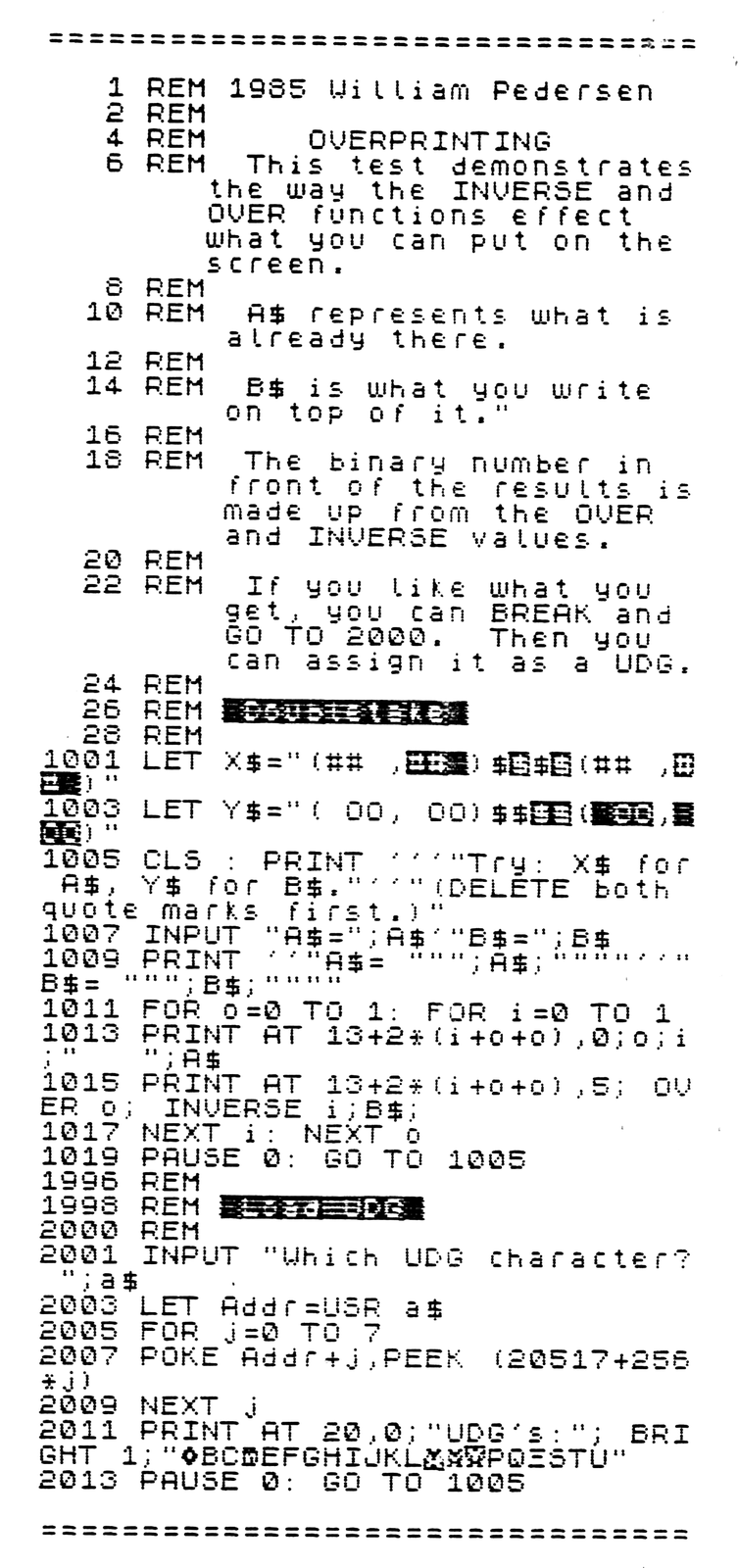
1 REM 1985 William Pedersen
2 REM
4 REM OVERPRINTING
6 REM This test demonstrates
the way the INVERSE and
OVER functions effect
what you can put on the
screen.
8 REM
10 REM A$ represents what is
already there.
12 REM
14 REM B$ is what you write
on top of it."
16 REM
18 REM The binary number in
front of the results is
made up from the OVER
and INVERSE values.
20 REM
22 REM If you like what you
get, you can BREAK and
GO TO 2000. Then you
can assign it as a UDG.
24 REM
26 REM Doubletake
28 REM
1001 LET X$="(## ,\{20}\{1}## \{20}\{0})$\{20}\{1}$\{20}\{0}$\{20}\{1}$\{20}\{0}(## ,\{20}\{1}## \{20}\{0})"
1003 LET Y$="( OO, OO)$$\{20}\{1}$$\{20}\{0}(\{20}\{1} OO\{20}\{0},\{20}\{1} OO\{20}\{0})"
1005 CLS : PRINT '''"Try: X$ for
A$, Y$ for B$."''"(DELETE both
quote marks first.)"
1007 INPUT "A$=";A$'"B$=";B$
1009 PRINT ''"A$= """;A$;""""''"
B$= """;B$;""""
1011 FOR o=0 TO 1: FOR i=0 TO 1
1013 PRINT AT 13+2*(i+o+o),0;o;i
;" ";A$
1015 PRINT AT 13+2*(i+o+o),5; OV
ER o; INVERSE i;B$;
1017 NEXT i: NEXT o
1019 PAUSE 0: GO TO 1005
1996 REM
1998 REM Load=UDG
2000 REM
2001 INPUT "Which UDG character?
";a$
2003 LET Addr=USR a$
2005 FOR j=0 TO 7
2007 POKE Addr+j,PEEK (20517+256
*j)
2009 NEXT j
2011 PRINT AT 20,0;"UDG's:"; BRI
GHT 1;"\a\b\c\d\e\f\g\h\i\j\k\l\m\n\o\p\q\r\s\t\u"
2013 PAUSE 0: GO TO 1005
================================Transcription note: Inverse video in lines 1001 and 1003 is shown with zmakebas codes: \{20}\{1} turns it on and \{20}\{0} turns it off. The codes are not typed; enter the characters between them in inverse video. Line 1998 is corrected from the printed page to Load.
3000 REM GREY SCALE GRAPHICS
3002 PRINT AT 11,12; FLASH 1;" W
ORKING "
3005 LET Grey=USR "A"
3010 FOR n=Grey TO Grey+8*17-1
3015 POKE n,0
3020 NEXT n: RESTORE 3100
3025 FOR n=1 TO 16
3030 LET Here=Grey+8*n
3035 FOR j=0 TO 7
3040 POKE Here+j,PEEK (Here+j-8)
3045 NEXT j
3050 READ U,V: POKE Here+U,V: PO
KE Here+U+4,V
3055 NEXT n
3060 GO TO 1000
3100 DATA 2,12,0,192,0,204,2,204
,1,48,3,3,3,51,1,51,0,252,2,143,
2,255,0,255,3,63,1,242,3,255,1,2
55Note: Type-in program listings on this website use ZMAKEBAS notation for graphics characters.