
Publication: Sinc-Link
Pub Details: Sinc-Link v9 n1 (Volume 9, Issue 1)
Date: January/February 1991
Pages: 16
5 REM This program is based  on work by a another Programmer. This version is by        Thomas Skapinski [address omitted] 10/07/90
10 CLS : RANDOMIZE USR 100: OPEN #4,"DD": REM opens Larken Disk Drive
15 OUT 127,15: REM SPACE
20 RANDOMIZE USR 100: OPEN #2,"lp": REM send information to printer instead of screen
25 OUT 127,27: OUT 127,51: OUT 127,15: OUT 127,15: OUT 127,27: OUT 127,83: OUT 127,48: REM SMALLPRINT
30 INPUT "DRIVE? (0-3) ";DRV: RANDOMIZE USR 100: GO TO DRV
35 INPUT AT 1,0;("DRIVE # ";DRV;" SELECTED"'"DISK Nm/#  "); LINE A$: INPUT "DATE (mm/dd/yy) ?"; LINE b$
40 RANDOMIZE USR 100: CAT "",
50 PRINT '"DISK ";a$,"DATE ";b$''''
55 RANDOMIZE USR 100: CLOSE #2
60 INPUT "1= MORE 0=MENU  ";m
65 IF m THEN  CLS : GO TO 15
70 RANDOMIZE USR 100: NEW :  REM starts a program called Autostart in my case a LOader program
75 STOP
100 RANDOMIZE USR 100: SAVE "CATCP2.BL" LINE 1: REM disk save self start at LINE 1
SAMPLE OF OUTPUT
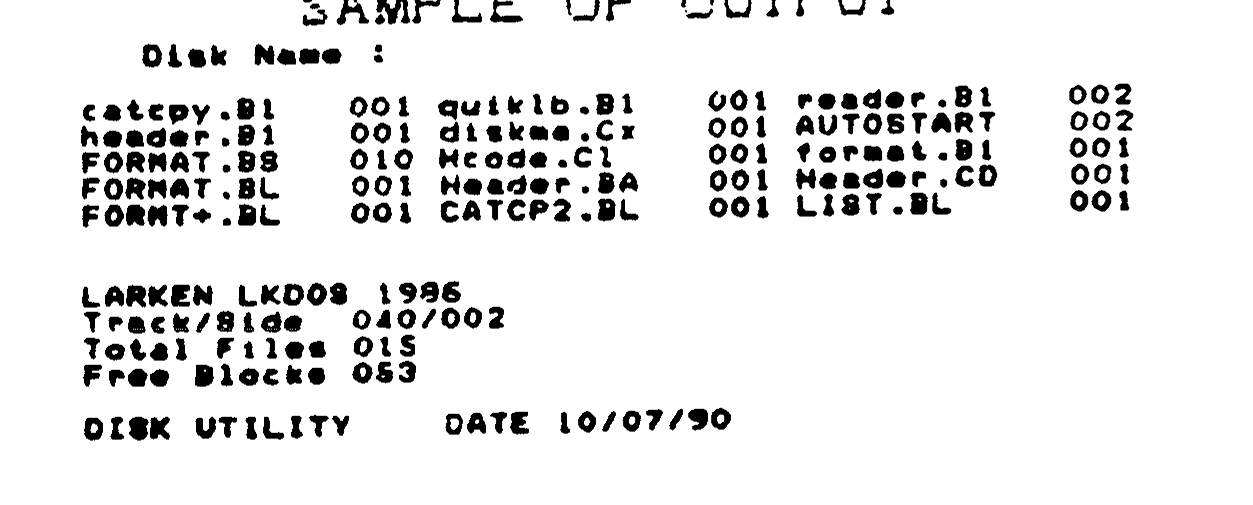
NOTE: As you can see this program will produce a miniature list of the catalog…This mini list can be taped on to the Disk or to the jacket of included with the disk in it’s sleeve.
I hope you like the program. You may wish to use this printer set up for other purposes of your own creation. If you come up with anything you would like to share with others please do so. And send me a copy too.
Keep computing!
Note: Type-in program listings on this website use ZMAKEBAS notation for graphics characters.