
A 64-column display mode driver by Wes Brzozowski, comprising 800 bytes of machine code loaded at address 60000 and a BASIC demonstration program. Once activated via RANDOMIZE USR 60000, the machine code patches the character output routines to render text at 64 columns and drives the TS2040 thermal printer to output the wider display in two passes (left half, then right half). The accompanying BASIC demonstration walks through available features — BRIGHT, INVERSE, AT, TAB, block graphics, and UDGs — in 64-column mode, with the author’s commentary included inline. A cosmetic trick in the SAVE routine at line 9999 embeds BRIGHT control codes into both filenames so they appear highlighted in a tape catalog listing.
Analysis
A 64-column display mode driver by Wes Brzozowski. The BASIC portion is entirely a loader and interactive demonstration; the functional work is performed by 800 bytes of machine code loaded at address 60000. Once called via RANDOMIZE USR 60000, the machine code patches the system so that BASIC PRINT statements render at 64 columns rather than 32, and also drives the TS2040 printer to output the wider display.
Program structure:
| Lines | Section |
|---|---|
| 10–20 | Memory setup and machine code load |
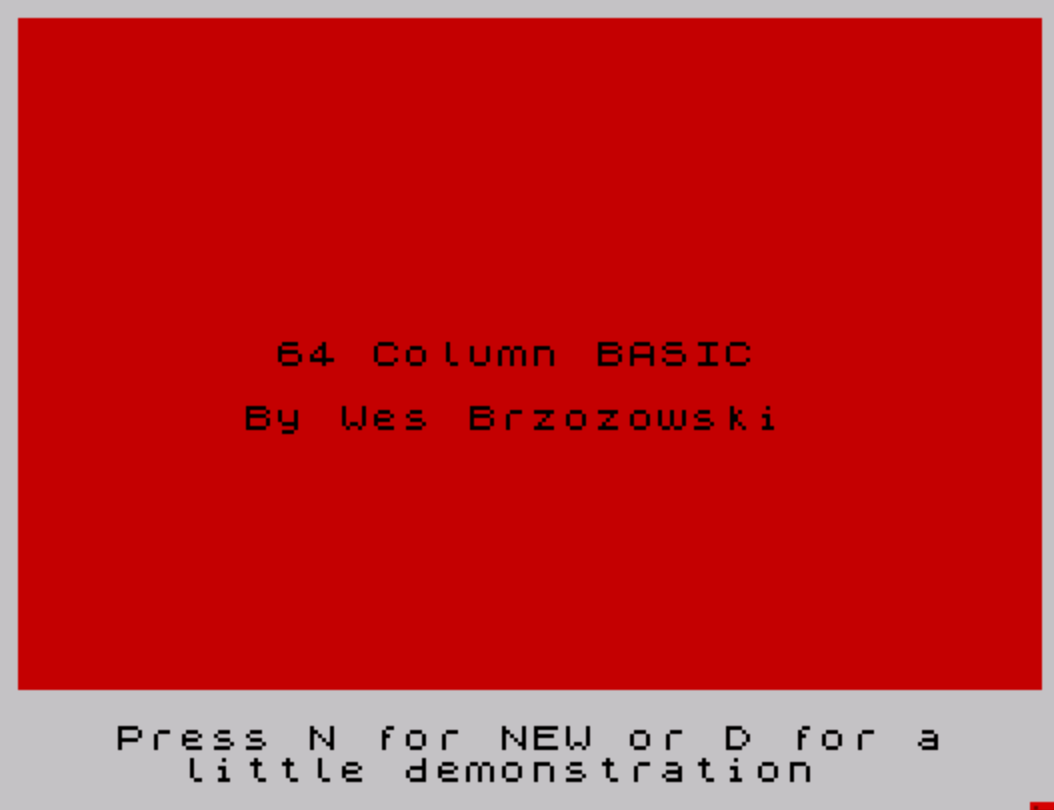
| 30–100 | Splash screen and menu (N=new, D=demo) |
| 1000–1220 | Interactive demonstration of 64-column features |
| 9000 | Standalone STOP (possibly a leftover entry point) |
| 9999 | SAVE routine for both BASIC and code files |
Machine code (lines 10–20, 1000):
CLEAR 59999 reserves RAM up to 59999, protecting address 60000 onward from BASIC’s memory management. LOAD ""CODE loads an unnamed code block (the companion tape file) which lands at 60000 by the saved load address in the code header. RANDOMIZE USR 60000 calls the entry point. The 800-byte block presumably intercepts the ROM’s character output routines to halve character width and double column capacity, and hooks into the printer driver to produce split left/right half-screen output on the TS2040.
Demonstration (lines 1000–1220):
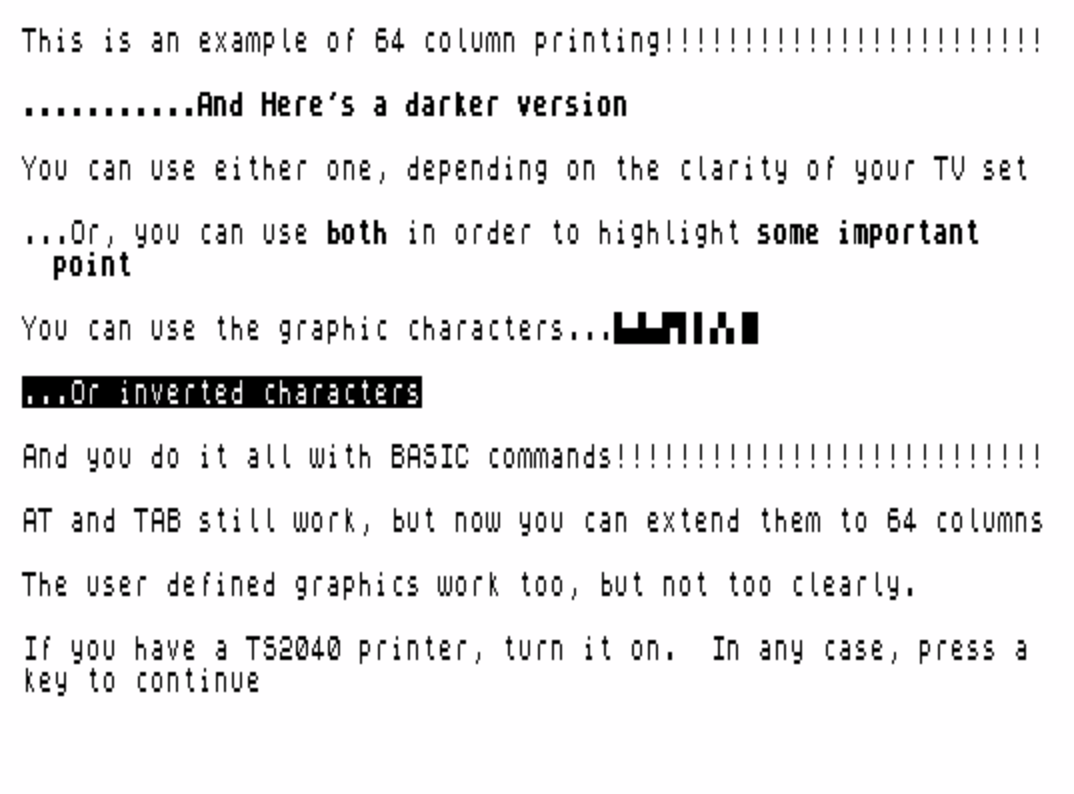
A thorough walkthrough of 64-column capabilities, written conversationally by the author. Features demonstrated include:
- Normal and BRIGHT 0/BRIGHT 1 text contrast modes
- Inline BRIGHT switching to highlight phrases mid-sentence
- Block graphics characters (line 1050:
\:.\.:\..\:'\: \: \.'\. \::— a sequence of half-block characters: ▙▟▄▛▌▌▞▖█) - INVERSE 1 text
- AT and TAB positioning (noted as extended to 64 columns)
- UDGs (noted as working but with reduced clarity at the narrower pixel width)
- TS2040 printer output: the machine code prints the left half of the screen, then the right, producing a 64-column hardcopy that requires cutting and gluing — acknowledged by the author with characteristic dry humor
- An ink-cycling loop (line 1180) stepping through all 8 ink values to show which are readable in 64-column mode
SAVE line (9999):
SAVE CHR$ 18+CHR$ 1+"64cols"+CHR$ 18+CHR$ 0 LINE 10This embeds BRIGHT ON (CHR$ 18+CHR$ 1) and BRIGHT OFF (CHR$ 18+CHR$ 0) control codes directly into the filename string. On a Spectrum/TS2068, the CATALOG command displays filenames including any embedded attribute bytes, so "64cols" appears highlighted in the tape directory — a purely cosmetic trick with no effect on loading. The second SAVE writes the 800-byte machine code block from address 60000, with BRIGHT 1 embedded in that filename ("code!!") as well.
Image Gallery

Source Code
   10 CLEAR 59999
   20 LOAD ""CODE
   30 PAPER 2: CLS
   40 PRINT AT 10,8;"64 Column BASIC"
   50 PRINT AT 12,7;"By Wes Brzozowski"
   70 PRINT #1;"   Press N for NEW or D for a        little demonstration"
   80 IF INKEY$="n" OR INKEY$="N" THEN NEW
   90 IF INKEY$="d" OR INKEY$="D" THEN GO TO 1000
  100 GO TO 80
 1000 PAPER 7: CLS : RANDOMIZE USR 60000
 1010 PRINT BRIGHT 0;"This is an example of 64 column printing!!!!!!!!!!!!!!!!!!!!!!!!"
 1020 PRINT : PRINT BRIGHT 1;"...........And Here's a darker version"; BRIGHT 0
 1030 PRINT : PRINT "You can use either one, depending on the clarity of your TV set"
 1040 PRINT : PRINT "...Or, you can use "; BRIGHT 1;"both"; BRIGHT 0;" in order to highlight "; BRIGHT 1;"some important      point"; BRIGHT 0
 1050 PRINT : PRINT "You can use the graphic characters...\:.\.:\..\:'\: \: \.'\. \::"
 1060 PRINT : PRINT INVERSE 1;"...Or inverted characters"; INVERSE 0
 1070 PRINT : PRINT "And you do it all with BASIC commands!!!!!!!!!!!!!!!!!!!!!!!!!!!"
 1080 PRINT : PRINT "AT and TAB still work, but now you can extend them to 64 columns"
 1090 PRINT : PRINT "The user defined graphics work too, but not too clearly."
 1100 PRINT : PRINT "If you have a TS2040 printer, turn it on.  In any case, press a key to continue"
 1110 PAUSE 4e4: PAPER 1
 1120 FLASH 1: PRINT "If you're trying to figure out what just happened, the printer  first printed the left hand side of the screen, and then the    right side.  The alternative, (printing sideways) could just as easily have been done, but it uses up 1/3 more paper.  Using    scissors and glue is a bit bothersome, but not overly much.  I  hope you'll agree."
 1130 PRINT BRIGHT 1;AT 8,9;"The 64 column mode is limited by the hardware"
 1140 PRINT AT 9,9;"to only 8 combinations of ink/paper, and only"
 1150 PRINT AT 10,9;"a couple of those are readable.  Press a key"
 1160 PRINT AT 11,9;"to see all eight combinations............"
 1170 PAUSE 4e4
 1180 FOR j=1 TO 8: INK (8-j): PAUSE 60: NEXT j
 1190 PRINT : PRINT "And now, if you'll press another key, I'll return you to the 32 column mode.  Go ahead..list the program and look at the almost-normal BASIC commands used.  Now change it around, and see what happens.  Re-enter with GOTO 40."
 1200 PRINT : PRINT "               ***** HAVE FUN!!!!!!! *****"
 1210 PAUSE 4e4
 1220 BRIGHT 0: FLASH 1: STOP
 9000 STOP
 9999 SAVE CHR$ 18+CHR$ 1+"64cols"+CHR$ 18+CHR$ 0 LINE 10: BEEP .1,1: SAVE CHR$ 18+CHR$ 1+"code!!"+CHR$ 18+CHR$ 1CODE 60000,800
Note: Type-in program listings on this website use ZMAKEBAS notation for graphics characters.