
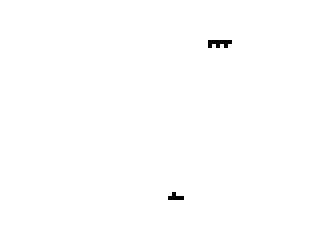
Computer Combat is a one-dimensional shooting gallery game where the player manoeuvres a tank along the bottom row of the screen and fires at an enemy unit moving across the display. The player uses keys 5 and 8 to move left and right, and 0 to fire, with a starting ammunition budget of 25 rounds stored in variable B. The enemy scrolls horizontally using AT coordinates, and a random GOSUB at line 155 occasionally fires back at the player, deducting 5 points on a hit. Scoring awards +5 for a hit on the enemy and −1 for a missed shot, with the game ending when ammunition runs out or the enemy completes 20 rows of travel.
Program Analysis
Program Structure
The program is organised into a main game loop, a firing subroutine, and an enemy counter-attack subroutine. Initialisation occurs in lines 5–25, the main loop runs from line 30 to line 95 via GOTO VAL "40", and end-of-game display is at line 100. Two subroutines handle player firing (lines 115–140) and enemy retaliation (lines 155–185).
- Lines 5–25: Initialise ammunition
B=25, scoreS=0, enemy rowM=0, player X positionX=16, and enemy columnY=0. - Lines 30–95: Main loop — advance enemy row, check row limit, clear screen, randomly trigger counter-attack, draw enemy, advance enemy column, wrap column, draw player tank, read movement keys, check fire key, check ammo, repeat.
- Lines 115–140: Player fire subroutine — draws a
+marker, checks hit/miss, updates score, decrements ammo. - Lines 155–185: Enemy counter-attack subroutine — draws a missile character at the enemy column on row 21, checks if it hits the player, penalises score.
Key Variables
| Variable | Role |
|---|---|
B | Ammunition remaining (starts at 25) |
S | Player score |
M | Enemy row position (increments by 2 each loop) |
X | Player tank column position |
Y | Enemy column position |
R | Random value 0–4 controlling counter-attack frequency |
Notable Techniques
VAL "number" is used pervasively in place of numeric literals (e.g. GOTO VAL "40", LET B=VAL "25"). This is a well-known memory optimisation on this platform: storing a number as a string literal consumes less RAM than storing it as a floating-point constant in the tokenised line.
Zero-initialisation uses PI-PI rather than the literal 0, exploiting the fact that PI is a single-token keyword, making PI-PI shorter in tokenised form than the numeric constant 0 with its five-byte floating-point representation.
Player movement at line 75 uses a Boolean arithmetic idiom: INKEY$="8" evaluates to 1 (true) or 0 (false), multiplied by 3 to give a step size of 3 columns. This avoids an explicit IF/THEN branch for movement.
The enemy sprite at line 55 uses block graphic characters (\:'\:'\:' — rendered as ▌▘▌▘▌▘) drawn with PRINT AT M,Y. The player tank at line 70 uses \.:\.. (▖▄▖▖ approximating a tank silhouette).
The counter-attack at line 155 uses CHR$ 23 as a missile glyph. On the ZX81/TS1000, character 23 is a block graphic, giving a visual projectile without defining a UDG.
Bugs and Anomalies
- Line 75 reads
INKEY$twice in the same statement for movement, then line 80 reads it again for firing. BecauseINKEY$is sampled instantaneously each time, pressing 0 while moving could register, but pressing a movement key simultaneously with 0 may cause the movement read to shadow the fire check depending on key held at that instant — no debouncing is implemented. - There is no boundary check on
X: the player can move off-screen left (below column 0) or right (beyond column 31), potentially causing aPRINT ATerror or wrap-around. - The hit-detection at line 120/125 checks
X+1=Y. Given that the player tank sprite is drawn at columnXand the enemy at columnY, only a single-column offset constitutes a hit, making the effective target window very narrow. - Lines 145–150 (
PAUSE VAL "50"thenGOTO VAL "40") are never reached by any branch in the program; they are dead code. - Line 35 checks
M>VAL "20"butMincrements by 2 each iteration starting from 0, soMreaches 22 before triggering, meaning the enemy can briefly appear below row 20 before the game ends. - After game over at line 100, line 110 calls
RUNwhich resets all variables and restarts — the score flash at line 100 is visible only briefly before the restart, and there is no way to review it.
Image Gallery
Source Code
   1 REM COMPUTER COMBAT
   2 REM KEYS 5/8 TO MOVE--0 TO FIRE
   5 LET B=VAL "25"
  10 LET S=PI-PI
  15 LET M=PI-PI
  20 LET X=VAL "16"
  25 LET Y=PI-PI
  30 LET M=M+2
  35 IF M>VAL "20" THEN GOTO VAL "100"
  40 CLS
  45 LET R=INT (RND*5)
  50 IF R=3 THEN GOSUB 155
  55 PRINT AT M,Y;"\:'\:'\:'"
  60 LET Y=Y+VAL "2"
  65 IF Y=VAL "30" THEN GOTO 25
  70 PRINT AT 21,X;" \.:\.. "
  75 LET X=X+(INKEY$="8")*3-(INKEY$="5")*3
  80 IF INKEY$="0" THEN GOSUB 115
  85 IF B<=VAL "0" THEN GOTO VAL "100"
  95 GOTO VAL "40"
 100 PRINT AT 12,10;"SCORE= ";S
 110 RUN
 115 PRINT AT M,X;"+"
 120 IF X+1<>Y THEN LET S=S-1
 125 IF X+1=Y THEN PRINT AT M,X-1;"***"
 130 IF X+1=Y THEN LET S=S+5
 135 LET B=B-VAL "1"
 140 RETURN
 145 PAUSE VAL "50"
 150 GOTO VAL "40"
 155 PRINT AT 21,Y;CHR$ 23
 160 IF X=Y THEN GOSUB VAL "170"
 165 RETURN
 170 PRINT AT 21,Y;"<*>"
 175 PAUSE VAL "40"
 180 LET S=S-VAL "5"
 185 RETURN
 190 SAVE "1014%6"
 200 LIST
Note: Type-in program listings on this website use ZMAKEBAS notation for graphics characters.