
This program is a Demolition-style ball-and-wall arcade game in which the player bounces a ball left and right across a moving wall, pressing the spacebar to launch it and score points by demolishing wall segments. The game uses three UDGs—defined via DATA at line 9200—for the ball, paddle, and wall graphics, plus an 18-byte machine code routine stored starting at USR “d” that handles collision detection, returning 65535 when no collision is found. A five-level difficulty system is implemented using a DIM array for a 5-entry high-score table (two slots per level), with player names limited to 10 characters. The wall scrolls across the top row using ATTR-based color cells, and the spreading demolition effect at line 3000 expands outward from the hit column using attribute comparison against a stored background attribute value.
Program Analysis
Program Structure
The program is organized into clearly separated functional blocks, with line number ranges serving as logical sections:
- Lines 10–300: Initialization, startup beep, UDG/score setup, title screen, and main dispatch to the game loop.
- Lines 500–520: Game screen setup — colors, UDG wall drawing subroutine, and score display.
- Lines 1000–1130: Ball/paddle movement loop at the top of the screen; detects spacebar press to launch the ball.
- Lines 2000–2050: Ball descent — moves the ball downward until it either exits the screen or hits a non-background cell.
- Lines 3000–3070: Demolition spread — expands left and right from the hit column, scoring 5 points per demolished cell.
- Lines 6000–6710: Collision/game-over sequence — animated hit effect, score table entry, and high-score display.
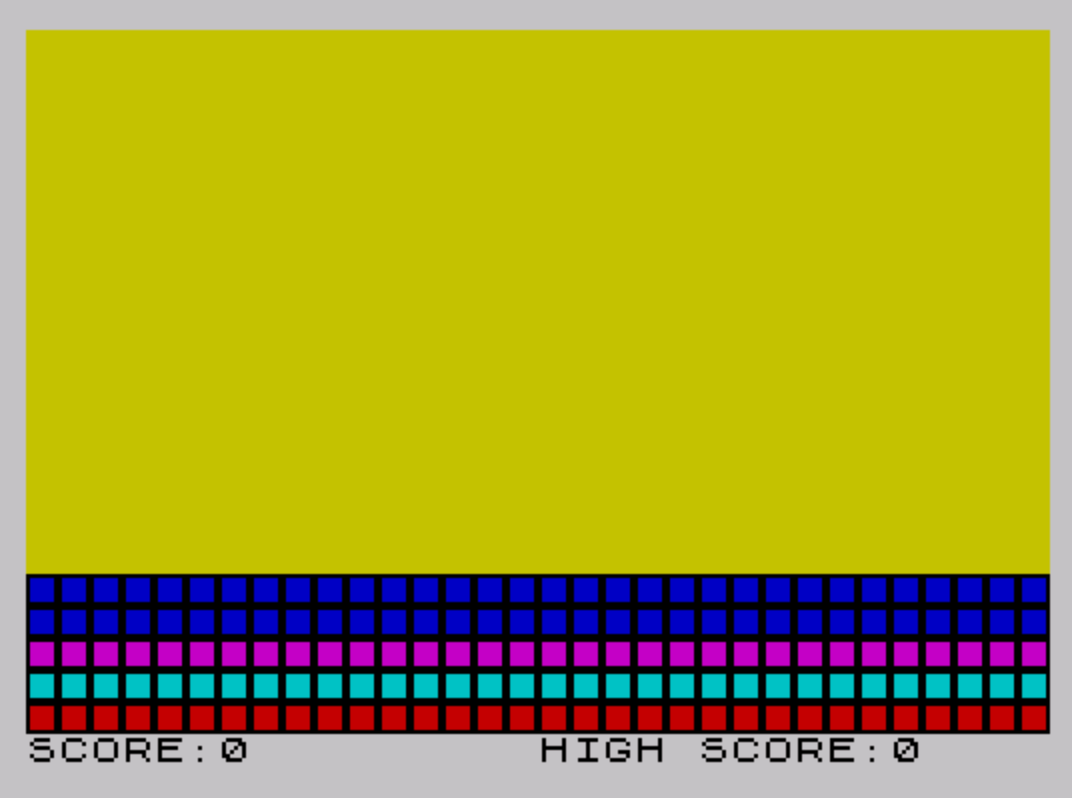
- Lines 7000–7040: Draws the colored UDG wall rows across lines 17–21.
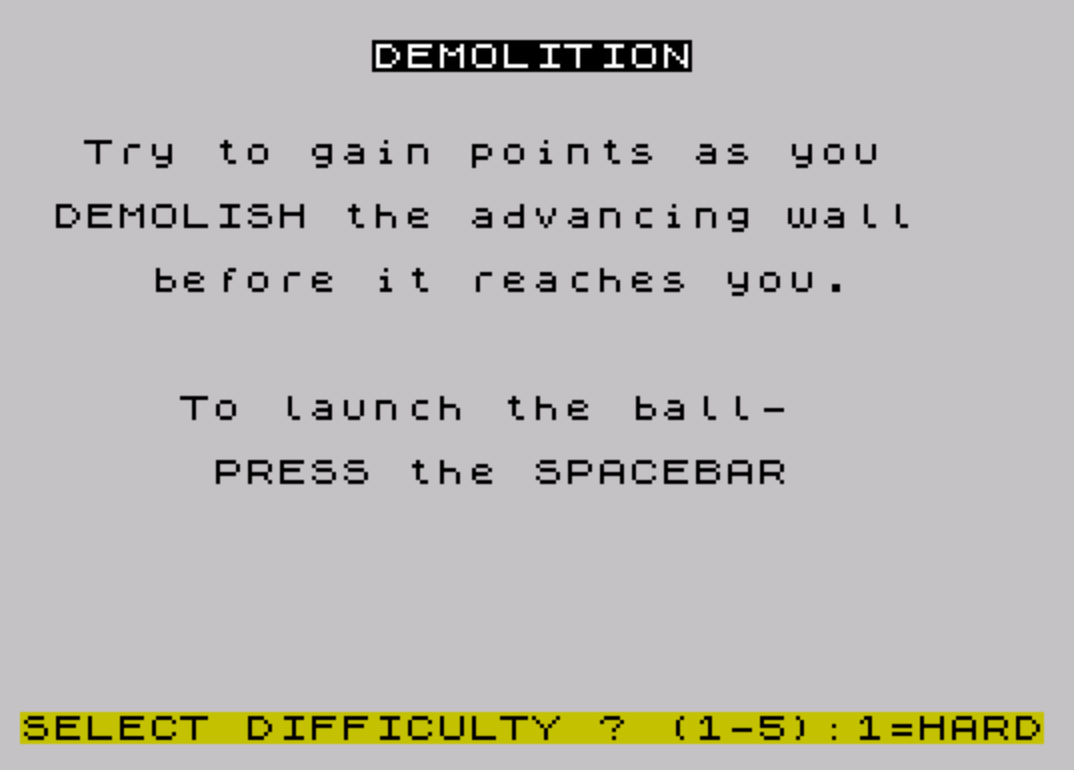
- Lines 8000–8090: Title/instructions screen and difficulty selection (1–5).
- Lines 9000–9300: One-time initialization: loads UDGs from DATA, dimensions score arrays.
UDG Definitions
Three UDGs are defined by the RESTORE 9200 / READ / POKE loop at line 9000, which fills from USR "a" through USR "d"+17 (covering UDGs a, b, c, and the first two bytes of d). The fourth UDG “d” is also used as the base address for the machine code routine at line 9300.
| UDG | DATA line | Description |
|---|---|---|
\a | 9200 | Wall block — solid horizontal bar (0,126,126,126,126,126,126,0) |
\b | 9210 | Paddle — arrow/chevron shape (96,24,6,255,255,6,24,96) |
\c | 9212 | Ball — diamond/circle shape (24,36,24,60,126,126,60,24) |
\d | 9300 | Entry point for machine code collision routine |
Machine Code Routine
Line 9300 stores 18 bytes of Z80 machine code starting at USR "d". The DATA values are: 33,0,65,1,32,0,126,254,126,200,35,13,32,-8,1,255,255,201. Decoded, this is approximately:
LD HL, 16640— load HL with screen address (row 0)LD BC, 32— scan 32 columnsLD A,(HL)— read screen byteXOR 126— test for ball graphic byte value 126RET Z— return if match found (HL points to ball)INC HL / DEC C / JR NZ— loopLD BC, 65535— load “not found” sentinelRET
The return value is used at line 1130: LET t=USR USR "d" calls the routine and stores the column offset. If t<>65535, a ball is detected on the top row and the game-over sequence triggers at line 6000.
Note the use of -8 in the DATA (a signed byte for the JR NZ relative jump) — this is handled correctly by BASIC’s DATA/READ into POKE, since POKE accepts values -128 to 255.
Difficulty and High-Score System
At line 8070, the player selects a difficulty level 1–5, stored in variable d. The high-score table is dimensioned as DIM s$(10,10) (10 names, 10 chars each) and DIM s(10) (10 numeric scores), giving two slots per difficulty level. For level d, the relevant slots are s(d*2) and s(d*2-1). Line 6590 displays odd-indexed entries (first slot per level) and line 6600 displays even-indexed entries (second slot), interleaved across five level rows.
Wall Scrolling and Demolition
The wall character in row 0 oscillates left and right using dx (either +1 or −1), bouncing at columns 0 and 31 (line 1040). The full-width wall at rows 17–21 is drawn with UDG \a in random ink colors via the subroutine at line 7000. When the launched ball descends and hits a cell whose ATTR differs from the background attribute a (set to 48 — PAPER 6, INK 0), the demolition spread routine at line 3000 expands left (lx) and right (rx) while moving up one row, erasing cells and scoring 5 points each, until both flanks reach background or column boundaries.
Key BASIC Idioms and Techniques
LET dx=(r>5)-(r<=5)at line 1005 — boolean arithmetic to assign +1 or −1 direction in a single expression.POKE 23692,255at line 1120 — resets the scroll counter to suppress screen scrolling during the wall-print operation.POKE 23658,8/POKE 23658,0around INPUT at line 6508/6515 — enables/disables CAPS LOCK (system variable FLAGS2) for name entry.PAUSE 1: PAUSE 0at line 8080 — ensures a clean keypress wait without immediately picking up the difficulty-select key.- The
w$variable is reused throughout: wall graphic string (32× UDG \a), color-change escape sequence (CHR$ 17 etc.), and player name input buffer. - Line 1115 switches the wall string to a full row of UDG
\aevery 10 launches (whenc=5), while line 1115 uses embedded color control codes (INK/PAPER via CHR$) atc=0to provide a fresh random-color wall.
Bugs and Anomalies
- Line 1115 and 1120 together manage wall re-coloring, but line 1115 sets
w$to all-\aatc=5and line 1115 is overridden by line 1115 which assigns bare UDGs with no embedded ink codes — on the cycle wherec=0is also triggered (every 10 launches), line 1115 fires first, then 1115 immediately overrides. In practice,c=5andc=0cannot both be true simultaneously, so the logic is correct. - The variable
ris used both as a random number (line 1000) and as the right-side attribute value in the demolition loop (line 3025). These uses are in separate code paths so there is no conflict, but the dual use is potentially confusing. - Line 6040 references variable
iafter the FOR loop at line 6000 completes — on loop completion,iequals32-t, so thePRINT AT 0,ipositions the cursor correctly at the last paddle position. - Line 9998 contains
CLEARfollowed bySAVE "Demolition" LINE 1— this is the developer’s save/auto-run line and is not part of normal program execution.
Image Gallery
Source Code
   10 BEEP .5,10
  100 POKE 23658,0
  110 GO SUB 9000
  120 PAPER 7: INK 0: BORDER 7: CLS
  200 PRINT #1;AT 0,0; FLASH 1;TAB 8;"PRESS ANY KEY",
  210 PAUSE 0
  220 LET s=0: LET b=0: LET c=-1: LET a=48
  300 GO TO 8000
  500 INK 0: PAPER 6: BORDER 7: CLS
  510 GO SUB 7000
  520 PRINT #1;AT 0,0;"SCORE:0","HIGH SCORE:";s(d*2-1)
 1000 LET r=INT (RND*10+1)
 1005 LET dx=(r>5)-(r<=5): LET x=31*(r<=5)
 1010 LET x1=x
 1020 LET k$=INKEY$
 1030 LET x=x+dx
 1040 IF x>31 OR x<0 THEN LET dx=-dx: GO TO 1030
 1050 PRINT AT 0,x;"\c";AT 0,x1;" "
 1060 IF k$<>"" THEN LET b=b+1: GO TO 1100
 1070 GO TO 1010
 1100 IF b<d THEN GO TO 2000
 1105 LET b=0: LET c=c+1: IF c>=10 THEN LET c=0
 1110 IF c=5 THEN LET w$="\a\a\a\a\a\a\a\a\a\a\a\a\a\a\a\a\a\a\a\a\a\a\a\a\a\a\a\a\a\a\a\a"
 1115 IF c=0 THEN LET w$=CHR$ 17+CHR$ 6+CHR$ 16+CHR$ 0+CHR$ 6+CHR$ 6
 1120 POKE 23692,255: PRINT #1;AT 0,0,,#2;AT 21,0' PAPER 0; INK INT (RND*6+1);w$;#1;AT 0,0;"SCORE:";s,"HIGH SCORE:";s(d*2-1)
 1125 PRINT AT 0,x;"\c"
 1130 LET t=USR USR "d": IF t<>65535 THEN GO TO 6000
 2000 BEEP .03,12
 2005 LET y=0
 2010 LET y1=y
 2020 LET y=y+1
 2025 IF y>21 THEN PRINT AT y1,x;" ": GO TO 1000
 2030 IF ATTR (y,x)<>a THEN GO TO 3000
 2040 PRINT AT y,x;"\c";AT y1,x;" "
 2050 GO TO 2010
 3000 PRINT AT y1,x;" "
 3010 LET lx=x: LET rx=x
 3020 LET l=ATTR (y,lx)
 3025 LET r=ATTR (y,rx)
 3030 IF l=a AND r=a THEN GO TO 1000
 3035 IF l<>a AND lx<>rx THEN LET s=s+5: BEEP .01,10+x-lx
 3036 IF r<>a THEN LET s=s+5: BEEP .01,10+rx-x
 3037 PRINT #1;AT 0,6;s
 3040 PRINT AT y,lx;" ";AT y,rx;" "
 3050 LET lx=lx-(lx>0): LET rx=rx+(rx<31): LET y=y-1
 3060 IF y<0 THEN GO TO 1000
 3070 GO TO 3020
 6000 FOR i=0 TO 31-t
 6010 PRINT INK 0; PAPER 7; BRIGHT 1;AT 0,i; OVER 0;"\b"
 6020 BEEP .05,31-i
 6030 NEXT i
 6040 PRINT AT 0,i; BRIGHT 1; OVER 1; INK 8; FLASH 1;" "
 6500 LET x=d*2: LET y=x-1
 6505 IF s<s(x) THEN GO TO 6540
 6508 POKE 23658,8
 6510 INPUT PAPER 7; INK 0;AT 0,0;"You made it to the SCORE TABLE","ENTER NAME: ?                   ",AT 1,12; LINE w$
 6512 IF LEN w$>10 THEN PRINT AT 7,4; FLASH 1;"ONLY 10 Letters PLEASE!": GO TO 6510
 6515 POKE 23658,0
 6520 IF s>=s(y) THEN LET s$(x)=s$(y): LET s(x)=s(y): LET s$(y)=w$: LET s(y)=s: GO TO 6540
 6530 IF s>=s(x) THEN LET s$(x)=w$: LET s(x)=s
 6540 CLS
 6550 PRINT AT 1,10;"HIGH SCORES:"
 6560 PRINT AT 4,0;
 6570 FOR i=1 TO 5: PRINT TAB 5;"LEVEL ";i''': NEXT i
 6580 PRINT AT 3,0
 6590 FOR i=1 TO 10 STEP 2: PRINT OVER 1;TAB 14; BRIGHT 1;s$(i);TAB 25;s(i)''': NEXT i
 6595 PRINT AT 4,0
 6600 FOR i=2 TO 10 STEP 2: PRINT OVER 1;TAB 14;s$(i);TAB 25;s(i)''': NEXT i
 6710 GO TO 200
 7000 LET w$="\a\a\a\a\a\a\a\a\a\a\a\a\a\a\a\a\a\a\a\a\a\a\a\a\a\a\a\a\a\a\a\a"
 7010 FOR i=17 TO 21
 7020 PRINT PAPER 0; INK INT (RND*6+1);AT i,0;w$
 7030 NEXT i
 7040 RETURN
 8000 PAPER 7: INK 0: BORDER 7: CLS
 8010 PRINT AT 1,11; FLASH 1; BRIGHT 1; INK 0; PAPER 7;"DEMOLITION"
 8020 PRINT ''"  Try to gain points as you"''" DEMOLISH the advancing wall"''"    before it reaches you."
 8030 PRINT '''"     To launch the ball-"
 8040 PRINT '"      PRESS the SPACEBAR"
 8050 PRINT #1;AT 0,0; INK 0; PAPER 6;"SELECT DIFFICULTY ? (1-5):1=HARD"
 8055 LET w$=INKEY$
 8060 IF w$<"1" OR w$>"5" THEN GO TO 8050
 8070 LET d=VAL w$(1)
 8080 PRINT #1;AT 0,0; INK 0; PAPER 6;"  PRESS ANY KEY TO START GAME   ": PAUSE 1: PAUSE 0
 8090 GO TO 500
 9000 RESTORE 9200: FOR i=USR "a" TO USR "d"+17: READ x: POKE i,x: NEXT i
 9010 DIM s$(10,10): DIM s(10)
 9020 FOR i=1 TO 10: LET s$(i)="..........": NEXT i
 9030 RETURN
 9200 DATA 0,126,126,126,126,126,126,0
 9210 DATA 96,24,06,255,255,06,24,96
 9212 DATA 24,36,24,60,126,126,60,24
 9300 DATA 33,0,65,1,32,0,126,254,126,200,35,13,32,-8,1,255,255,201
 9998 CLEAR : SAVE "Demolition" LINE 1: BEEP .2,15
Note: Type-in program listings on this website use ZMAKEBAS notation for graphics characters.