
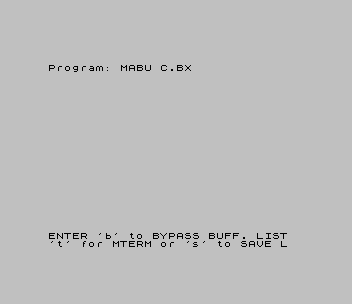
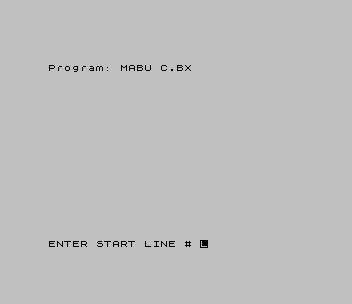
MABU, the “Mterm Aerco Buffer Utility”, works with the MTERM Smart II terminal program. After a session in which text was captured to MTERM’s buffer, it scrolls through the buffer, printing the address after each carriage return so you can note where a passage starts and ends. You then give a start and end address, and a short machine code routine sends that range to an 80-column printer through the AERCO interface. The menu can also return to MTERM (t) or save the program together with the captured text (s), so it can be printed later without MTERM loaded.
Dave Schoenwetter published the program as a type-in, “MTERM Smart II Buffer”, in SINCUS News in March 1985, linked below; the REM in line 1 reads “Sincus Buffer Utility”. The article explains how to build the code into the REM and save the result as MABU. Rebecca Weiser’s later “Weiser Buffer Utility” is based on it.
Program Analysis
The printer driver lives in the line 1 REM, at 26738–26814, which is where the article’s line 300 loader pokes it. The BASIC stores the start and end addresses at 26739/26740 and 26742/26743, inside the code, then calls PRINT USR 26738. MTERM keeps the start of its buffer at 26816/26817, and the program treats the end of the BASIC program (VARS minus one) as the end of the buffer. PRINT USR 54016 re-enters MTERM.
Notable Techniques
- Machine code held in a line 1 REM, addressed directly because the program is loaded first in memory.
- Saving with
SAVE a$ LINE 210keeps the captured text with the program and restarts through line 210.
Potential Issues
- The program must be loaded after the MTERM II code, and its addresses depend on its line 1 being exactly as typed.
- The listing may stop with an error on a character that cannot be displayed; the article says to type CONT.
This copy came from Bob Swoger’s MTERM II master disk, where his menu loads it. For tape, the LKDOS prefixes were removed, and lines 205 and 210 were restored to the published listing: the disk copy had altered the save line for LKDOS and turned POKE 61166,96 into a PRINT. The author’s home address in a REM is blanked. Tested in ZEsarUX as far as its menu and prompts; the buffer functions need MTERM II and an AERCO interface.
Image Gallery
Source Code
    1 REM *Sincus Buffer Utility*!}EXP  |LN (">* FLASH RETURN 0 FLASH * NEW NEXT ~ RETURN  > RETURN  > OPEN #* FLASH *# VERIFY = CLEAR > OPEN #* FLASH *<>*K\"USR h!USR h"<>8..l
    5 REM Dave Schoenwetter
   10 INPUT "ENTER 'b' to BYPASS BUFF. LIST"'"'t' for MTERM or 's' to SAVE "; LINE a$
   14 IF a$="b" THEN GO TO 100
   15 IF a$="s" THEN GO TO 200
   16 IF a$="t" THEN PRINT USR 54016
   20 LET s=PEEK 26816+256*PEEK 26817
   30 PRINT INVERSE 1;s;"  START OF BUFFER."
   40 LET t=PEEK 23627-1+256*PEEK 23628: PRINT INVERSE 1;t;"   END OF BUFFER  "
   50 FOR f=s TO t
   52 PRINT CHR$ PEEK f;
   54 IF PEEK f=13 THEN PRINT , INVERSE 1;f
   56 NEXT f
   58 PRINT INVERSE 1;'t;" END OF BUFFER"
  100 INPUT "ENTER START LINE # ";s: PRINT "START AT ";s
  110 LET h=INT (s/256): POKE 26740,h
  120 LET l=INT s-h*256: POKE 26739,l
  150 INPUT "ENTER END LINE # ";t: PRINT "END AT ";t
  160 LET h=INT (t/256): POKE 26743,h
  170 LET l=INT t-h*256: POKE 26742,l
  180 PRINT USR 26738
  190 GO TO 10
  200 INPUT "ENTER NAME to SAVE DATA $ PGM.   "; LINE a$
  205 SAVE a$ LINE 210: STOP
  210 POKE 61166,96
  220 RANDOMIZE USR 26808: RUN
 9999 STOP : SAVE "MABU C.BX"
Note: Type-in program listings on this website use ZMAKEBAS notation for graphics characters.