
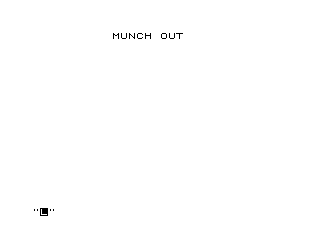
“Munch Out” is a simple animated text effect that displays a user-entered string centred on row 11 of the screen, then appears to “eat” it by sweeping a pair of characters (“C” and “O”) across the line from left to right in two-column steps. The centring calculation at line 40 uses INT((31-A)/2) to find the correct starting column for strings of varying length. The animation uses two short empty FOR–NEXT loops (lines 80–120) as delay mechanisms, pausing briefly between displaying each character pair. After the sweep completes, a trailing space at column 30 cleans up the last character, and the program loops back to accept a new string.
Program Analysis
Program Structure
The program is a short animation loop with three distinct phases: title display, user input with centring, and an animated sweep across the screen row.
- Lines 10: Prints the title “MUNCH OUT” at a fixed position.
- Lines 20–50: Accepts user input, measures its length, calculates a centred column, and prints the string on row 11.
- Lines 60–130: The main animation loop — sweeps columns 0 to 29 in steps of 2, printing
" C"then" O"with small delays. - Lines 140–160: A final delay loop, then a trailing space to clear the last character at column 30.
- Line 170: Loops back to
INPUTfor a new string.
Centring Algorithm
Line 40 computes B = INT((31 - A) / 2), where A is the length of the input string. This places the string symmetrically within the 32-column display. The formula treats the usable print area as 31 columns wide (columns 0–30), which is slightly asymmetric — a string of length 1, for example, would start at column 15, leaving 15 columns to its left and 16 to its right.
Animation Technique
The sweep loop at lines 60–130 iterates N from 0 to 29 in steps of 2. At each step it prints " C" (a space followed by C) at column N, waits via an empty FOR F=1 TO 6 loop, then prints " O" at column N+1, waits again, and advances. The leading space in each print string overwrites the previous character, giving a moving two-character “mouth” that consumes the underlying text.
Delay Loops
Three empty FOR–NEXT loops are used for timing:
F=1 TO 6(lines 80–90): short pause after printing “C”.G=1 TO 6(lines 110–120): short pause after printing “O”.J=1 TO 15(lines 140–150): slightly longer pause at the end of the sweep before clearing column 30.
These are the standard BASIC busy-wait idiom; the iteration counts are small and the delays will be very brief on the actual hardware.
Variables Used
| Variable | Purpose |
|---|---|
A$ | User-entered string to display and animate |
A | Length of A$ |
B | Calculated starting column for centred display |
N | Main animation loop counter (column position) |
F | Inner delay loop counter (post-C pause) |
G | Inner delay loop counter (post-O pause) |
J | End-of-sweep delay loop counter |
Anomalies and Observations
- The title at line 10 is only printed once at startup; it will not reappear after the first animation cycle, since
GOTO 20skips line 10. - The centring calculation uses 31 rather than 32, so the formula is slightly off-centre for even-length strings but works reasonably in practice.
- If the user enters a string longer than 31 characters,
Bcould become negative, which would cause aPRINT ATerror. - The animation always sweeps the full 30 columns regardless of the length of the input string, so the “munch” continues well past the end of short strings.
- Lines 180–190 are a
SAVEfollowed byRUNand are not part of the normal program flow; they exist outside the execution path.
Image Gallery
Source Code
  10 PRINT AT 1,10;"MUNCH OUT"
  20 INPUT A$
  30 LET A=LEN A$
  40 LET B=INT ((31-A)/2)
  50 PRINT AT 11,B;A$
  60 FOR N=0 TO 29 STEP 2
  70 PRINT AT 11,N;" C"
  80 FOR F=1 TO 6
  90 NEXT F
 100 PRINT AT 11,N+1;" O"
 110 FOR G=1 TO 6
 120 NEXT G
 130 NEXT N
 140 FOR J=1 TO 15
 150 NEXT J
 160 PRINT AT 11,30;" "
 170 GOTO 20
 180 SAVE "1015%5"
 190 RUN
Note: Type-in program listings on this website use ZMAKEBAS notation for graphics characters.