
Shows how the signs of SIN, COS and TAN change from one quadrant to the next, then uses those functions to draw patterns. A menu offers a labeled quadrant diagram, a sample plot that sweeps an angle from 0 to 360 degrees while showing the current X and Y values, and a run-your-own section. That section asks for SIN and COS multipliers, then for the number of degrees to divide PI by for each function, and finally for both together with a STEP size. Each point is drawn as a short line pointing away from the center, so the figures come out as rings, stars and looping Lissajous-style shapes.
The REM header reads "2068 graphics and trig by Andy Centek, Garden City, MI", and the title screen carries "ANDY CENTEK, JR." John Colonna’s SINCUS article "Graphics" shows output from part of a program by Andy Centek, Jr. in SUM magazine, June 1985. The program exists in the archive under two names, "Flash" (saved as FLASH with autostart at line 1) and "Triggraph" (saved as 1); the BASIC in the two copies is identical.
Program Analysis
Program Structure
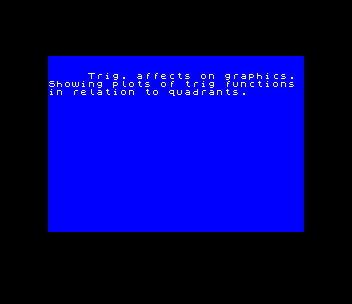
- Lines 4–16: title REMs, a call to the opening graphics at line 200, the UDG setup at line 1000, and an introduction screen.
- Lines 20–36: the three-item menu, which loops on
INPUT nuntil it gets 1, 2 or 3. - Lines 40–100: the quadrant diagram. Axes are drawn with
PLOT/DRAW, each quadrant is labeled with the signs of SIN, COS and TAN, and a 40-pixel circle shows the sine, cosine and tangent lines for one angle. It ends with a rising and fallingBEEPsweep. - Lines 200–270: the opening screen. Stars are printed at random spots with a falling
BEEP, then 13 fans of lines are drawn from one point usingSIN (n/3*PI)andCOS (n/6*PI). - Lines 300–370: the sample plot, using
x=30*SIN Aandy=20*COS Awith A in degrees. - Lines 400–496: user-supplied SIN (1–35) and COS (1–30) multipliers.
- Lines 500–560: user-supplied PI divisors for SIN and COS, swept from 0 to 720 degrees.
- Lines 600–660: multipliers, divisors and STEP size together, with limits of 120 for SIN and 80 for COS. The results are halved before plotting.
- Lines 1000–1015: define UDG "a".
Notable Techniques
- UDG "a" is defined as a single horizontal line (
DATA 0,0,0,255,0,0,0,0). Four of them printed between the SIN and COS labels in each quadrant draw a fraction bar, so the screen reads as SIN over COS equals TAN. - Each point is plotted with
PLOT 128+x,88+y: DRAW x,y. This draws a line from radius r out to radius 2r, which is what turns a simple circle or ellipse into a ring of spokes. - The input limits (35/30, 120/80 halved) keep the doubled coordinates inside the 256×176 plotting area.
- The random star rows in line 205 use
INT (RND*2-x), which is negative. This works because the ROM ignores the sign of anATcoordinate.
Potential Issues
- The sample plot labels read "X=20 x SIN A" and "Y=30 x COS A", but the code uses 30 for SIN and 20 for COS.
- Menu option 2 is entered with
GO SUB 300but exits withGO TO 20, leaving a return address on the GO SUB stack each time. - In lines 615–635 an outer
FOR a=0 TO 360 STEP 3is followed by an innerFOR a=0 TO 720using the same variable, so the outer loop never repeats.
Image Gallery

Source Code
    4 REM 2068 graphics and trig
    5 REM            by
    6 REM       Andy Centek                   Garden City, MI
    8 PAPER 0: INK 7: CLS : GO SUB 200
   10 GO SUB 1000
   14 PRINT AT 2,5;"Trig. affects on graphics."
   15 PRINT "Showing plots of trig functions in relation to quadrants."
   16 PAUSE 0: CLS
   20 CLS : PRINT TAB 14;"MENU"
   22 PRINT ''"1-Graph with trig functions"'"  labeled on graph."
   24 PRINT ''"2-Sample program"
   26 PRINT ''"3-Run a program"
   28 INPUT n
   30 IF n<>1 AND n<>2 AND n<>3 THEN GO TO 28
   32 IF n=1 THEN GO TO 40
   34 IF n=2 THEN GO SUB 300
   36 GO TO 399
   39 STOP
   40 CLS
   44 PLOT 0,88: DRAW 255,0
   45 PLOT 128,0: DRAW 0,166
   50 PRINT AT 0,12;"Quadrants"
   55 PRINT AT 0,6;"II";AT 0,23;"I";AT 21,6;"III";AT 21,23;"IV"
   57 PRINT AT 2,5;"+SIN ";AT 3,5;"aaaa";AT 4,5;"-COS ";AT 3,10;"=-TAN "
   58 PAUSE 10: PRINT AT 2,20;"+SIN ";AT 3,20;"aaaa";AT 3,25;"=+TAN ";AT 4,20;"+COS "
   59 PAUSE 10: PRINT AT 17,5;"-SIN ";AT 18,5;"aaaa";AT 18,10;"=+TAN ";AT 19,5;"-COS "
   60 PAUSE 10: PRINT AT 17,20;"-SIN ";AT 18,20;"aaaa";AT 18,25;"=-TAN ";AT 19,20;"-COS "
   61 PRINT AT 21,15;"-Y";AT 1,15;"+Y";AT 10,0; OVER 1;"-X";AT 10,30; OVER 1;"+X"
   64 PLOT 128,88: DRAW 40,35: PLOT 128,88: DRAW 30,0: DRAW 0,27
   65 PRINT AT 7,20;"S";AT 8,20;"i";AT 9,20;"n"
   66 PLOT 128,88: DRAW 42,0: DRAW 0,38
   67 PRINT AT 6,22;"T";AT 7,22;"a";AT 8,22;"n"
   68 PRINT AT 11,17;"Cos"
   69 CIRCLE 128,88,40
   70 FOR a=-40 TO 40 STEP 1.25: BEEP .01,-a: BEEP .01,+a: NEXT a
   97 INPUT "Enter >>m<< ( ret to menu)";a$
   98 IF a$<>"m" THEN GO TO 97
  100 GO TO 20
  199 STOP
  202 PRINT AT 0,4;"Coming up---GRAPHICS "
  204 PRINT INVERSE 1;AT 19,0;"I AM COMPUTING--PLEASE WAIT!!"
  205 FOR x=15 TO 0 STEP -1: BEEP .01,x: PRINT AT INT (RND*2-x),INT (RND*x+x);"*": NEXT x
  206 BRIGHT 1: PAPER 1: INK 7: BORDER 0
  208 FOR n=0 TO 12
  210 FOR a=0 TO 65 STEP 3
  225 LET r=2-(a*SIN (n/3*PI))
  230 LET c=10-(a*COS (n/6*PI))
  235 PLOT 120,90: DRAW c,r
  240 NEXT a
  245 NEXT n
  250 PRINT INVERSE 1;AT 19,0;"          ANDY CENTEK, JR.      "
  260 PRINT AT 1,5;"*";AT 5,3;"*";AT 10,25;"*";AT 20,7;"*"
  270 PAUSE 300: CLS : RETURN
  300 REM ** DRAW graph **
  305 CLS
  310 PLOT 0,88: DRAW 255,0: PLOT 128,0: DRAW 0,166
  320 PRINT AT 0,12;"Quadrants"
  325 PRINT AT 0,6;"II";AT 0,23;"I";AT 21,6;"III";AT 21,23;"IV"
  330 PRINT AT 21,15;"-Y";AT 1,15;"+Y";AT 10,0; OVER 1;"-X";AT 10,30; OVER 1;"+X"
  335 PAUSE 100
  340 FOR a=0 TO 360 STEP 3
  345 LET x=30*SIN (a*PI/180)
  350 LET y=20*COS (a*PI/180)
  352 PRINT AT 18,5;"X=";INT (x);AT 19,5;"Y=";INT (y)
  355 PLOT 128+x,88+y: DRAW x,y
  356 PRINT AT 17,20;"A=0 to 360";AT 18,19;"X=20 x SIN A";AT 19,19;"Y=30 x COS A"
  357 PAUSE 20: PRINT AT 18,5;"X=   ";AT 19,5;"Y=   ";
  360 NEXT a
  365 INPUT "return to menu";a$: PAUSE 0
  370 GO TO 20
  398 STOP
  400 REM ** main program **
  401 CLS : PRINT BRIGHT 1;'"Showing the effects of the"'"multipliers of the SIN and COS."
  402 PAUSE 0: INPUT "ENTER multipliers,  ONE number  for the SIN (1 - 35) and ONE forthe COS. (1 - 30)";s,c
  404 PAPER 1: INK 7: BORDER 5
  405 CLS
  406 GO TO 460
  410 FOR a=0 TO 360 STEP 3
  420 LET y=c*COS (a*PI/180)
  430 LET x=s*SIN (a*PI/180)
  435 PLOT 128+x,88+y: DRAW x,y
  455 NEXT a
  456 INPUT "Another or a new program (a or n)?";q$
  457 IF q$<>"a" AND q$<>"n" THEN GO TO 456
  458 IF q$="a" THEN CLS : GO TO 400
  459 GO TO 500
  460 REM ** draw graph**
  461 CLS
  465 PLOT 0,88: DRAW 255,0: PLOT 128,0: DRAW 0,166
  475 PRINT AT 0,12;"Quadrants"
  480 PRINT AT 0,6;"II";AT 0,23;"I";AT 21,6;"III";AT 21,23;"IV"
  485 PRINT AT 21,15;"-Y";AT 1,15;"+Y";AT 10,0; OVER 1;"-X";AT 10,30; OVER 1;"+X"
  492 PRINT AT 18,2;s;" x SIN";AT 19,2;c;" x COS";
  496 GO TO 410
  500 REM ** dividing PI by degrees **
  505 CLS
  507 PRINT '''"Dividing PI by degrees(0 to 360)";"Input degrees for...";
  508 INPUT "SIN ";d1: INPUT ;"COS ";d2
  509 CLS : PLOT 0,88: DRAW 255,0: PLOT 128,0: DRAW 0,166
  510 FOR a=0 TO 720 STEP 2.5
  515 PRINT AT 21,0;"PI/";d1;" SIN  - PI/";d2;" COS"
  525 LET y=25*COS (a*PI/d2)
  530 LET x=35*SIN (a*PI/d1)
  535 PLOT 128+x,88+y: DRAW x,y
  545 NEXT a
  550 INPUT "Another or next program(a/n)?";q$
  555 IF q$<>"a" AND q$<>"n" THEN GO TO 550
  560 IF q$="a" THEN GO TO 500
  600 CLS
  605 REM  ** plot over functions **
  610 PRINT '"Values for SIN and COS."'" Max. SIN Val. = 120"'" Max. COS Val. =80"
  611 PRINT '"Dividing PI by degrees (0-360)"
  612 INPUT "SIN";s: INPUT "COS";c: INPUT "STEP ";s1: INPUT "SIN PI / degrees";d1: INPUT "COS PI / degrees";d2
  613 IF s>120 OR c>80 THEN CLS : PRINT AT 11,13;"TOO BIG !!": GO TO 610
  614 CLS : PRINT AT 19,1;s;" x SIN PI/";d1;AT 20,1;c;" x COS PI/";d2;
  615 FOR a=0 TO 360 STEP 3
  617 PLOT 0,88: DRAW 255,0: PLOT 128,0: DRAW 0,166
  619 FOR a=0 TO 720 STEP s1
  620 LET y=c*COS (a*PI/d2)
  625 LET x=s*SIN (a*PI/d1)
  630 PLOT 128+(x/2),88+(y/2): DRAW x/2,y/2
  635 NEXT a
  640 INPUT "Another or back to menu ?(a/b) ";q$
  645 IF q$<>"a" AND q$<>"b" THEN GO TO 640
  646 IF q$="a" THEN GO TO 612
  660 GO TO 20
 1000 REM get line USR a
 1002 FOR n=0 TO 7
 1004 READ a: POKE USR "a"+n,a
 1006 NEXT n
 1010 DATA 0,0,0,255,0,0,0,0
 1015 RETURN
 9998 SAVE "FLASH" LINE 1
Note: Type-in program listings on this website use ZMAKEBAS notation for graphics characters.