
Based on the Sep.84 Scientific American computer software issue, the first of these programs creates fractal patterns using the method described on page 156. Byte also published an article on fractal geometry, accompanied by a BASIC program which SYNTAX translated for your 2068. (Byte, Sep.84, p 172)
Fractal Rocks
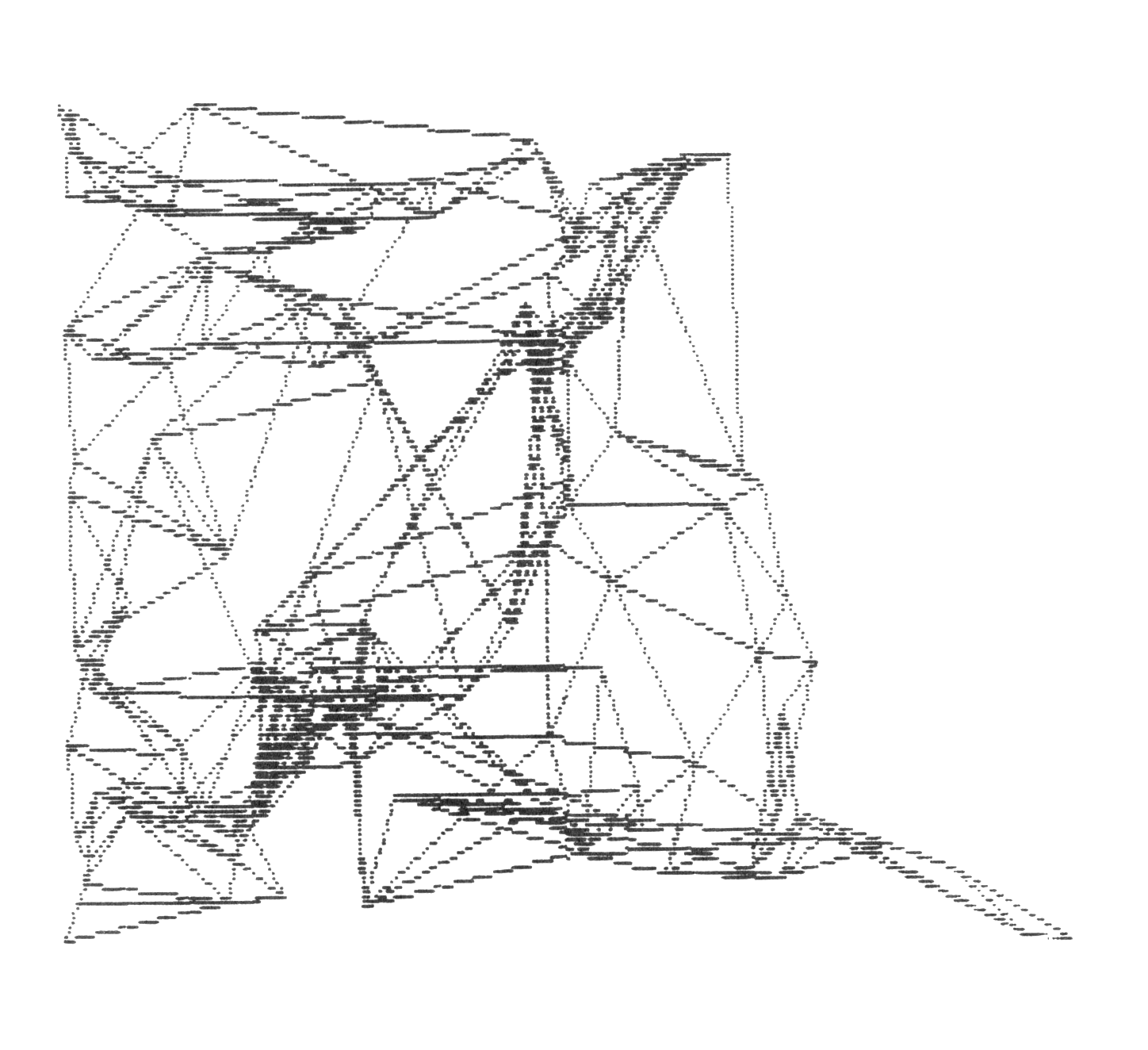
Our first program starts with one large triangle, then locates and displaces the midpoint of each side, creating a 6-sided figure. Connecting the displaced midpoints creates 4 triangles. Repeating the process on each of the 4 creates 16 from which we make 64 and on up to 1024. The final figure consists solely of triangles.
Roughness of the figure, the amount by which midpoints move, is controlled by the first DATA item of line 10. Six more DATA points set the vertices of the initial triangle using x,y coordinates in the same units as for PLOT and DRAW on the 2068. You can change any of these to get different results.
Lines 30-80 locate a midpoint & move it by a random displacement proportional to both length and the ruggedness parameter. The program from 120-190 plots the rock after each stage of fracturing. From line 220-260 the program moves the previous x,y points up in memory to make room for the next midpoints, and from 270-330 the program picks triangles to be fractured. At the end 1584 lines connect 561 points forming 1024 triangles.
Each time you RUN you get a different picture. You’ll see the midpoint dots being put in place at each step. To get colored rocks, just change the INK in line 120 and in line 210.
Watching rocks form may be addictive. This program takes a little over three minutes to run and the final result is copied.
Blanchard D. Smith, Alexandria, VA
  10 DATA .3,80,175,255,20,0,0
  20 GO TO 90
  30 LET u=(x(k)+x(j))/2: LET v=(y(k)+y(j))/2
  40 LET r=s*(ABS (x(j)-u)+ABS (y(j)-v))
  50 LET x=INT ABS ((RND-RND)*r+u): LET y=INT ABS ((RND-RND)*r+v)
  60 IF x>255 THEN LET x=255
  70 IF y>175 THEN LET y=175
  80 PLOT x,y: LET x(i)=x: LET y(i)=y: RETURN
  90 DIM x(561): DIM y(561)
 100 READ s: FOR j=1 TO 3: READ x(j): READ y(j): NEXT j
 110 LET c=2: FOR t=1 TO 6
 120 INK 1: CLS
 130 LET a=0: FOR m=1 TO c-1
 140 FOR n=1 TO m
 150 LET i=a+n: LET j=i+m
 160 PLOT x(i),y(i): DRAW x(j)-x(i),y(j)-y(i)
 170 LET i=j+1: DRAW x(i)-x(j),y(i)-y(j)
 180 LET j=a+n: DRAW x(j)-x(i),y(j)-y(i)
 190 NEXT n: LET a=a+m: NEXT m
 200 IF t=5 THEN GO TO 9000
 210 INK 2
 220 FOR m=c TO 2 STEP -1
 230 LET b=a+a-m
 240 FOR j=a+1 TO a+m: LET i=j+j+b
 250 LET x(i)=x(j): LET y(i)=y(j)
 260 NEXT j: LET a=a-m+1: NEXT m
 270 LET c=c+c-1: LET a=1
 280 FOR m=2 TO c STEP 2
 290 FOR l=a TO a+m-1 STEP 2
 300 LET i=l+m-1: LET j=l: LET k=i+m: GO SUB 30
 310 LET i=k+1: LET j=i+1: GO SUB 30
 320 LET i=l+m: LET k=l: GO SUB 30
 330 NEXT l: LET a=j-m: NEXT m
 340 NEXT t
9000 COPY : STOP
SYNTACTIC SUM:  61059, TS2068
Fractal Tracks
Our second program traces the motion of points in the x-y plane, thus generating curves whose shape does not depend on size–the entire curve consists of like-shaped components. Greg Turk published an Applesoft BASIC version of this program in BYTE (Sep.84) and you should refer to that magazine for a full description and an excellent article by Peter Sorenson.
This program demonstrates how to do complex numbers in x+jy notation on your 2068. The x-y plane you view is the complex plane and whatever insight you have into complex numbers will serve you in playing with this program.
Apples number the screen such that 0,0 is top left and 159,279 is bottom right. We did not alter the code to erect the figures on 2068’s
When you RUN the program, you must supply lambda, which is a complex number and thus needs an x and a y value. Most of our tests used numbers between +/- PI for xy-components of lambda. Either may be zero. Scale is a single number that shrinks the picture. Large values make small pictures.
The program doesn’t check or fix values that cause intermediate results to be too large, just live with the error reports & try again. Enter 2,0,3 to test the program–it gives a circle–then try as many as you wish. Some patterns take 15-60 minutes to show fully, others repeat within the resolution of your screen and you may see only a handful of points–KO.
  10 LET cx=127: LET cy=88
  20 LET x=0.50001: LET y=0
 100 GO SUB 5000
 110 PAPER 0: INK 3: CLS
 120 FOR i=1 TO 10: GO SUB 4000: NEXT i
 140 GO SUB 6000
 160 GO SUB 4000
 180 GO TO 140
 999 STOP
1000 REM Square Root of (x+jy)
1005 LET t=y
1010 LET s=SQR (x*x+y*y)
1020 LET y=SQR ((-x+s)/2)
1030 LET x=SQR ((+x+s)/2)
1040 IF t<0 THEN LET x=-x
1050 RETURN
2000 REM Four Over lx+jly
2010 LET s=lx*lx+ly*ly
2020 LET lx=+4*lx/s
2030 LET ly=-4*ly/s
2040 RETURN
3000 REM x+jy Times lx+jly
3010 LET tx=x: LET ty=y
3020 LET x=tx*lx-ty*ly
3030 LET y=tx*ly+ty*lx
3040 RETURN
4000 REM Function of x+jy
4010 GO SUB 3000: REM * Lambda
4020 LET x=1-x
4030 GO SUB 1000: REM Take Root
4040 IF RND<0.5 THEN LET x=-x: LET y=-y: REM Choose Root to Plot
4050 LET x=1-x
4060 LET x=x/2: LET y=y/2
4070 RETURN
5000 REM Get Values
5010 CLS
5020 INPUT "What is Lambda? (x,y) ";lx,ly
5030 GO SUB 2000
5040 INPUT "What is Scale? ";sc
5050 LET sc=2*cx/sc
5060 RETURN
6000 REM Plot x,y
6010 PAPER 0: INK 7: PLOT sc*(x-0.5)+cx,cy-sc*y
6020 RETURN
6999 STOP
7000 REM RND test
7010 LET zx=140
7020 LET zy=96
7030 LET dx=20*RND
7040 LET dy=20*RND
7050 PLOT zx+dx,zy+dy
7060 GO TO 7030
SYNTACTIC SUM:  3990, TS2068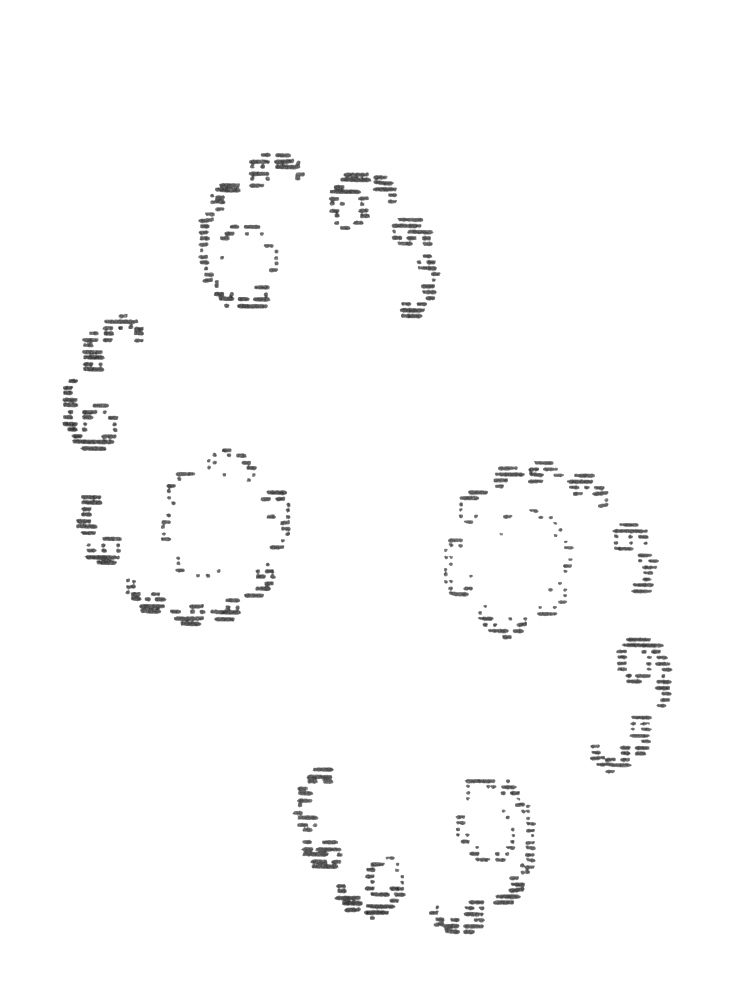
Note: Type-in program listings on this website use ZMAKEBAS notation for graphics characters.