This is it folks. I leave it to you to progress from here. There are many other instructions I could have discussed, such as CP (Confuse Programmer), but they will be discovered soon enough, without my assistance.
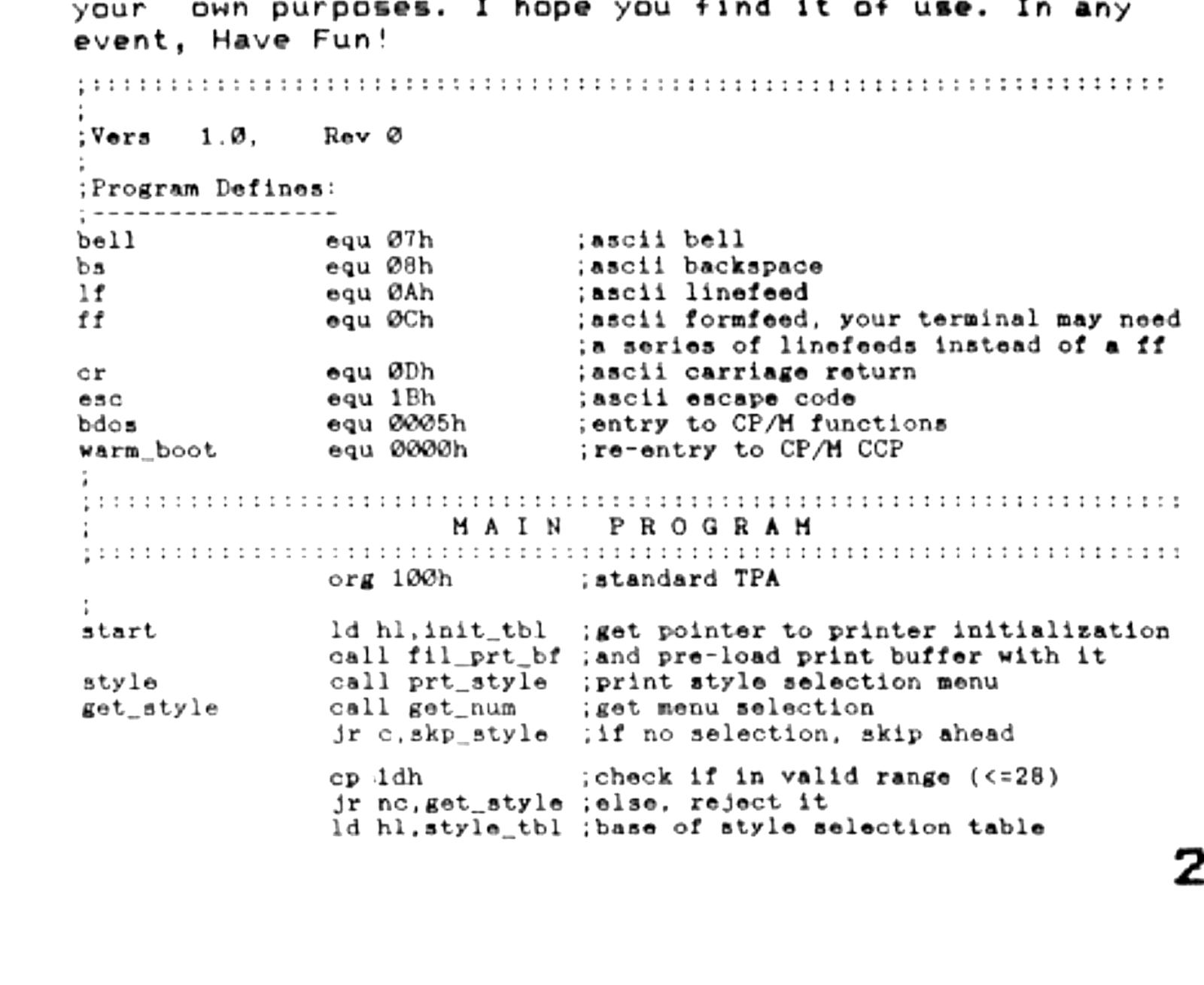
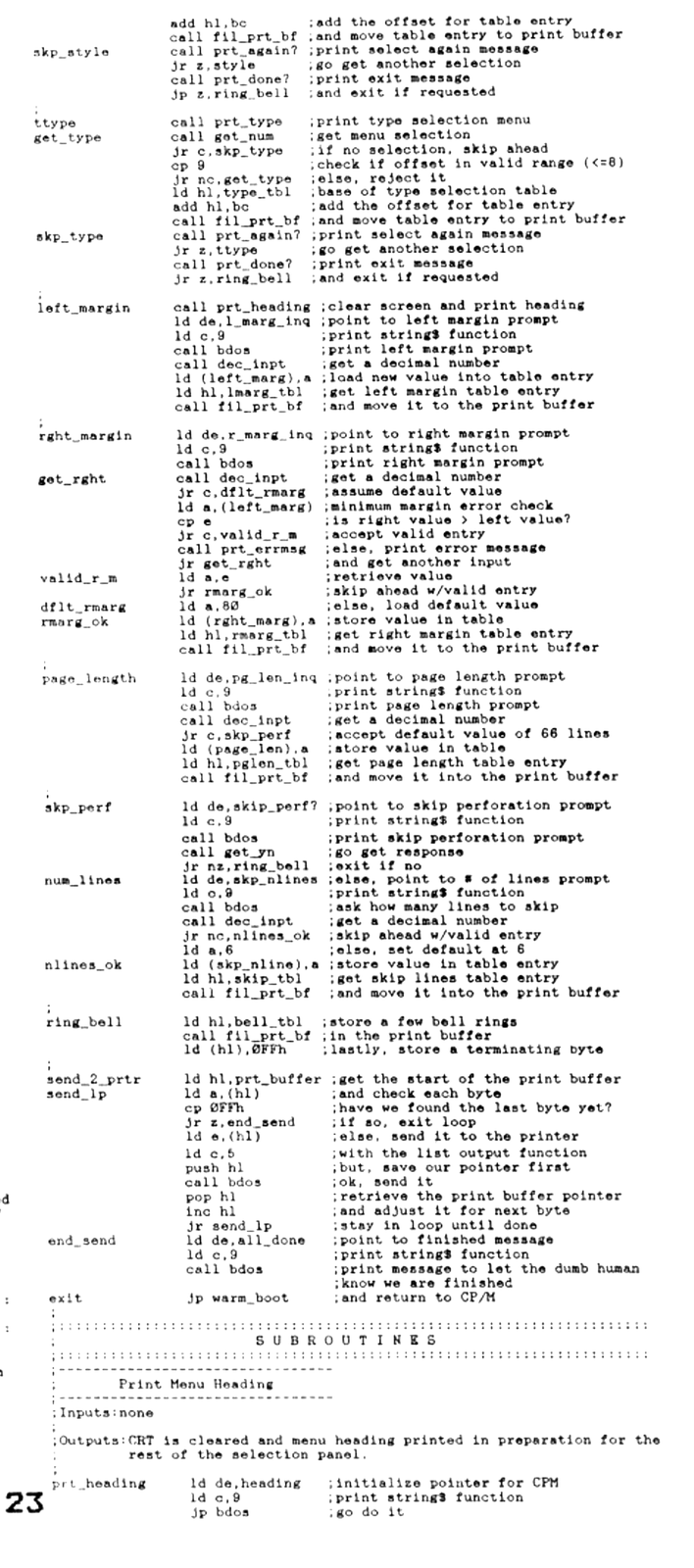
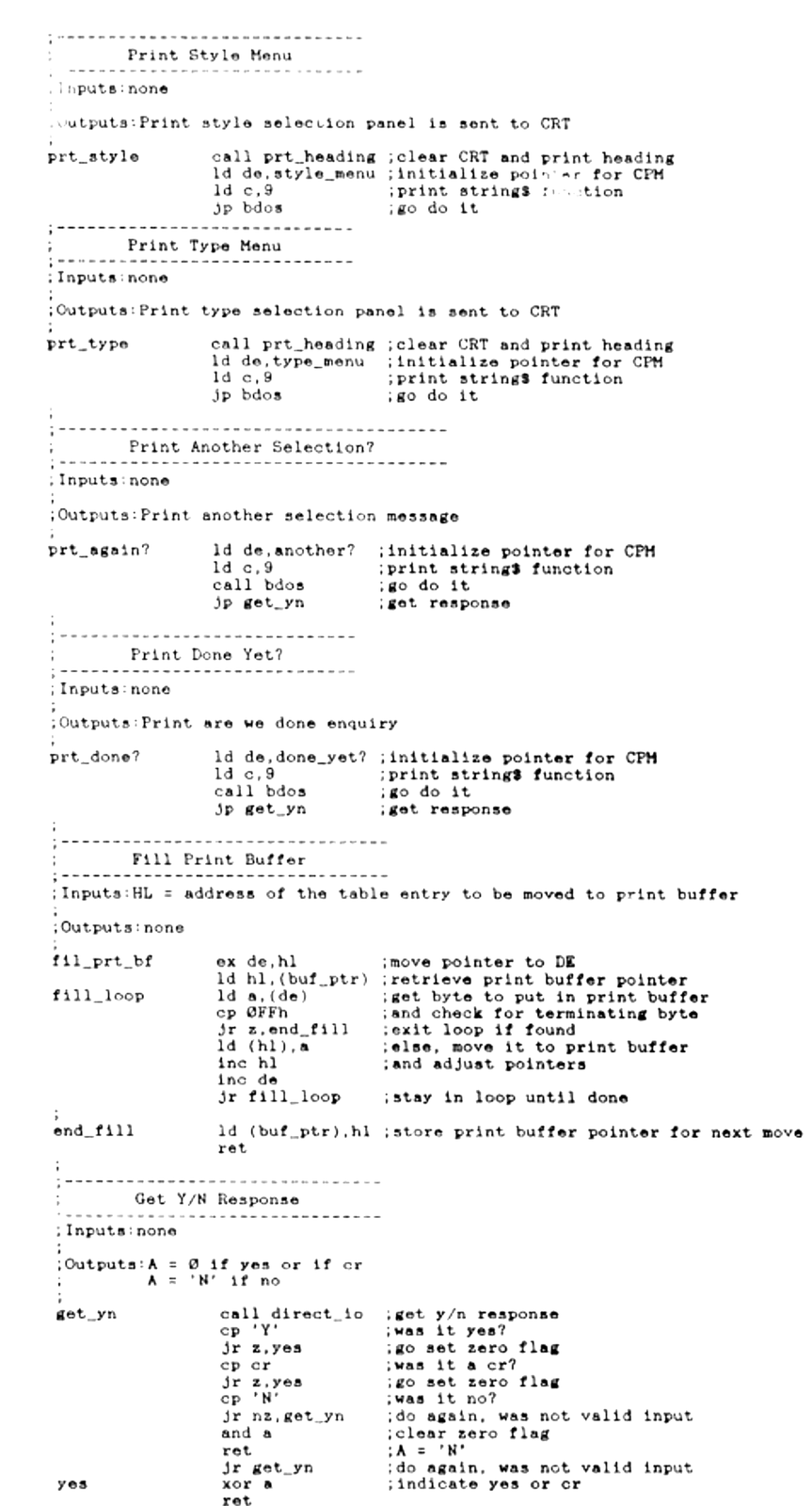
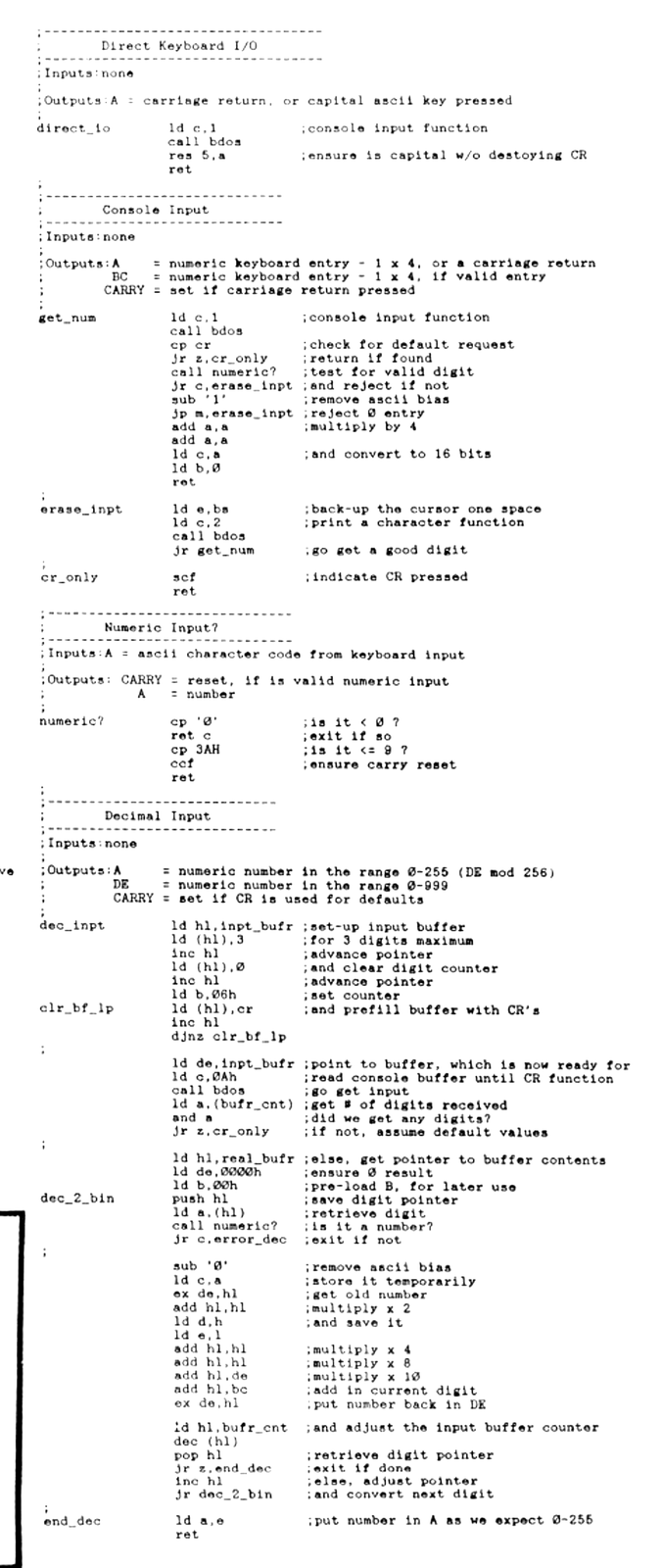
As a wrap-up to this series, I present a special treat…a full fledged MC program. Additionally, it is written to support the many CP/M systems which are running on our humble “doorstops”. Those of you without CP/M will need to replace all the calls to CP/M’s BDOS with your own routines. I have provided the necessary PRINTing and INPUTing routines in previous lessons.
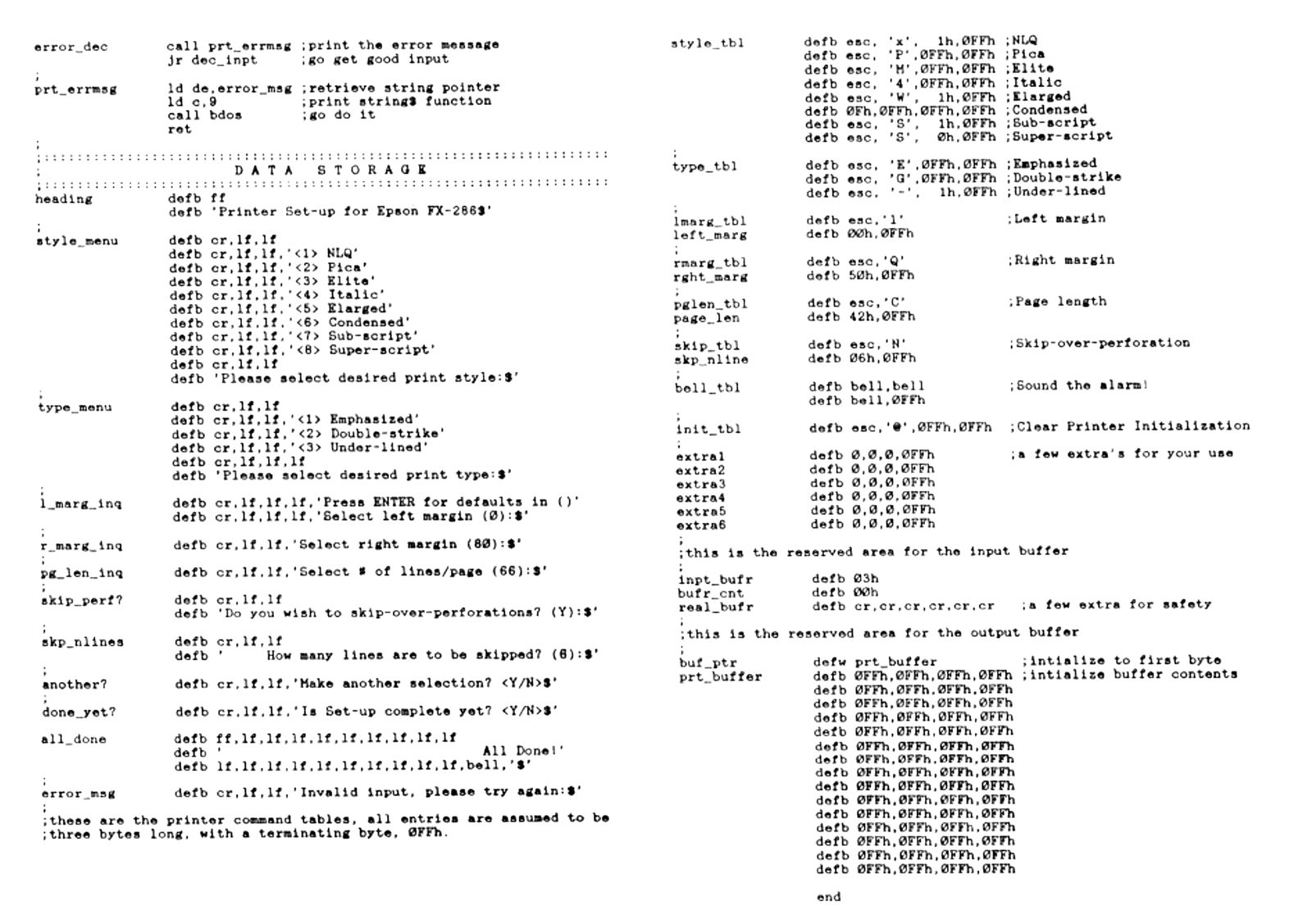
As usual, the program is presented as a source file, to allow for easy modification by you. The “DATA STORAGE” area is where your customization takes place. The menus and messages can be changed to suit your taste but it is generally best to assemble the program prior to making changes.
Next, and most important, are the printer command tables. These must be changed to reflect your printer commands. All entries are four bytes long and the fourth byte must contain 0FFh. Your printer manual will provide the necessary entries for these tables.
As the program is self-explanatory and fairly long, let’s get to it!
Printer Set-Up Program
Written for CP/M and the Epson FX-286
by Syd Wyncoop, S & K Enterprises
Operation: The printer is cleared of all prior settings by sending the printer its start-up initialization code first, followed by your selected options. A bell will sound to let you know the settings have been properly received by the printer. The printer must be turned on, or your system may hang-up. If it hangs, you need only turn on the printer to get things working properly.
In the interest of brevity, there is no documentation, save this source. The comments and labels should prove to be self-explanatory. All customization is done in the tables and/or program defines, prior to assembly.
There is minimum of error checking. If the program will be used by an inexperienced user or employee, you may wish to trap a few additional errors to avoid a crash.
Follow the prompts. You may press ENTER at most of them to either accept a default value or skip selection…the choice will be obvious.
This program is donated to the CP/M Public Domain. Please feel free to modify and use it for your own purposes. I hope you find it of use. In any event, Have Fun!